Cisco Secure Client - Package Installation [Windows]
Overview
Attempts to install the modules selected in cPVAL Cisco Secure Client Modules custom field using the installer specified in cPVAL Cisco Secure Client Windows Source custom field, provided as either a download URL or a local file path. Applicable for Windows systems.
Note: Mandatory custom fields must be set before running the automation.
Custom Fields
| Field Name | Type | Mandatory | Description | Available Options |
|---|---|---|---|---|
| cPVAL Cisco Secure Client Modules | Multi-select | Yes | Use this field to specify which modules should be installed. Selecting "All" installs every module and overrides individual selections. If Umbrella is selected (or "All" is used), the Umbrella UserID, Fingerprint, and OrgID must also be provided. |
|
| cPVAL Cisco Secure Client Windows Source | Text | Yes | Provide the download URL or local file path for the .zip installer used on Windows (e.g., C:\Path\To\File.zip). Supports HTTP/HTTPS and local paths. | |
| cPVAL Cisco Secure Client Umbrella UserID | Text | Conditional (Required when “All” or “Umbrella” selected) | Umbrella UserID for your organization. | |
| cPVAL Cisco Secure Client Umbrella Fingerprint | Text | Conditional (Required when “All” or “Umbrella” selected) | Umbrella Fingerprint for your organization. | |
| cPVAL Cisco Secure Client Umbrella OrgID | Text | Conditional (Required when “All” or “Umbrella” selected) | Umbrella OrgID for your organization. | |
| cPVAL Cisco Secure Client Windows Show VPN | Checkbox | No | Enable to show the Core‑VPN module in the Windows system tray. By default Core‑VPN does not display in the tray. | |
| cPVAL Cisco Secure Client Windows ARP | Checkbox | No | Enable to hide Cisco Secure Client modules from Add/Remove Programs (Windows only). | |
| cPVAL Cisco Secure Client Windows Lockdown | Checkbox | No | Lock Cisco Secure Client services to prevent modifications for all users (including admins). Supported on Windows only. |
Note: Umbrella requires Core‑VPN. To install Umbrella, ensure both Core‑VPN and Umbrella are selected in cPVAL Cisco Secure Client Modules.
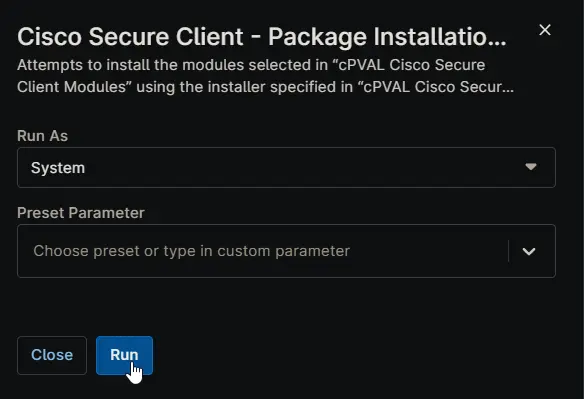
Sample Run
Dependencies
- PowerShell: Install-CiscoSecureClient
- Custom Field: cPVAL Cisco Secure Client Modules
- Custom Field: cPVAL Cisco Secure Client MAC Source
- Custom Field: cPVAL Cisco Secure Client Windows Source
- Custom Field: cPVAL Cisco Secure Client Umbrella UserID
- Custom Field: cPVAL Cisco Secure Client Umbrella Fingerprint
- Custom Field: cPVAL Cisco Secure Client Umbrella OrgID
- Custom Field: cPVAL Cisco Secure Client Windows Show VPN
- Custom Field: cPVAL Cisco Secure Client Windows ARP
- Custom Field: cPVAL Cisco Secure Client Windows Lockdown
- Solution: Cisco Secure Client
Automation Setup/Import
Output
- Activity Details
Changelog
2025-11-17
- Initial version of the document