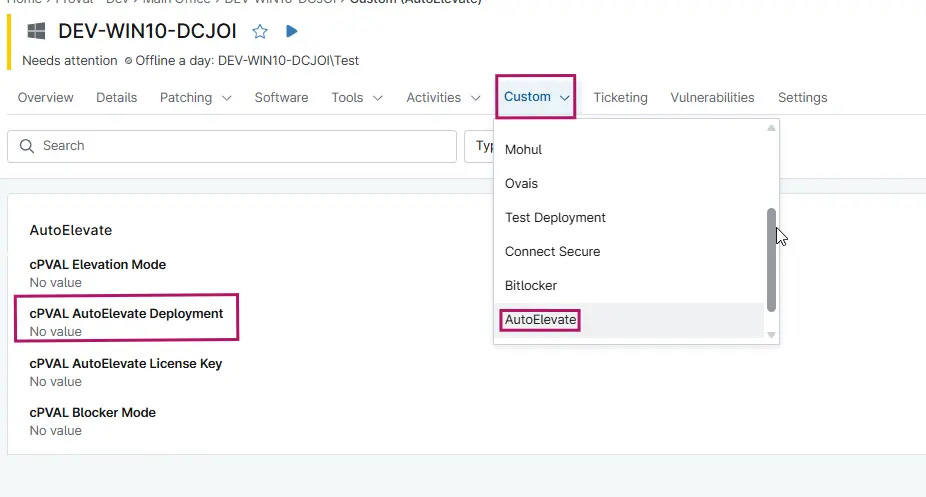
cPVAL AutoElevate Deployment
Summary
This field controls whether the AutoElevate deployment process should run on the selected devices. When set to Enable, the deployment script will execute and install configure the AutoElevate agent using the defined parameters (License Key, Elevation Mode, and Blocker Mode).
Details
| Label | Field Name | Definition Scope | Type | Required | Available Options | Default Value | Technician Permission | Automation Permission | API Permission | Description | Tool Tip | Footer Text | Custom Field Tab Name |
|---|---|---|---|---|---|---|---|---|---|---|---|---|---|
| cPVAL AutoElevate Deployment | cpvalAutoelevateDeployment | Organization, Location, Device | Drop-Down | Yes | Disabled, Windows, Windows Workstations, Windows and Macintosh, Windows Workstations and Macintosh, Macintosh | Editable | Read/Write | Read/Write | This Custom Field is utilized during the AutoElevate deployment process within compound execution conditions. It controls whether the agent installation proceeds based on the configured deployment logic. | This field controls whether the AutoElevate deployment process should run on the selected devices. | Used for compound conditions in AutoElevate deployment. | AutoElevate |
Dependencies
Custom Field Creation
Sample Screenshot
Changelog
2026-08-12
- Updated Custom field options to include Mac machines as well. Removed separate servers options as that will be covered under
windowsandWindows and Macintoshoptions only.
2025-12-04
- Initial version of the document