Local Admin Group Cleanup
Purpose
The purpose of this solution is to manage the members in the local admin group for Windows machines.
Update Notice: 27 September 2024
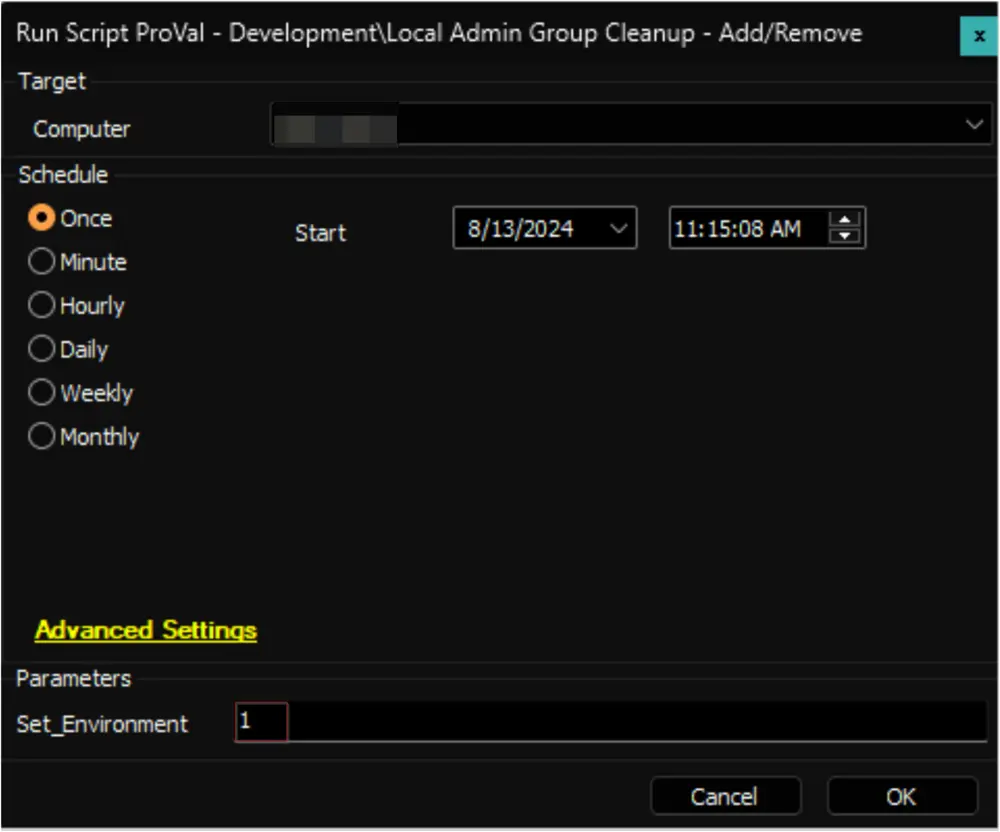
The solution's Extra Data Fields have been modified. Update the Local Admin Group Cleanup - Add/Remove script from the Prosync plugin and run/debug against an online Windows machine with Set_Environment set to 1 to implement the changes.
Associated Content
| Content | Type | Function |
|---|---|---|
| Local Admin Group Cleanup - Add/Remove | Script | Manage the addition and removal of members from the local admin group. |
| Local Admin Group Cleanup | Internal Monitor | Detects Windows computers where the local admin group cleanup process is enabled, but the script has not been executed in the past 7 days. |
| △ Custom - Local Admin Group Cleanup | Alert Template | Run the script against the computers detected by the internal monitor. |
Implementation
-
Import the following content using the ProSync Plugin:
- Script - Local Admin Group Cleanup - Add/Remove
- Internal Monitor - Local Admin Group Cleanup
- Alert Template - △ Custom - Local Admin Group Cleanup
-
Reload the system cache:

-
First Execution: Run the script against any online Windows computer with the
Set_Environmentparameter set to1to create the system properties and the EDFs used by the solution.
-
Configure the solution as outlined below:
- Navigate to Automation → Monitors within the CWA Control Center and set up the following:
- Internal Monitor - Local Admin Group Cleanup
Alert Template: △ Custom - Local Admin Group Cleanup- Right-click and Run Now to start the monitor
- Internal Monitor - Local Admin Group Cleanup
- Navigate to Automation → Monitors within the CWA Control Center and set up the following:
-
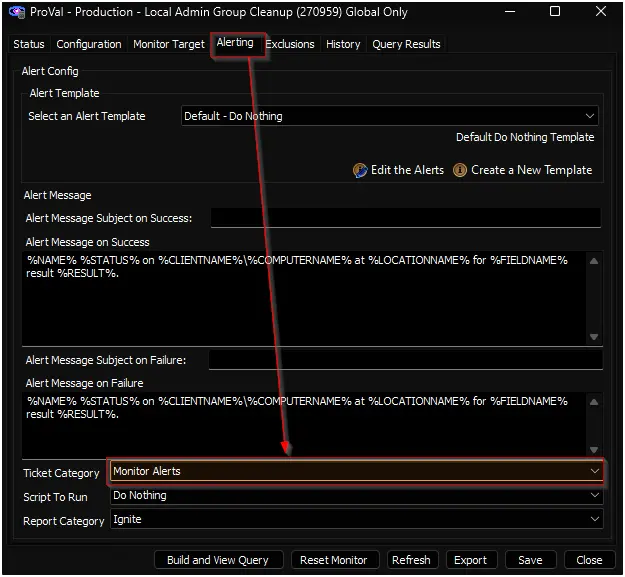
Confirm with the consultant before enabling ticketing by setting a ticket category for the Local Admin Group Cleanup internal monitor.
-
Set the appropriate values for the system properties and EDFs defined in the script's document, which should be provided by the consultant.
Changelog
2025-04-10
- Initial version of the document