Install Zoom Windows VDI
Overview
This script checks whether Zoom Windows VDI is already installed on the system. If not found, it downloads the Zoom VDI Universal Plugin and installs it silently.
Implementation
-
Download the component Install Zoom Windows VDI from the attachments.
-
After downloading the attached file, click on the
Importbutton -
Select the component just downloaded and add it to the Datto RMM interface.

Sample Run
To execute the component over a specific machine, follow these steps:
-
Select the machine you want to run the
componenton from the Datto RMM. -
Click on the
Quick Jobbutton.
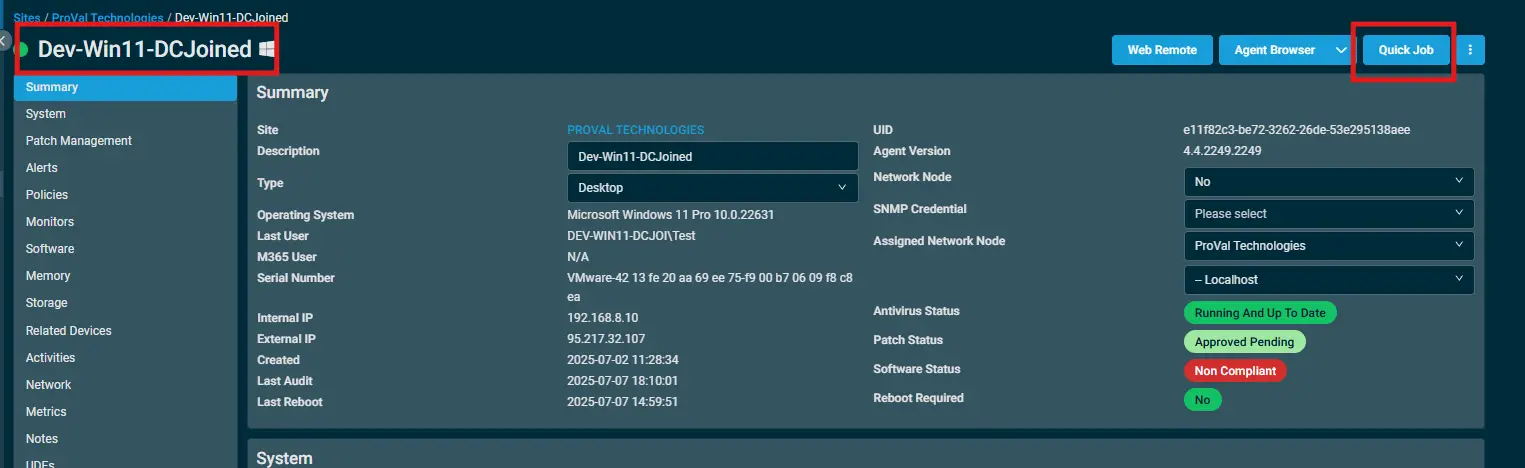
-
Search the component
Install Zoom Windows VDIand click onSelect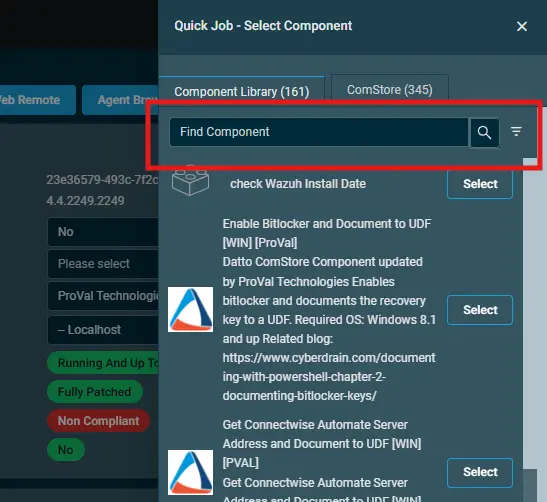
-
After selecting the compoment you'll receive a popup.
-
Click on
Runto execute it.

Output
A job status of Success is expected.
Activity Log

StdErr
StdErr is not expected.
Attachments
Changelog
2025-11-25
- Initial version of the document