Install BlackPoint SnapAgent
Summary
Installs the Blackpoint SNAP Agent on Windows and macOS machines.
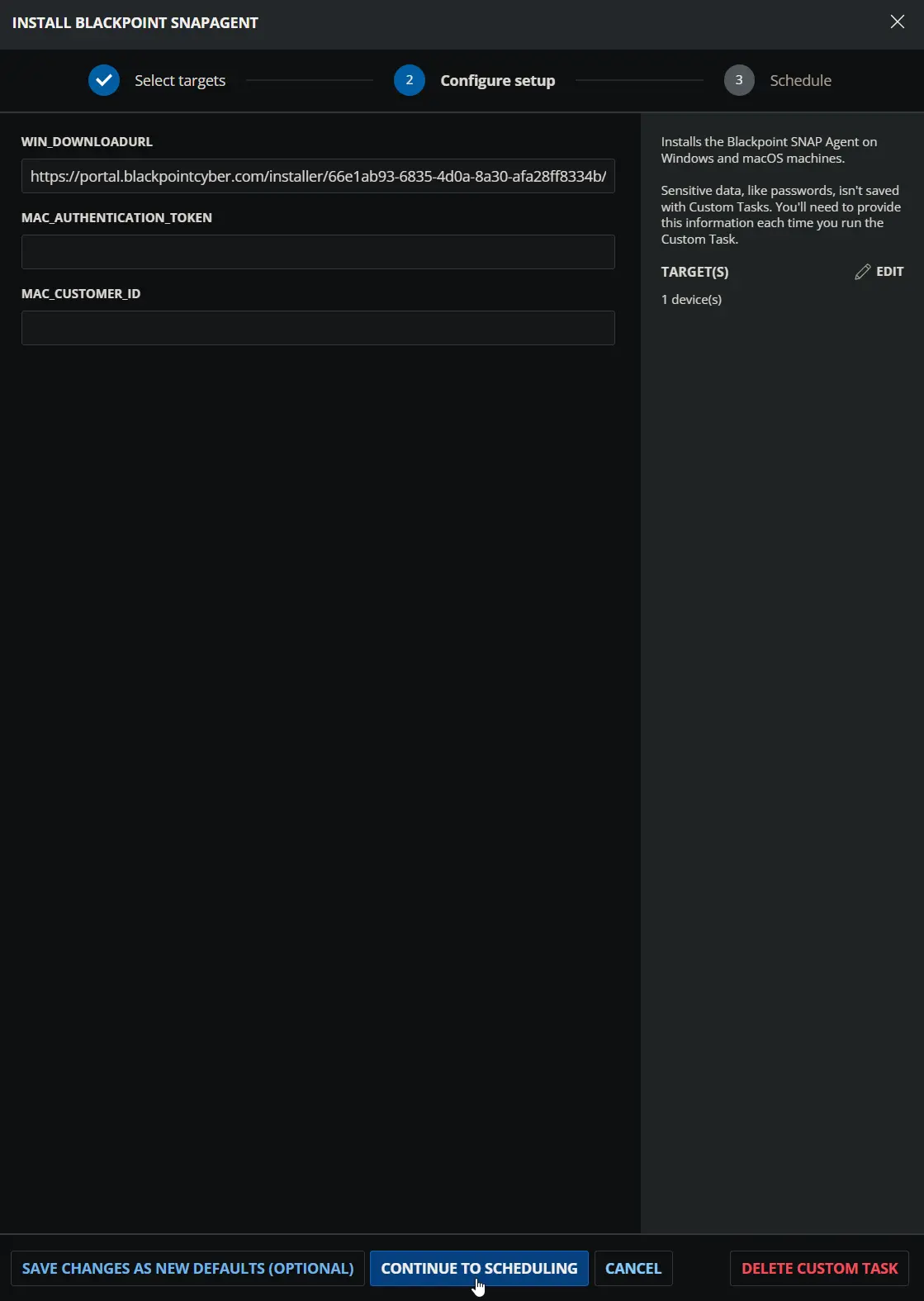
On Windows, the task uses the agnostic script Install-SnapAgent with the installer download URL from the Win_DownloadUrl parameter or the BP_WIN_URL custom field.
On macOS, the task runs a Bash script that:
- Exits without making changes if
/Library/LaunchDaemons/snap-agent.plistalready exists. - Resolves the authentication token and customer ID as a pair. The
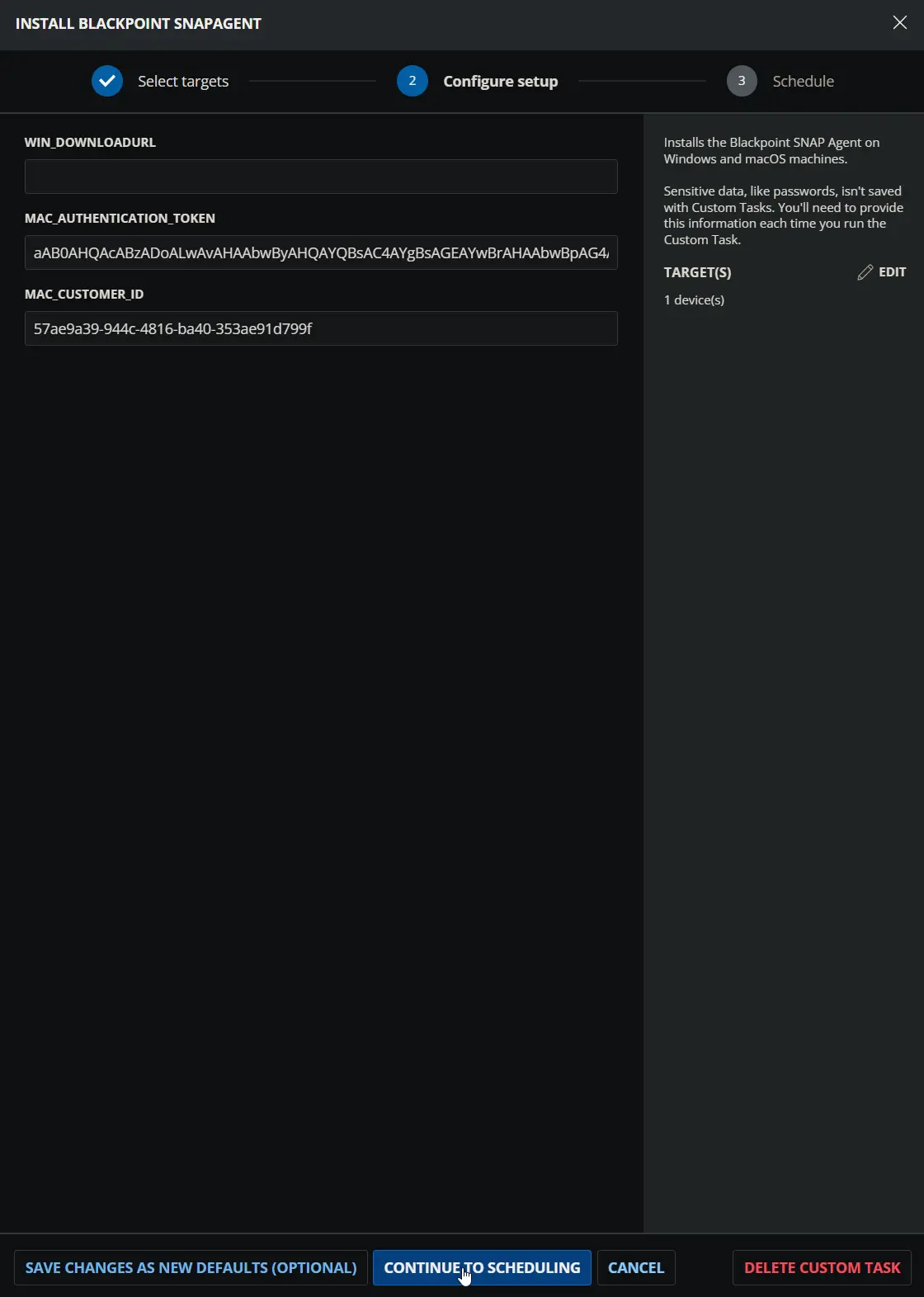
MAC_Authentication_TokenandMac_Customer_IDparameters are used when both are populated; otherwise, theBP_MAC_Authentication_TokenandBP_Mac_Customer_IDcustom fields are used. If only one of the two parameters is populated, it is ignored and a warning is written to the log. - Confirms that the customer ID is a valid UUID.
- Downloads the Blackpoint deployment installer and removes any
license.yamlleft behind by a previous incomplete installation, so the supplied credentials are always applied. - Runs the Blackpoint installer and verifies the installation by checking for
snap-agent.plistand confirming that the service is loaded.
Every macOS failure path exits with a non-zero code and writes an ERROR: line to the script log.
Sample Run
Windows:
macOS:
Dependencies
User Parameters
| Name | Example | Accepted Values | Required | Default | Type | Description |
|---|---|---|---|---|---|---|
| Win_DownloadUrl | https://file.something.com/SnapAgent/SnapAgent_Installer.exe | Direct download URL of the installer | No | Text String | Download URL for the Windows installer. Used on Windows only. When provided, it takes precedence over the BP_WIN_URL custom field. | |
| MAC_Authentication_Token | abc.xyz | Blackpoint authentication token | No | Text String | Blackpoint authentication token for macOS endpoints. Must be provided together with Mac_Customer_ID. When both are populated, they take precedence over the BP_MAC_Authentication_Token and BP_Mac_Customer_ID custom fields. | |
| Mac_Customer_ID | 00000000-0000-0000-0000-000000000000 | UUID | No | Text String | Blackpoint customer ID that links macOS endpoints to the correct Blackpoint customer. Must be provided together with MAC_Authentication_Token. When both are populated, they take precedence over the BP_MAC_Authentication_Token and BP_Mac_Customer_ID custom fields. |
Custom Fields
| Name | Level | Type | Required | Description |
|---|---|---|---|---|
| BP_WIN_URL | Company | Text | No | Download URL for the Windows installer. Used when the Win_DownloadUrl parameter is not provided. |
| BP_MAC_Authentication_Token | Company | Text | No | Blackpoint authentication token for macOS endpoints. Used together with BP_Mac_Customer_ID when the MAC_Authentication_Token and Mac_Customer_ID parameters are not both provided. |
| BP_Mac_Customer_ID | Company | Text | No | Blackpoint customer ID (UUID) for macOS endpoints. Used together with BP_MAC_Authentication_Token when the MAC_Authentication_Token and Mac_Customer_ID parameters are not both provided. |
Note: Either the custom fields or the user parameters must be populated for the installation to proceed. On macOS, the authentication token and customer ID are always taken from the same source.
Task Setup Path
- Tasks Path:
AUTOMATION➞Tasks - Task Type:
Script Editor
Task Creation
Description
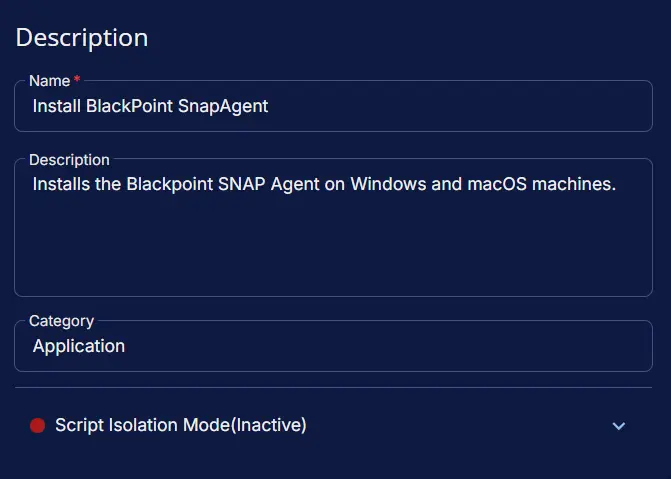
- Name:
Install BlackPoint SnapAgent - Description:
Installs the Blackpoint SNAP Agent on Windows and macOS machines. - Category:
Application - Script Isolation Mode:
Inactive
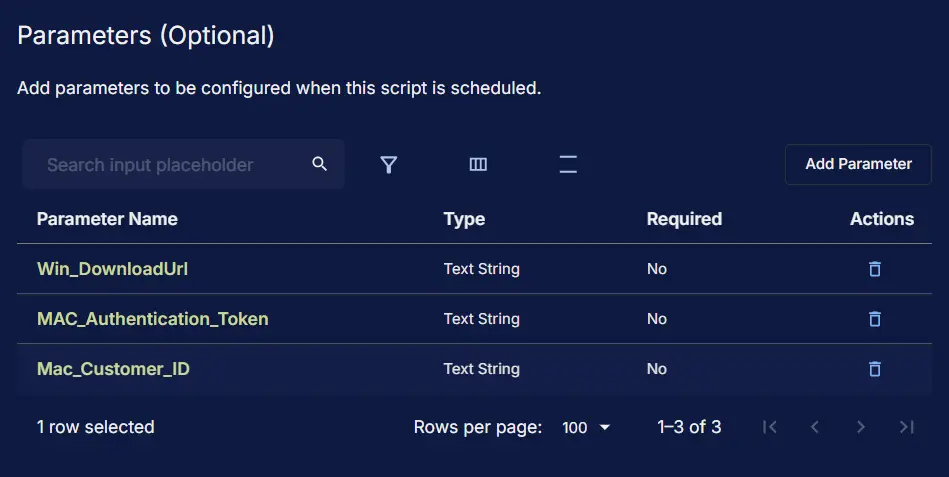
Parameters
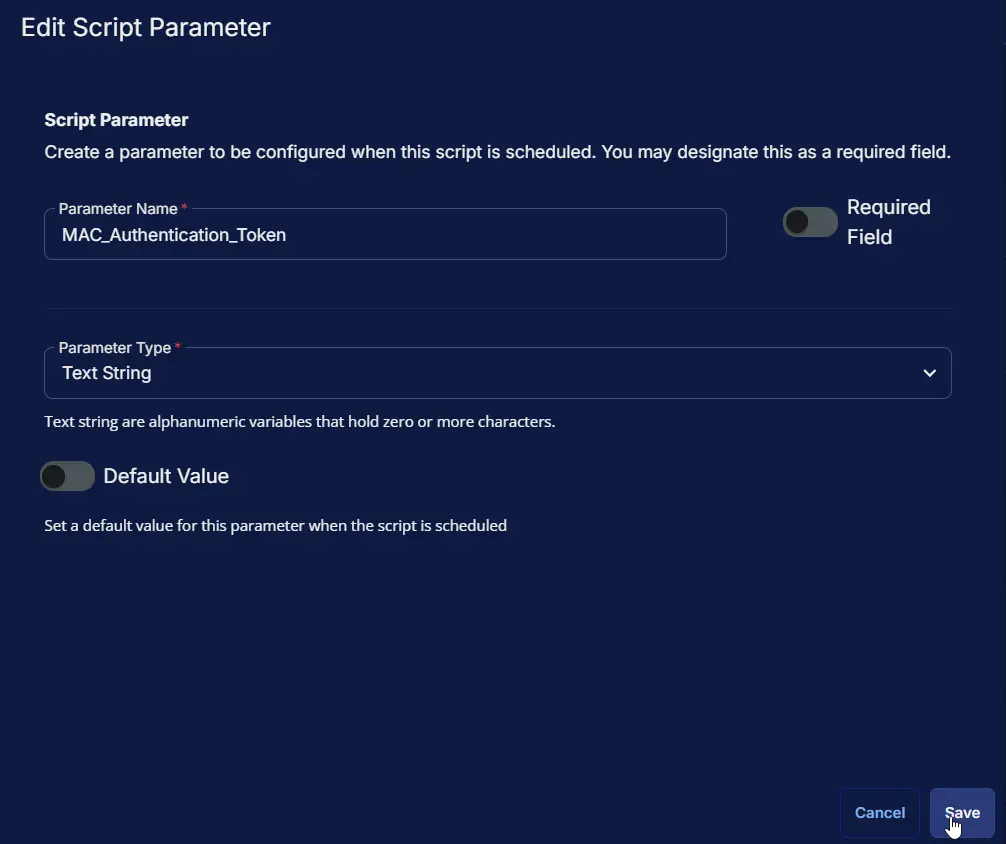
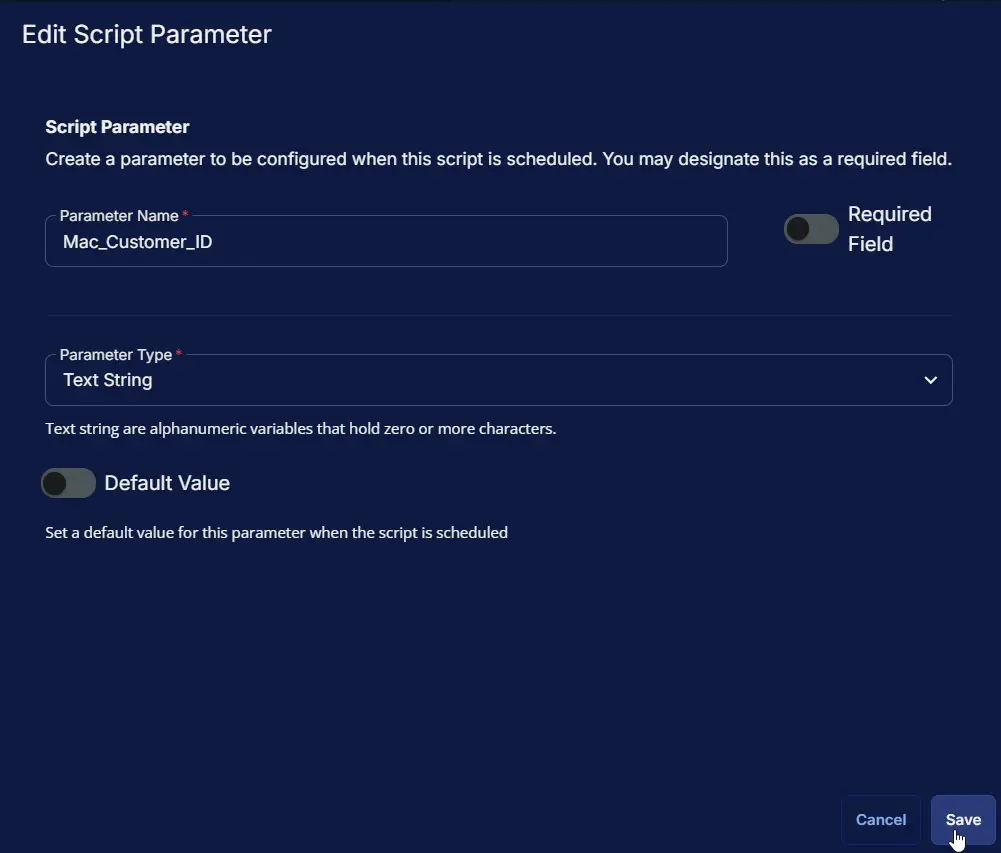
| Parameter Name | Required Field | Parameter Type | Default Value |
|---|---|---|---|
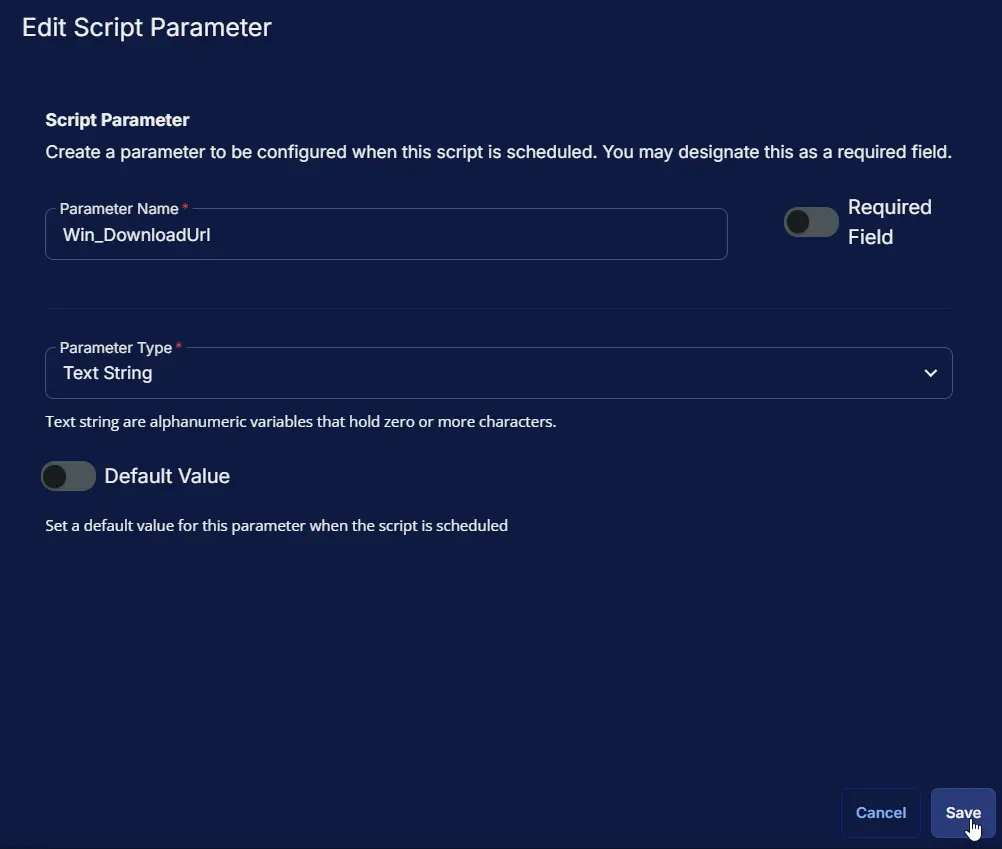
| Win_DownloadUrl | Disabled | Text String | |
| MAC_Authentication_Token | Disabled | Text String | |
| Mac_Customer_ID | Disabled | Text String |
Win_DownloadUrl:
MAC_Authentication_Token:
Mac_Customer_ID:
Script Editor
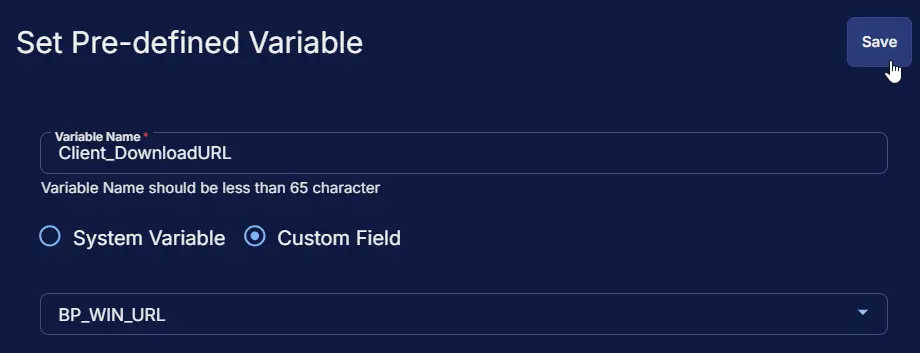
Row 1: Set Pre-defined Variable ( @Client_DownloadURL@ = BP_WIN_URL )
- Variable Name:
Client_DownloadURL - Type:
Custom Field - Custom Field:
BP_WIN_URL - Continue on Failure:
False - Operating System:
Windows
Row 2: Set Pre-defined Variable ( @Client_Authentication_Token@ = BP_MAC_Authentication_Token )
- Variable Name:
Client_Authentication_Token - Type:
Custom Field - Custom Field:
BP_MAC_Authentication_Token - Continue on Failure:
False - Operating System:
MacOS
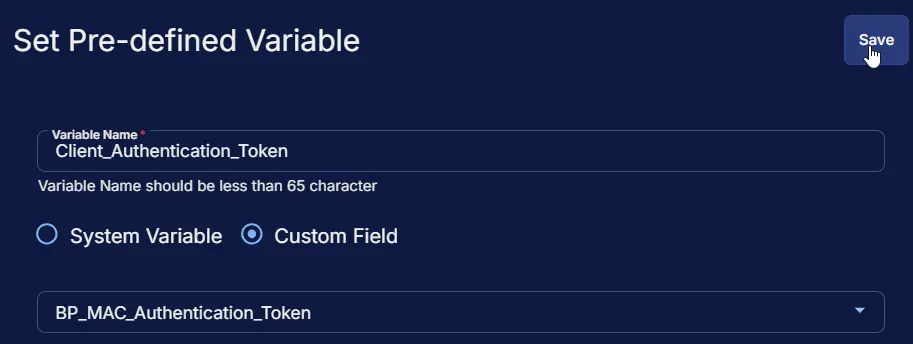
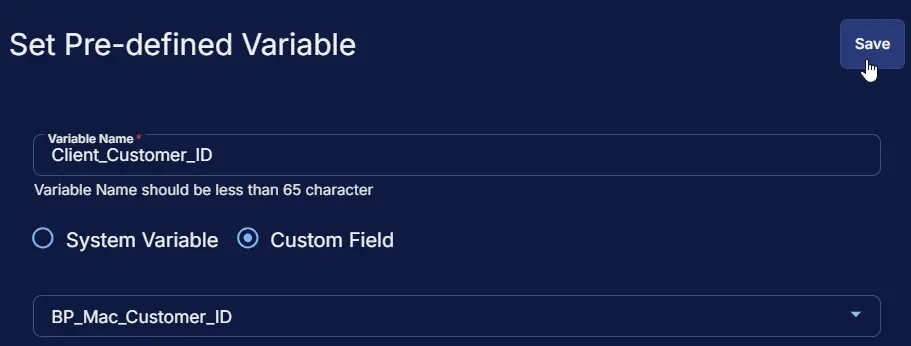
Row 3: Set Pre-defined Variable ( @Client_Customer_ID@ = BP_Mac_Customer_ID )
- Variable Name:
Client_Customer_ID - Type:
Custom Field - Custom Field:
BP_Mac_Customer_ID - Continue on Failure:
False - Operating System:
MacOS
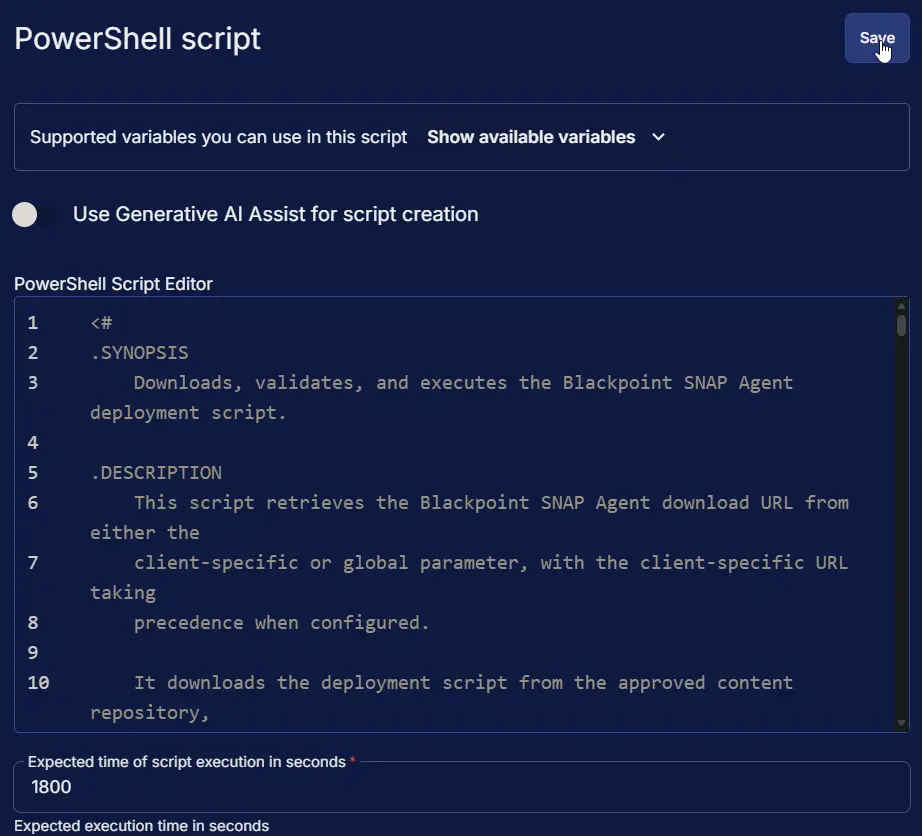
Row 4: PowerShell script
- Use Generative AI Assist for script creation:
False - Expected time of script execution in seconds:
1800 - Continue on Failure:
False - Run As:
System - Operating System:
Windows - PowerShell Script Editor:
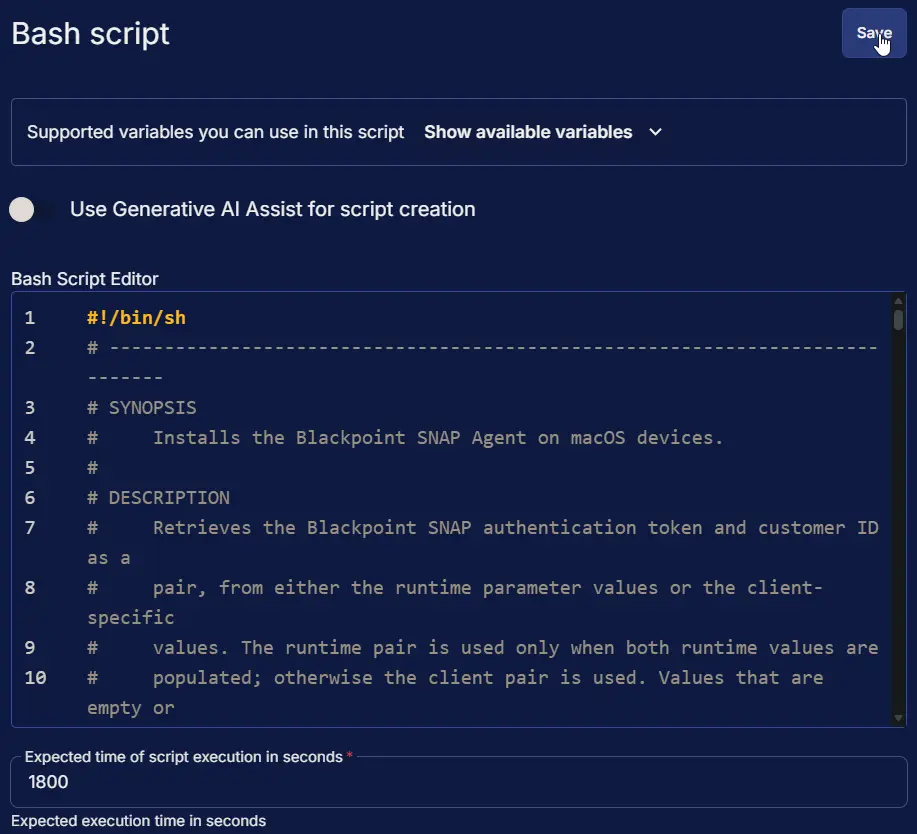
Row 5: Bash script
- Use Generative AI Assist for script creation:
False - Expected time of script execution in seconds:
1800 - Continue on Failure:
False - Run As:
System - Operating System:
MacOS - Bash Script Editor:
Row 6: Script Log
- Script Log Message:
%Output% - Continue on Failure:
False - Operating System:
Windows,MacOS

Completed Script
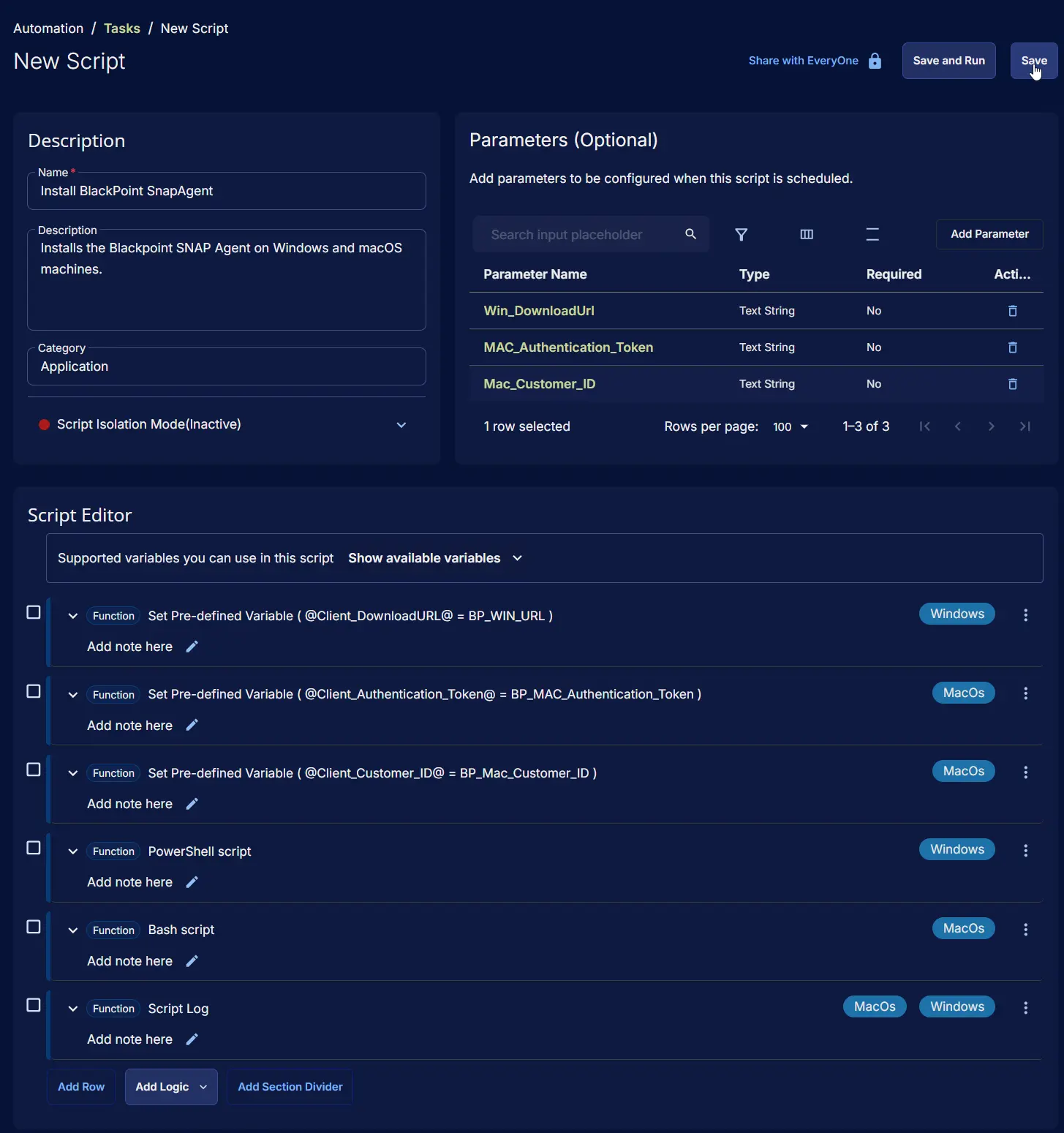
Output
- Script Log
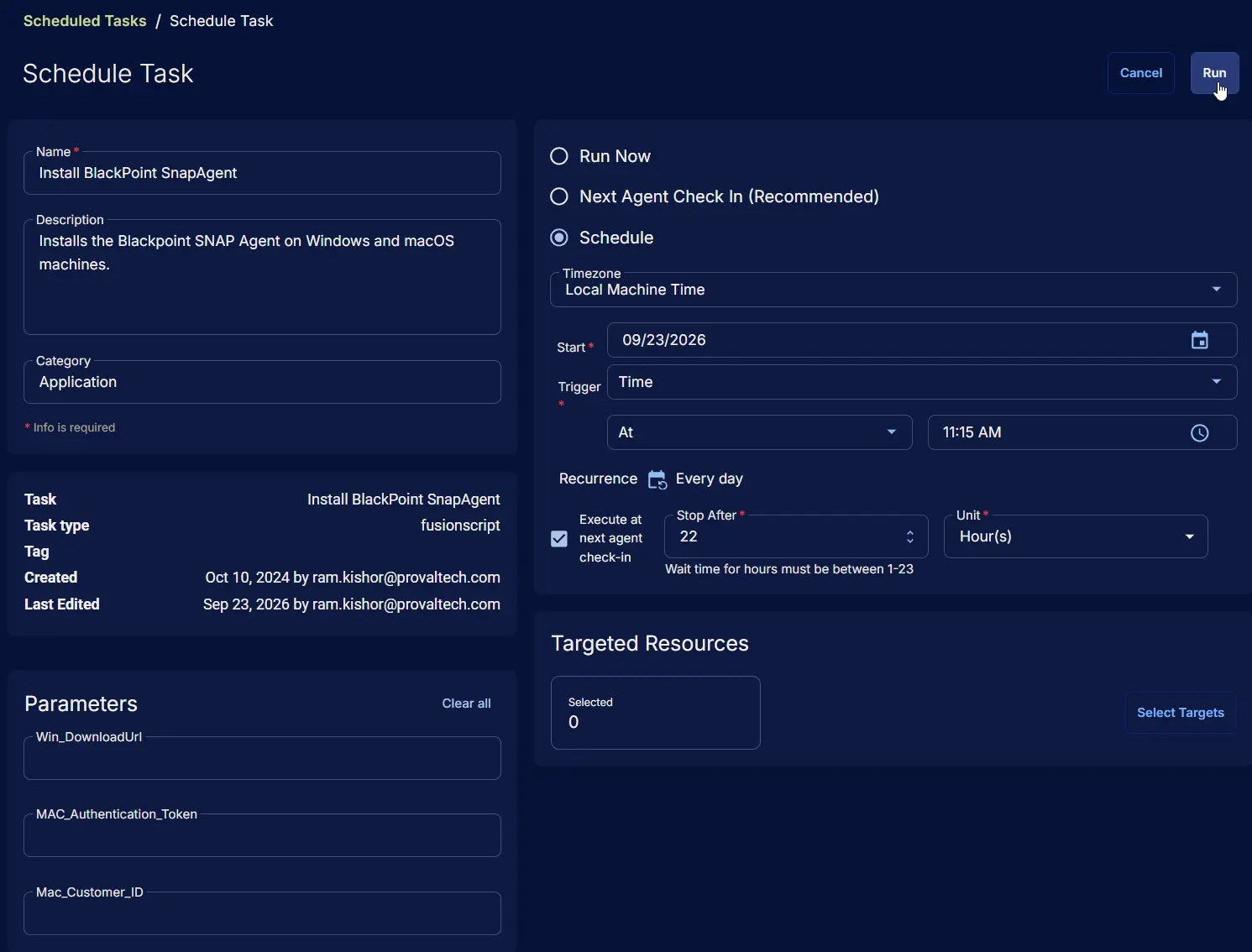
Schedule Task
Task Details
- Name:
Install BlackPoint SnapAgent - Description:
Installs the Blackpoint SNAP Agent on Windows and macOS machines. - Category:
Application

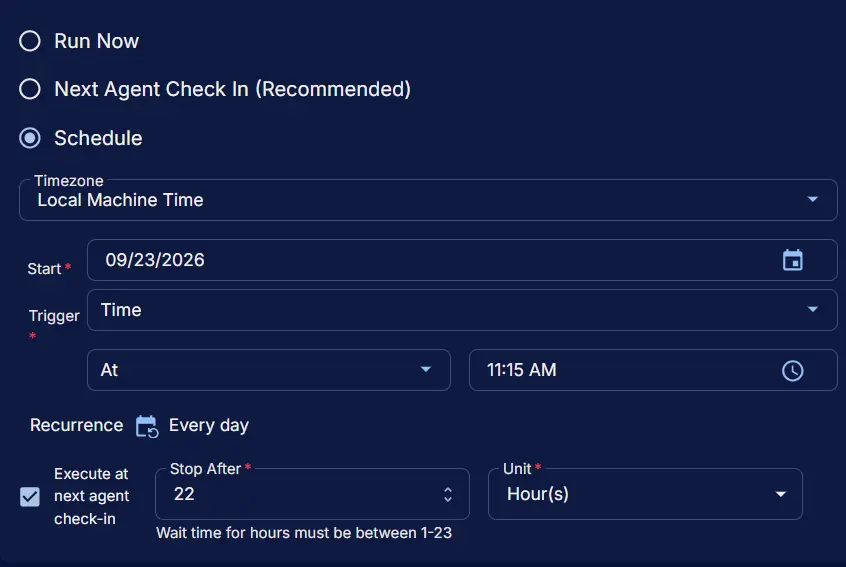
Schedule
- Schedule Type:
Schedule - Timezone:
Local Machine Time - Start:
<Current Date> - Trigger:
TimeAt<Current Time> - Recurrence:
Every day - Execute at next agent check-in:
True - Stop After:
22 - Unit:
Hour(s)
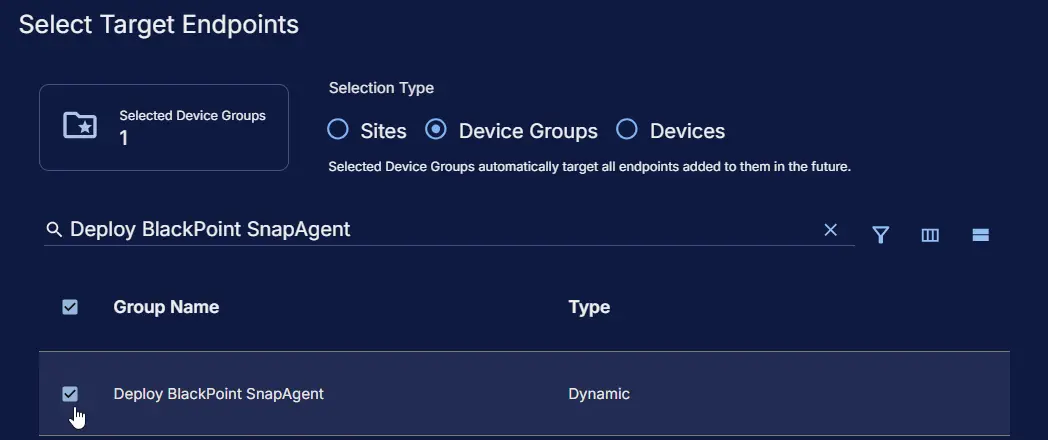
Targeted Resource
Device Group: Deploy BlackPoint SnapAgent
Completed Scheduled Task
Changelog
2026-09-23
- Rewrote the document in the current format.
- Corrected the documented credential precedence for macOS: the user parameters take precedence over the custom fields when both are populated, and the authentication token and customer ID are always taken from the same source.
- Updated the macOS script to validate the customer ID format, remove a stale
license.yamlbefore installing, download the installer to a secure temporary file, and confirm that the service is loaded after installation. - Corrected Row 5 to the
Bash scriptfunction and set the Script Log row to run on both Windows and macOS. - Fixed potential issues with the
PowerShell script.
2026-08-25
- Updated the script to include MAC installation as well.
2025-04-10
- Initial version of the document