Install - Cisco Secure Client - Umbrella Only
Overview
This component deploys the Cisco Secure Client Umbrella Roaming Security module to target Windows endpoints.
Every Cisco Secure Client module requires the Core/VPN module (core-vpn) to establish the low-level system drivers and background services (csc_vpnagent) necessary to intercept DNS traffic. This script automatically deploys the Core components in hidden mode (PRE_DEPLOY_DISABLE_VPN=1) so that the VPN interface and tray icons remain hidden from end users while the underlying Umbrella protection functions normally. It also provisions the mandatory OrgInfo.json configuration file prior to running the Umbrella MSI.
Dependencies
Implementation
-
Download the Install - Cisco Secure Client - Umbrella component.
-
After downloading the file, click on the
Importbutton in the Datto RMM interface. -
Select the component just downloaded and add it to the Datto RMM interface.

-
After Importing the component to the Datto RMM, make sure to add the component to the
ProvalGroup always.- Steps to Add the component under
ProvalGroup:
i. Click onDrop Down Icon.
ii. Click onAdd to Group.

iii. Select the group asProval.
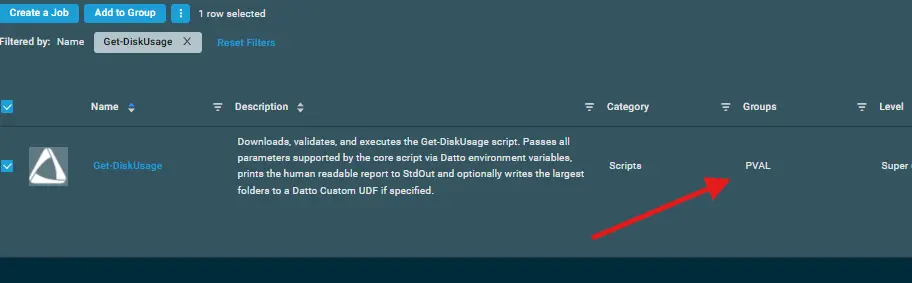
- Steps to Add the component under
Sample Run
To execute the component over a specific machine, follow these steps:
-
Select the machine you want to run the
componenton from the Datto RMM. -
Click on the
Quick Jobbutton.
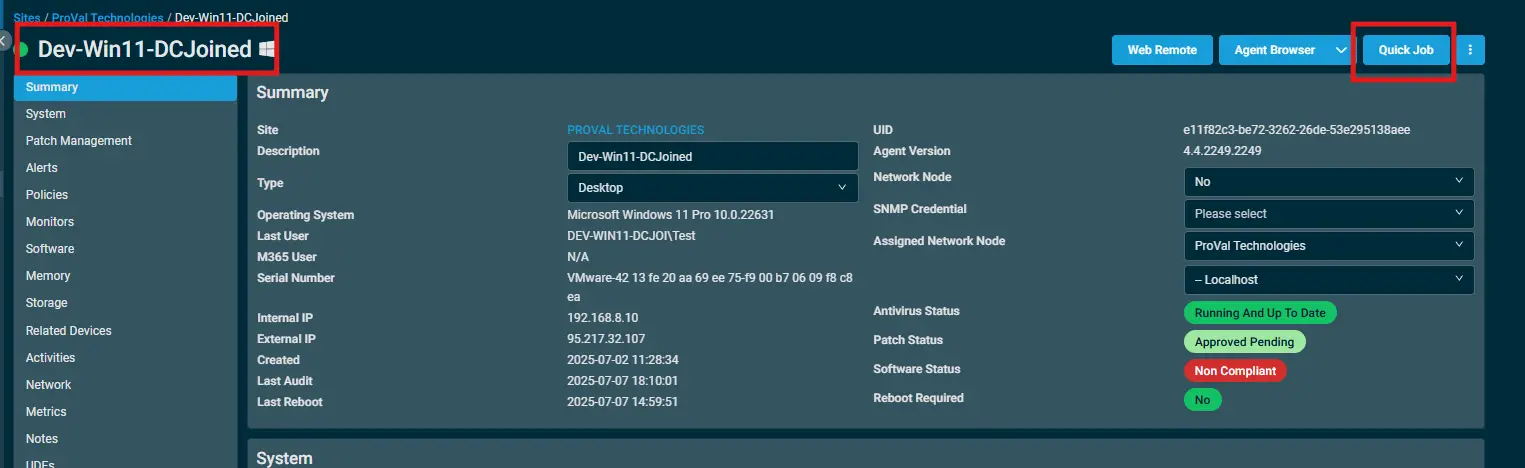
-
Search the component
Install - Cisco Secure Client - Umbrellaand click onSelect.
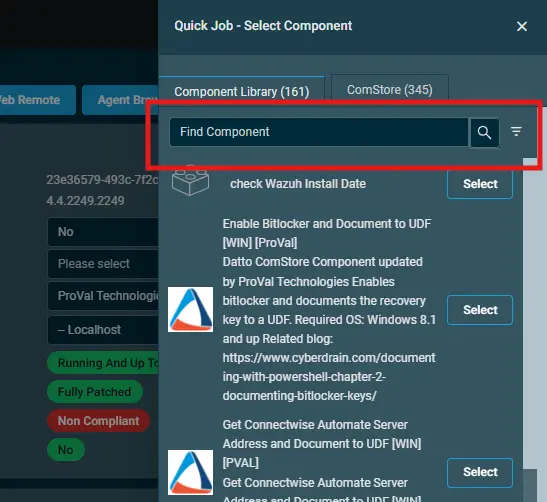
-
Configure the required site/job variables and execute the job:
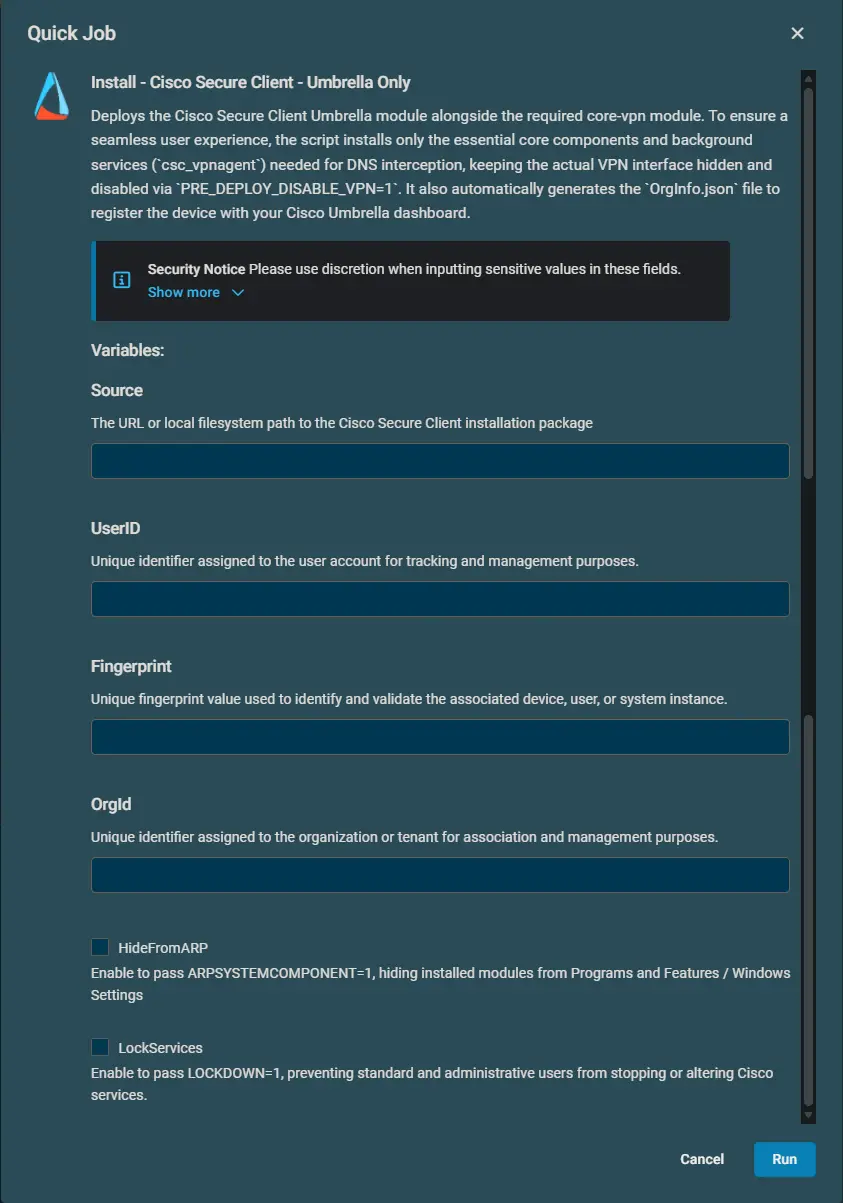
Datto Variables
| Variable Name | Type | Default | Description |
|---|---|---|---|
Source | String | None | Required. Direct HTTPS download URL or local file path to the Cisco Secure Client installer package (e.g., wininstall.zip). |
UserID | String | None | Required. Umbrella User ID token obtained from your Cisco Umbrella dashboard or OrgInfo.json. |
Fingerprint | String | None | Required. Umbrella Fingerprint authentication string obtained from your Cisco Umbrella dashboard or OrgInfo.json. |
OrgId | String | None | Required. Umbrella Organization ID obtained from your Cisco Umbrella dashboard or OrgInfo.json. |
HideFromARP | Boolean | Disabled | Optional. When enabled, passes ARPSYSTEMCOMPONENT=1 to hide the installed Cisco Secure Client modules from the Windows Add/Remove Programs list and inventory scans. |
LockServices | Boolean | Disabled | Optional. When enabled, passes LOCKDOWN=1 to prevent Cisco Secure Client services from being modified, stopped, or disabled (applies to administrators as well). |
Output
The script outputs status information directly to the Datto RMM execution stdout log and stores persistent logs on the local endpoint:
- Log File:
C:\ProgramData\_Automation\Script\Install-CiscoSecureClient\Install-CiscoSecureClient-log.txt - Error Log File (if failure occurs):
C:\ProgramData\_Automation\Script\Install-CiscoSecureClient\Install-CiscoSecureClient-error.txt - Configuration Profile:
C:\ProgramData\Cisco\Cisco Secure Client\Umbrella\OrgInfo.json
Exit Codes & Reboots:
- Exit Code 0: Successful installation.
- Exit Code 3010: Installation successful, but a system reboot is required to finalize driver registration. The script logs this as a successful completion notice.
Attachments
Changelog
2026-08-27
- Initial version of the document.