cPVAL Cisco Secure Client Modules
Summary
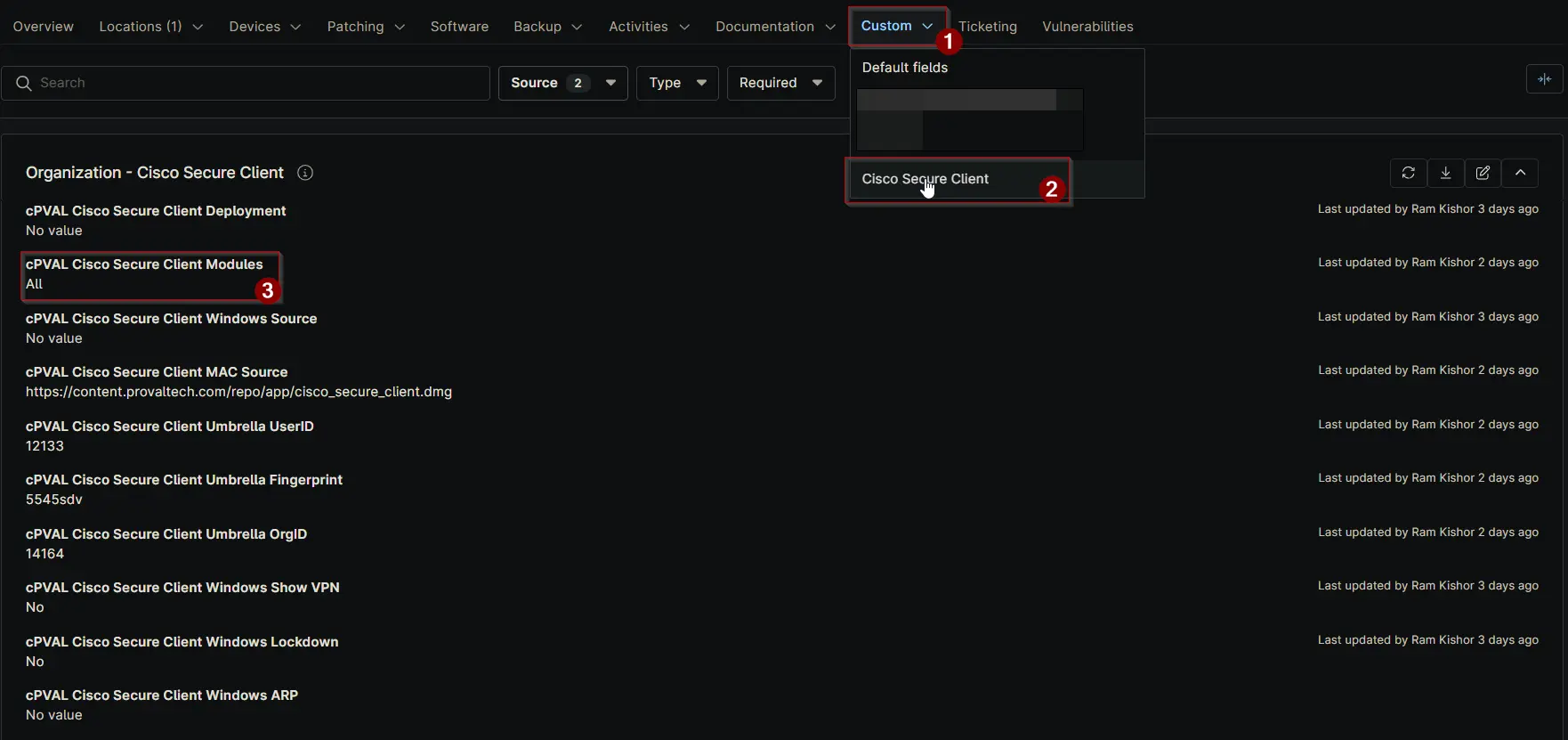
Use this field to specify which modules should be installed. If you select “All,” all available modules will be installed regardless of other selections. Note: If the Umbrella module is selected, you must configure UserID, Fingerprint, and OrgID.
Details
| Label | Field Name | Definition Scope | Type | Required | Default Value | Options | Technician Permission | Automation Permission | API Permission | Description | Tool Tip | Footer Text | Custom Field Tab Name |
|---|---|---|---|---|---|---|---|---|---|---|---|---|---|
| cPVAL Cisco Secure Client Modules | cpvalCiscoSecureClientModules | Organization, Location, Device | Multi-select | False |
| Editable | Read_Write | Read_Write | Use this field to specify which modules should be installed. If you select “All,” all available modules will be installed regardless of other selections. Note: If the Umbrella module is selected, you must configure UserID, Fingerprint, and OrgID. | Select the modules to install on the computer. Choosing “All” will override individual selections and install every module. | Tip: Selecting “All” installs every module. For Umbrella, ensure required identifiers (userid, fingerprint, OrgID) are set. | Cisco Secure Client |
Dependencies
Custom Field Creation
Sample Screenshot
Changelog
2025-11-17
- Initial version of the document