cPVAL Windows License Status
Summary
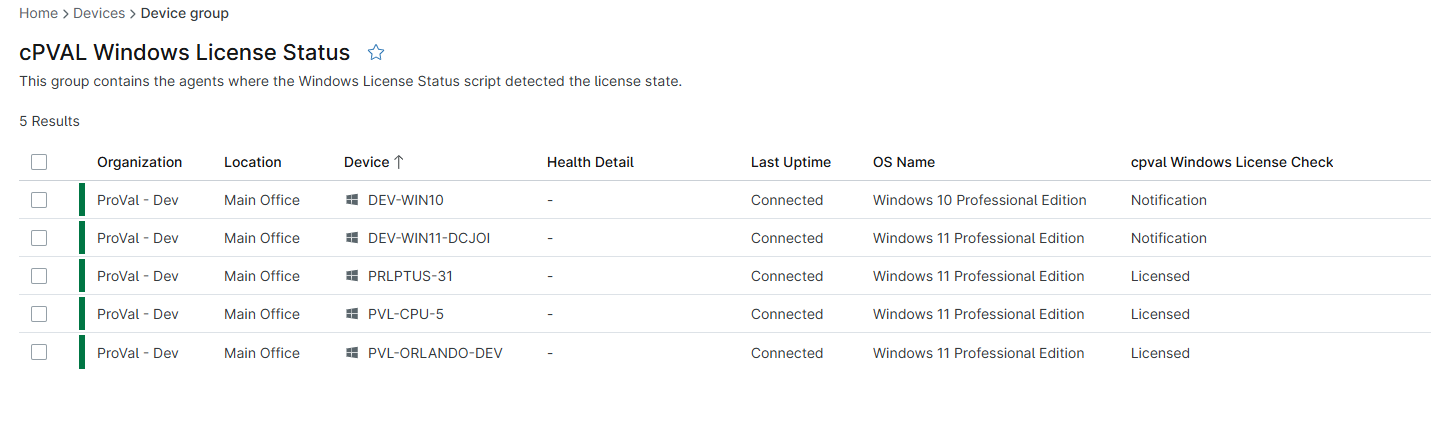
This group contains the agents where the Windows License Status script detected the license state.
Dependencies
Group Creation
Group View
Please follow the steps below to add the necessary custom fields or additional columns to the view.
- Create the group and ensure it is saved successfully.
- Open the newly created group for editing.
- Navigate to the Table Settings option.
- Update the table layout to include the required custom fields or additional columns.
- Save the changes to apply the updated group view.
URL TO THE GUIDE
Add the below custom field under the Group View:
Group Screenshot
This is how the group should looks like after adding the custom fields:
Changelog
2026-05-08
- Initial version of the document