Repair Windows Update
Summary
This script attempts to repair and reset Windows update settings using the ProVal script: Repair-WindowsUpdate
The goal of this script is to fix potential patching issues for Windows devices.
warning
This script is provided without warranty and does not guarantee that all Windows Update issues will be resolved.
Sample Run
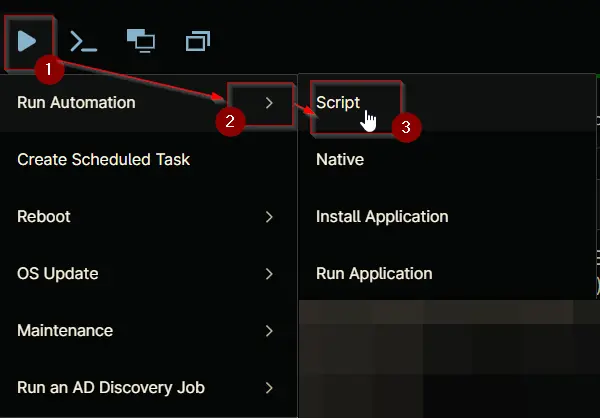
Select any computer where you want to run the script. Then go to Play Button > Run Automation > Script
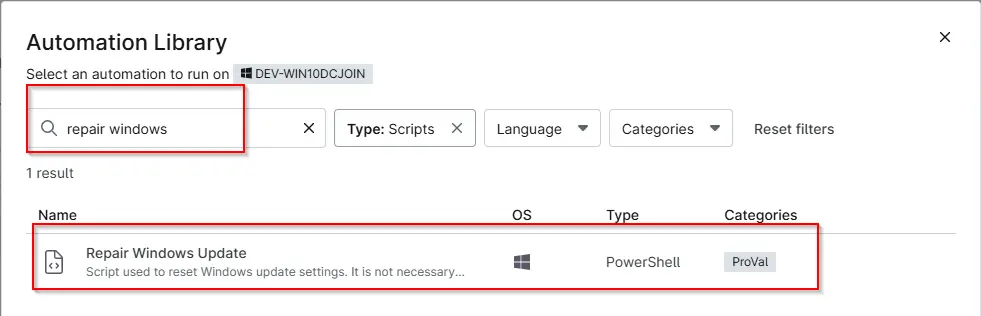
Search the script name and click on it:
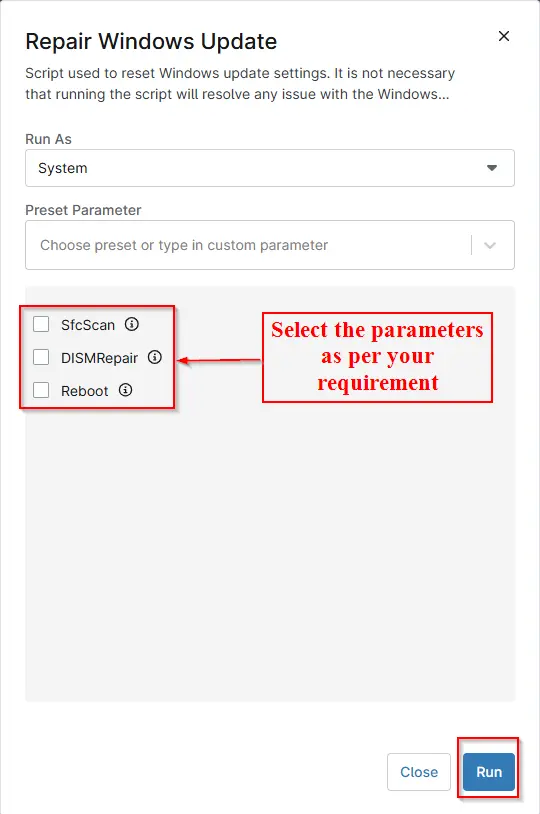
Select the parameters as per your requirement and then click on Run:
Click on Yes to run the script

Dependencies
Parameters
| Name | Example | Accepted Values | Required | Default | Type | Description |
|---|---|---|---|---|---|---|
| SfcScan | - | - | False | False | Checkbox | Select it to scan and repair corrupted Windows system files. |
| DISMRepair | - | - | False | False | Checkbox | Select it to repair the Windows image using DISM. It runs before SFC. |
| Reboot | - | - | False | False | Checkbox | If selected, the script will forcefully restart the computer after completing the repair operations. |
Automation Setup/Import
Output
- Activity Details
- Custom Field
Changelog
2026-08-26
- Updated the script and document as per our new standards.
2025-04-22
- Initial version of the document