Set Workstation Local Password Policy
Overview
Sets the local password policy for the workstation.
Sample Run
- Search for the script
Set workstation local password policy
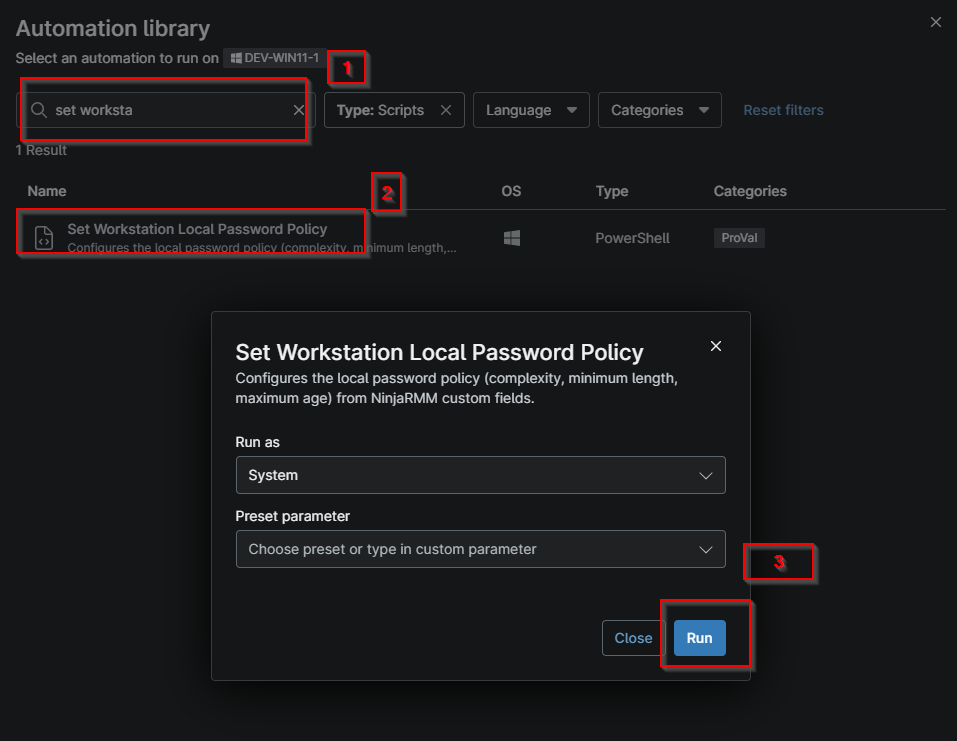
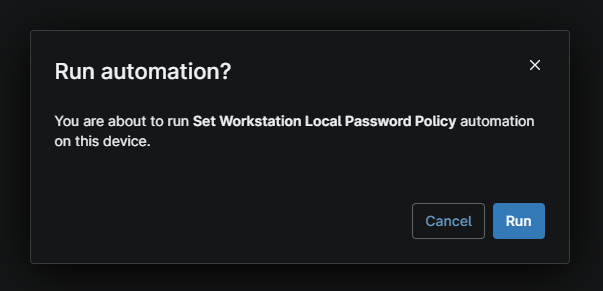
- Click
Runto execute
Dependencies
Custom Fields
| Field Name | Type | Mandatory | Scope | Description |
|---|---|---|---|---|
| cpvalEnableMaximumLocalPasswordAge | Checkbox | true | Organization | Check this box to activate the maximum password age policy for local users |
| cpvalEnableMinimumLocalPasswordLength | Checkbox | true | Organization | Check this box to activate the minimum password length policy for local users. |
| cpvalEnforceLocalPasswordComplexity | Checkbox | true | Organization | Check this box to activate the password complexity policy for local users. |
| cpvalMinimumPasswordLength | Text | true | Organization | Provide the minimum length for the local password length policy. The valid range is between 8 and 14. |
| cpvalMaximumPasswordAge | Text | true | Organization | Provide the maximum age in days for the maximum local password age policy. The valid range is between 4 and 360. |
Automation Setup/Import
Output
- Activity Details
Changelog
2026-10-07
- Initial version of the document