cPVAL - Server Role - SMB1 Servers
Summary
A group tailored for Windows Servers that have the SMB1 Server role installed
Details
| Name | Description |
|---|---|
| cPVAL - Server Role - SMB1 Servers | A group tailored for Windows Servers that have the SMB1 Server role installed |
Dependencies
- Solution - Server Roles Detection and Grouping for NinjaOne
- cPVAL - Windows Servers
- cPVAL - Roles Detected
- Windows Server Roles Detection
Group Creation
Step 1
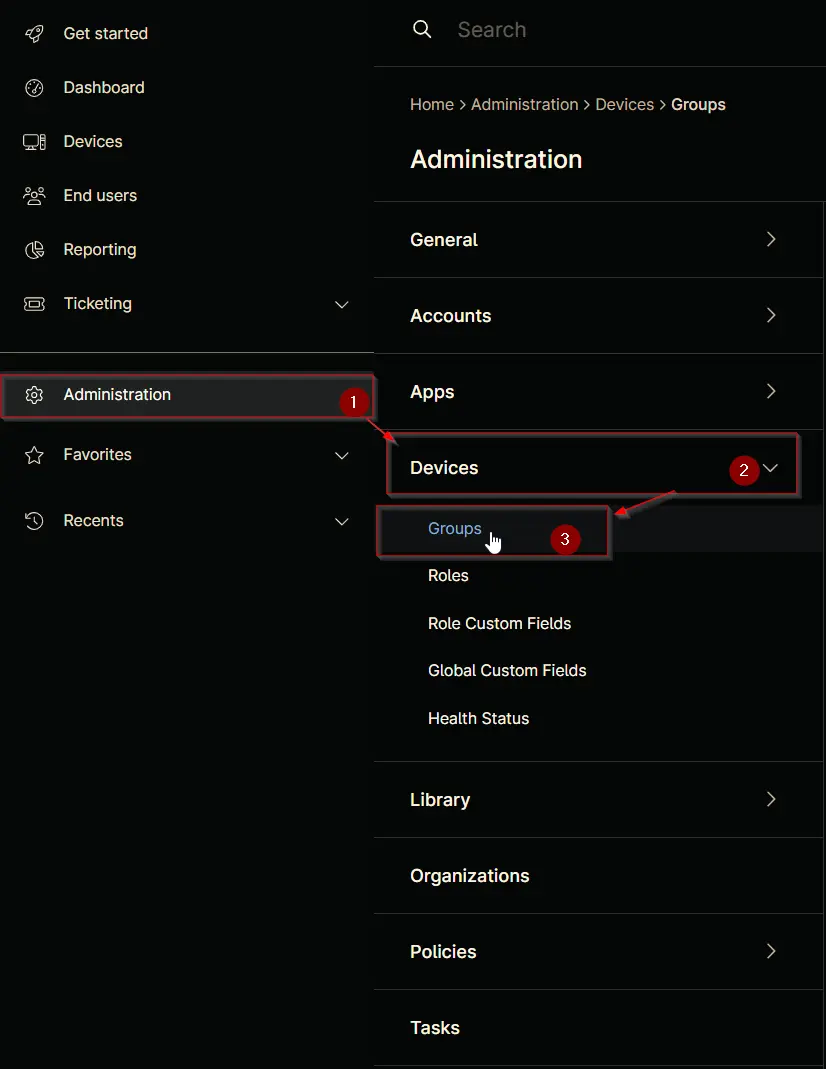
Navigate to Administration > Devices > Groups
Step 2
Locate the Create New Group button on the right-hand side of the screen, click on it.

Step 3
Condition: More filters > Custom Fields
Search and select the Custom Fields from the More filters button.
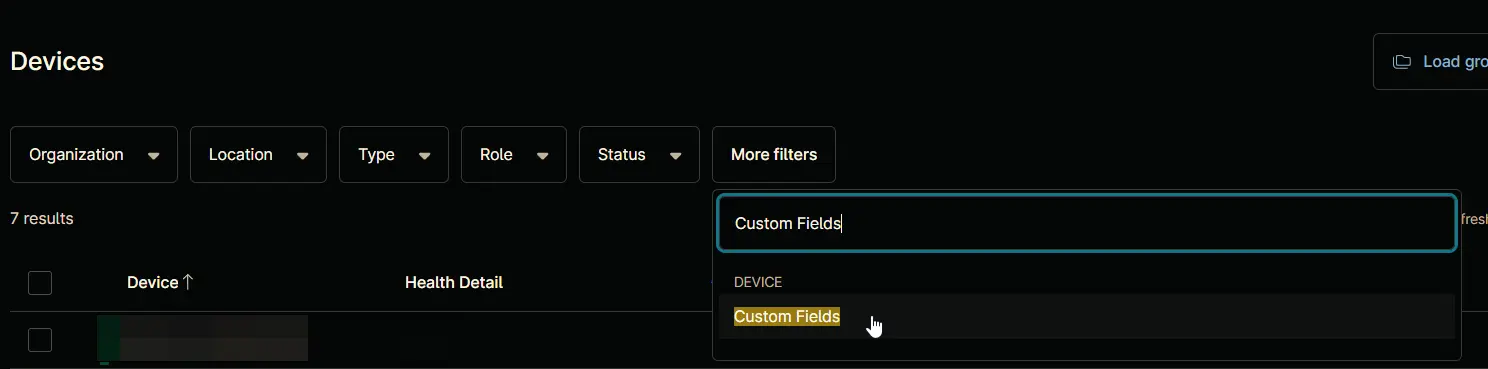
Filter by: Custom Fields windows will appear on the screen.

Step 4
Click the Add button located in the front of Has all conditions.

The Add Custom Field screen will appear.

Step 5
Fill in the following conditions and click the Add button to proceed.
- Custom Field:
cPVAL Roles Detected - Condition:
Contains - Text:
SMB1 Server

Step 6
Click the Apply button to proceed.

Step 7
Click the Save group button to save changes.

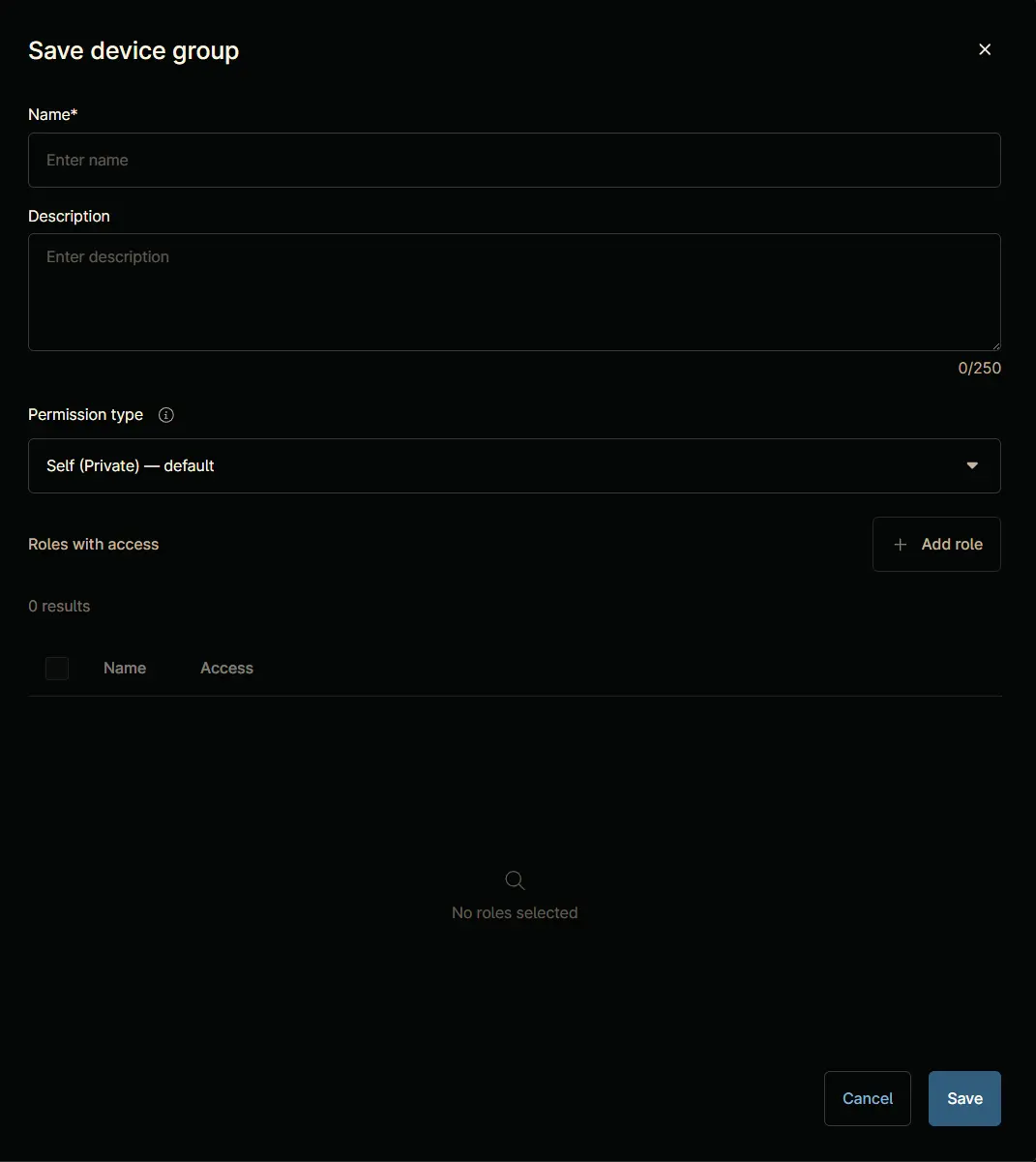
Save device group window will appear on the screen.
Step 8
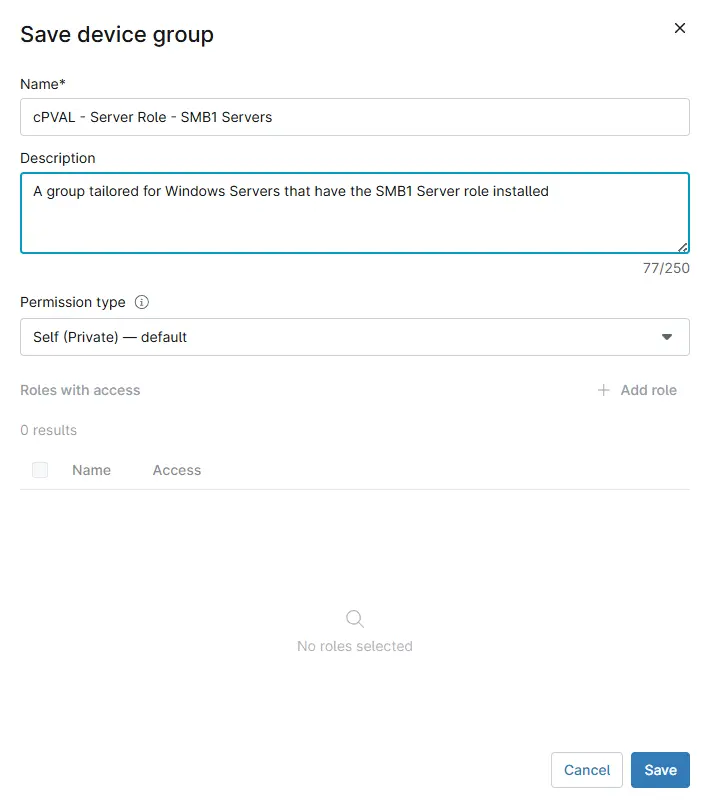
Fill in the following details and click the Save button to create the group.
- Name:
cPVAL - Server Role - SMB1 Servers - Description:
A group tailored for Windows Servers that have the SMB1 Server role installed - Permission Type:
Self (Private) - default
Completed Group

Changelog
2025-10-29
- Initial version of the document