Hyper-V Replication Audit
Overview
If the system is not a Hyper-V host, the script records 'NotAHyperVHost' and exits successfully. If Hyper-V is present, the script evaluates replication status for all VMs where replication is enabled. The script flags VMs that have replication states indicating issues, specifically 'Critical' or 'Warning'. If any VM is found in an unhealthy replication state, the script reports the affected VMs and sets a failure exit code. If all replication-enabled VMs are healthy, it reports 'Healthy'.
Sample Run
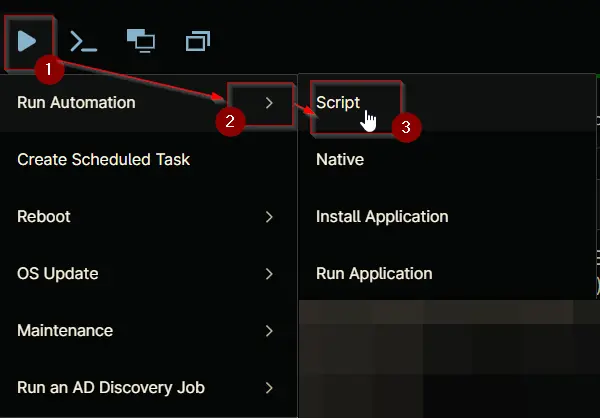
Play Button > Run Automation > Script
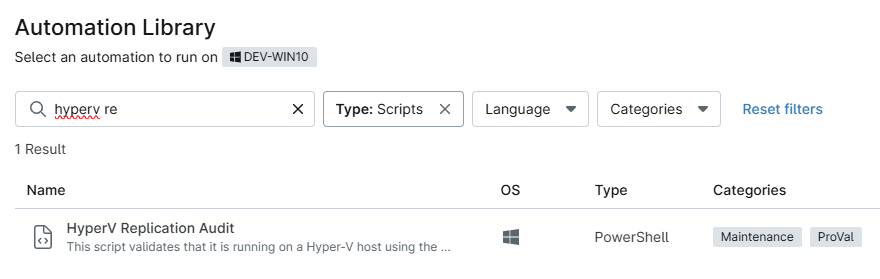
Type Hyper-V Replication in the search box and select the Hyper-V Replication Audit script
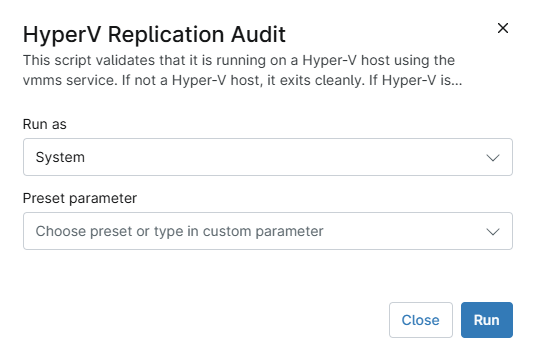
Click Run
Dependencies
Automation Setup/Import
Output
- Activity Details
- Custom Field
Changelog
2026-06-03
- Initial version of the document