Deploy ConnectSecure Agent [Windows]
Overview
Downloads and deploys the ConnectSecure Vulnerability Scan Agent utilizing organization-level custom fields for automated authentication.
Sample Run
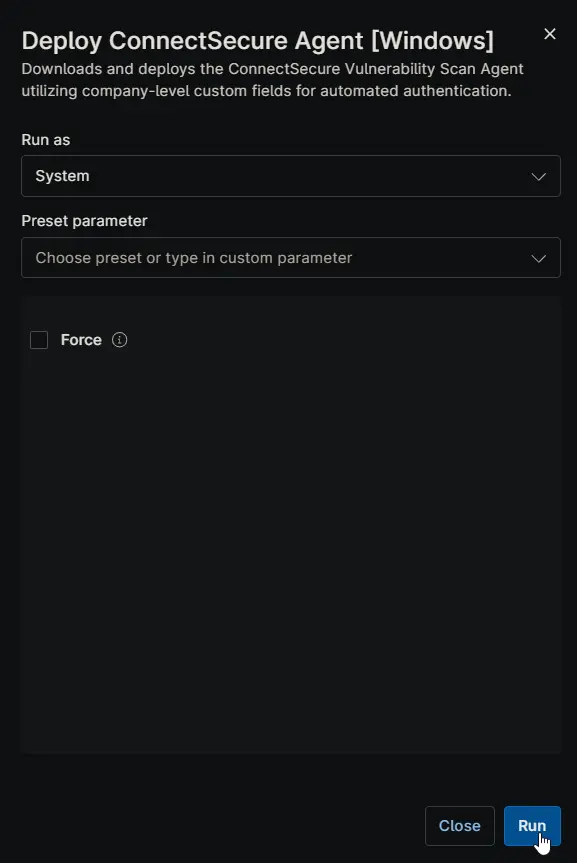
Dependencies
- Custom Field - cPVAL Connect Secure Company ID
- Custom Field - cPVAL Connect Secure Tenant ID
- Custom Field - cPVAL Connect Secure User Secret
- Solution - ConnectSecure Agent Deployment
Custom Field
| Field Label | Required | Accepted Values | Scope | Description |
|---|---|---|---|---|
| cPVAL Connect Secure Company ID | True | Secure | Organization, Location, Device | The unique identifier mapped to the specific company within the ConnectSecure portal. |
| cPVAL Connect Secure Tenant ID | True | Secure | Organization, Location, Device | The top-level tenant identifier for the ConnectSecure environment. |
| cPVAL Connect Secure User Secret | True | Secure | Organization, Location, Device | The authentication secret/token required to register the agent to the portal. |
For instructions on obtaining the required IDs for running the script, refer to the Instructions section of this article.
Parameters
| Name | Example | Accepted Values | Required | Default | Type | Description |
|---|---|---|---|---|---|---|
| Force | False | False | Checkbox | This forces a re-download and re-installation of the agent even if the CyberCnsAgent service is already detected on the endpoint. |
Automation Setup/Import
Output
- Activity Details
Changelog
2026-03-16
- Introduced the
Forceparameter to allow explicit installation when required. - Updated the script to retrieve the user secret from a custom field instead of using a hardcoded value.
- Removed the forced uninstallation behavior, as rerunning the installer now properly updates existing installations.
- Updated the detection logic to rely on a service-based check.
- Renamed the script for improved clarity and consistency.
2025-12-10
- Initial version of the document