Uninstall Sophos
Overview
Removes Sophos Endpoint Agent and all related modules from the system. If standard uninstall fails, it attempts removal of individual modules and cleans up remaining files from standard installation paths.
Note: Ensure to disable Tamper protection for smooth uninstallation.Implementation
-
Download the component Uninstall Sophos from the attachments.
-
After downloading the attached file, click on the
Importbutton -
Select the component just downloaded and add it to the Datto RMM interface.

Sample Run
To execute the component over a specific machine, follow these steps:
-
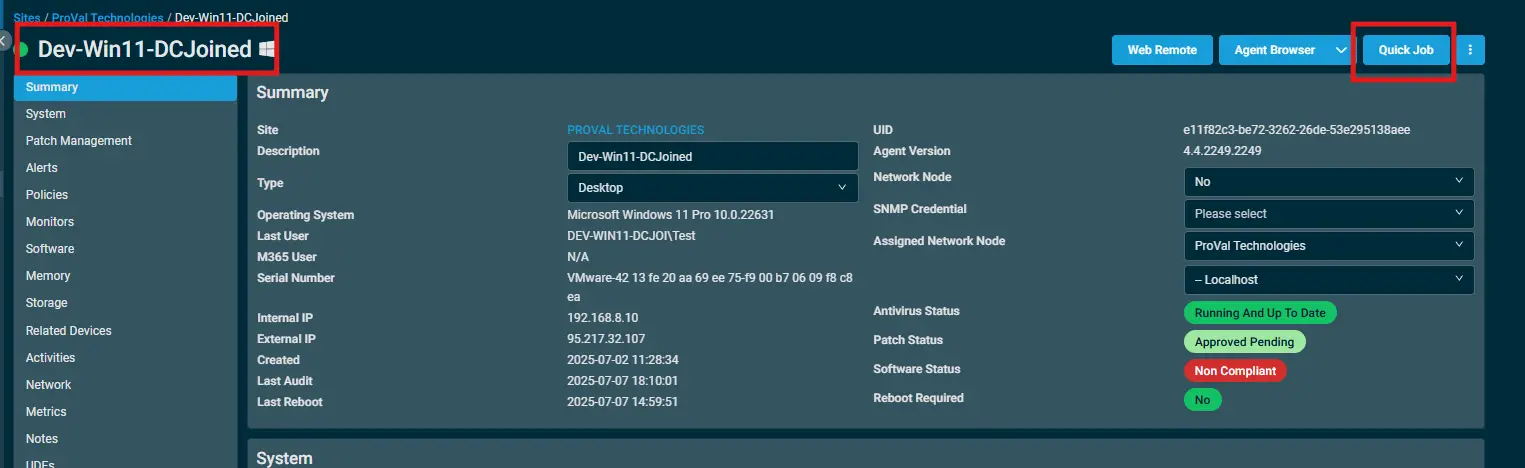
Select the machine you want to run the
componenton from the Datto RMM. -
Click on the
Quick Jobbutton.
-
Search the component
Uninstall Sophosand click onSelect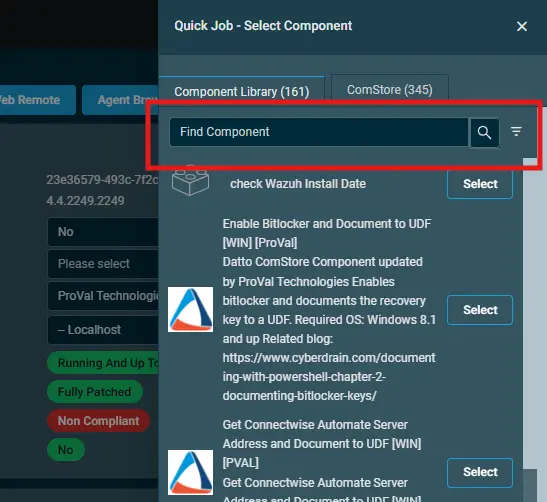
-
Click on
Run

Output
- stdOut
- stdError
Attachments
Changelog
2026-03-05
- Initial creation