cPVAl Audit Mount Point
Summary
Shows the specific volume or drive (for example, C:, D:) that is protected by BitLocker.
Details
| Label | Field Name | Definition Scope | Type | Required | Available Options | Technician Permission | Automation Permission | API Permission | Description | Tool Tip | Footer Text | Custom Field Tab Name |
|---|---|---|---|---|---|---|---|---|---|---|---|---|
| cPVAl Audit Mount Point | cpvalAuditMountPoint | Devices | Text | False | Editable | Read_Write | Read_Write | Displays the drive letter where BitLocker encryption is enabled. | Shows the specific volume or drive (for example, C:, D:) that is protected by BitLocker. | BitLocker-enabled drive location | BitLocker Audit |
Dependencies
Custom Field Creation
Sample Screenshot
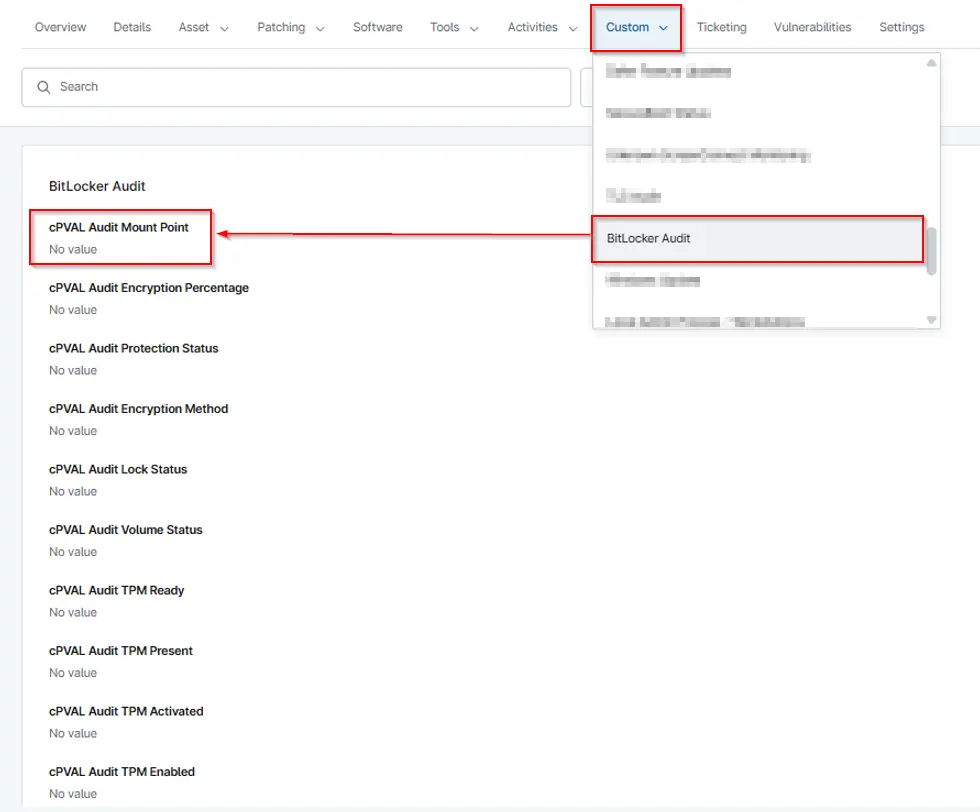
Changelog
2026-04-14
- Initial version of the document