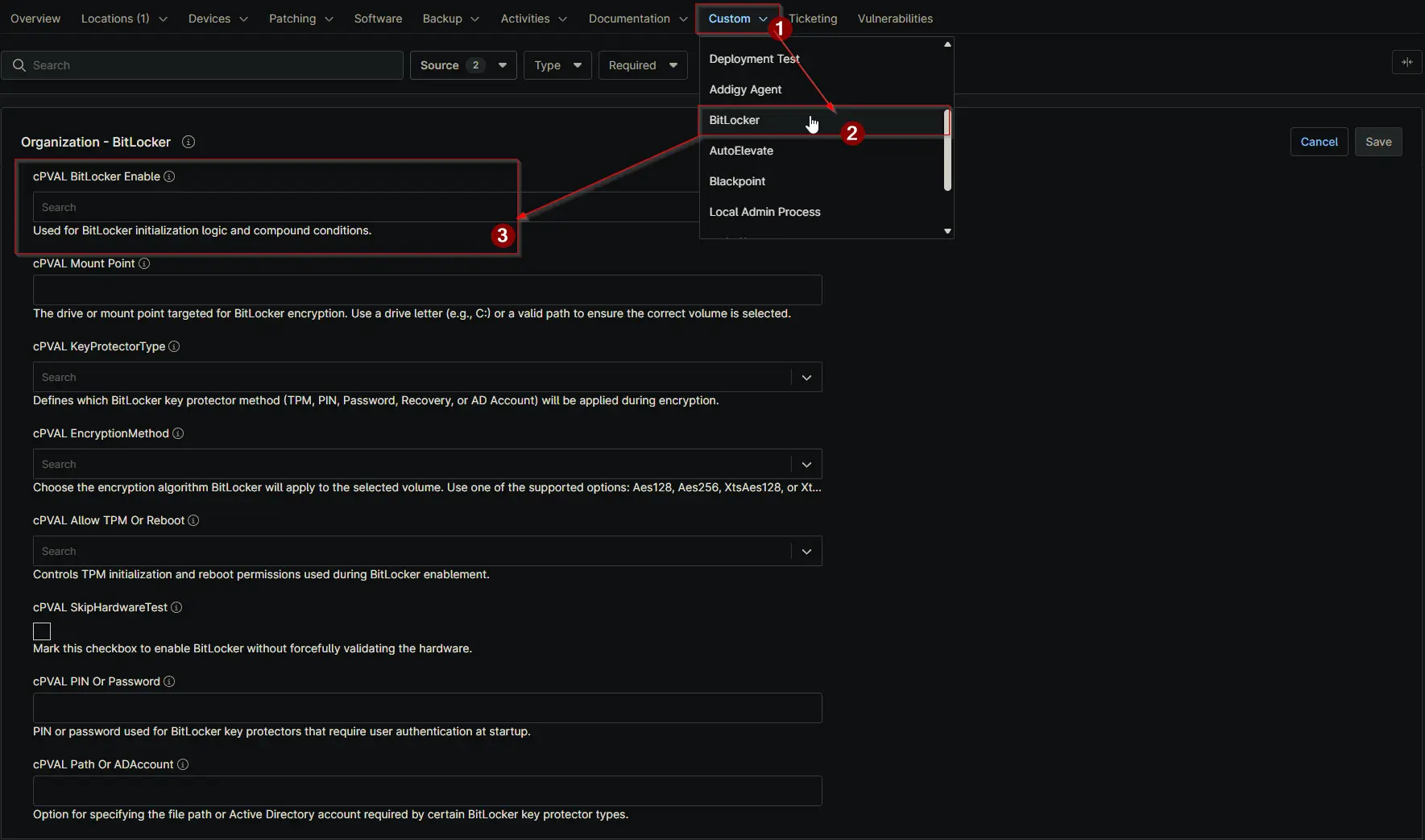
cPVAL BitLocker Enable
Summary
Selects the Windows devices on which the BitLocker Initialize - NinjaOne solution enforces BitLocker. The solution's compound conditions read this field before they run the BitLocker Initialization - Detection script.
| Option | Devices covered |
|---|---|
Windows | Every Windows device |
Windows Workstations | Laptops and desktops |
Windows Servers | Servers |
Windows Laptops | Laptops only |
Windows Desktops | Desktops only |
Disable | None. The checks stop, and drives that are already encrypted stay encrypted. |
note
A workstation counts as a laptop when Windows has detected a battery on it. All-in-ones, mini PCs and virtual machines count as desktops.
Details
| Label | Field Name | Example | Definition Scope | Type | Required | Default Value | Dropdown Options | Editable | Custom Field Tab |
|---|---|---|---|---|---|---|---|---|---|
| cPVAL BitLocker Enable | cpvalBitlockerEnable | Windows Laptops | Organization, Location, Device | Drop-down | False | - | Windows, Windows Workstations, Windows Servers, Windows Laptops, Windows Desktops, Disable | Yes | BitLocker |
Dependencies
- Compound Condition: Enable BitLocker - Laptop
- Compound Condition: Enable BitLocker - Desktop
- Compound Condition: Enable BitLocker - Server
- Solution: BitLocker Initialize - NinjaOne
Custom Field Creation
Sample Screenshot
Changelog
2026-10-26
- Added the
Windows LaptopsandWindows Desktopsoptions. - Corrected the Custom Field Configuration link.
- Updated the document to the standard format.
2025-12-16
- Initial version of the document