BitLocker - Missing Key Protectors
Summary
This monitor set detects computers where BitLocker is enabled and the drive is fully encrypted but does not have any key protectors. The script BitLocker - Volume - Add Recovery Password [Autofix] is then executed from the monitor as an auto-fix.
Dependencies
- Solution - BitLocker Status and Recovery Key Audit
- Task - BitLocker - Volume - Add Recovery Password [Autofix]
Monitor Setup Location
Monitors Path: ENDPOINTS ➞ Alerts ➞ Monitors
Monitor Summary
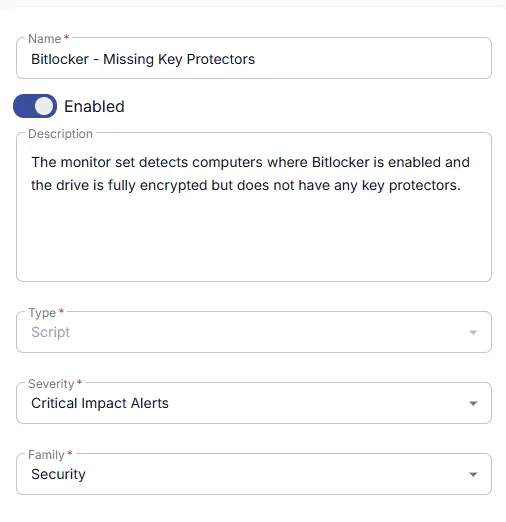
Fill in the mandatory columns on the left side
- Name:
BitLocker - Missing Key Protectors - Description:
The monitor set detects computers where BitLocker is enabled and the drive is fully encrypted but does not have any key protectors. - Type:
Script - Severity:
Critical Impact Results - Family:
Security
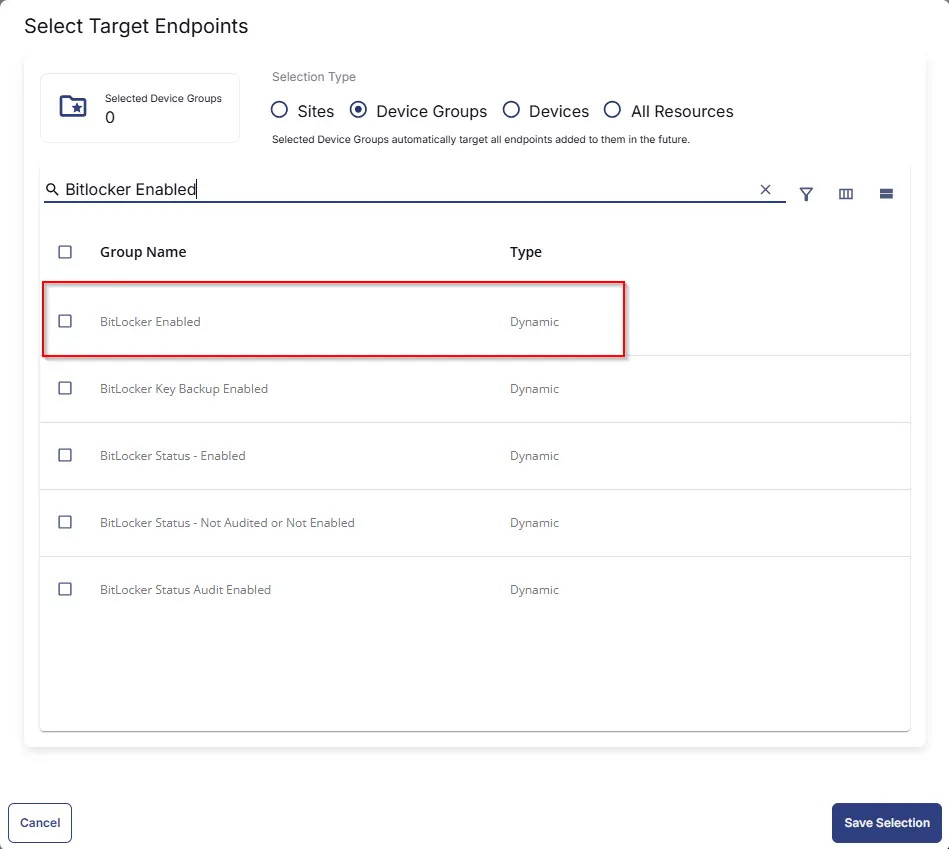
Targeted Resources
- Target Type:
Device Groups - Group Name:
BitLocker Enabled
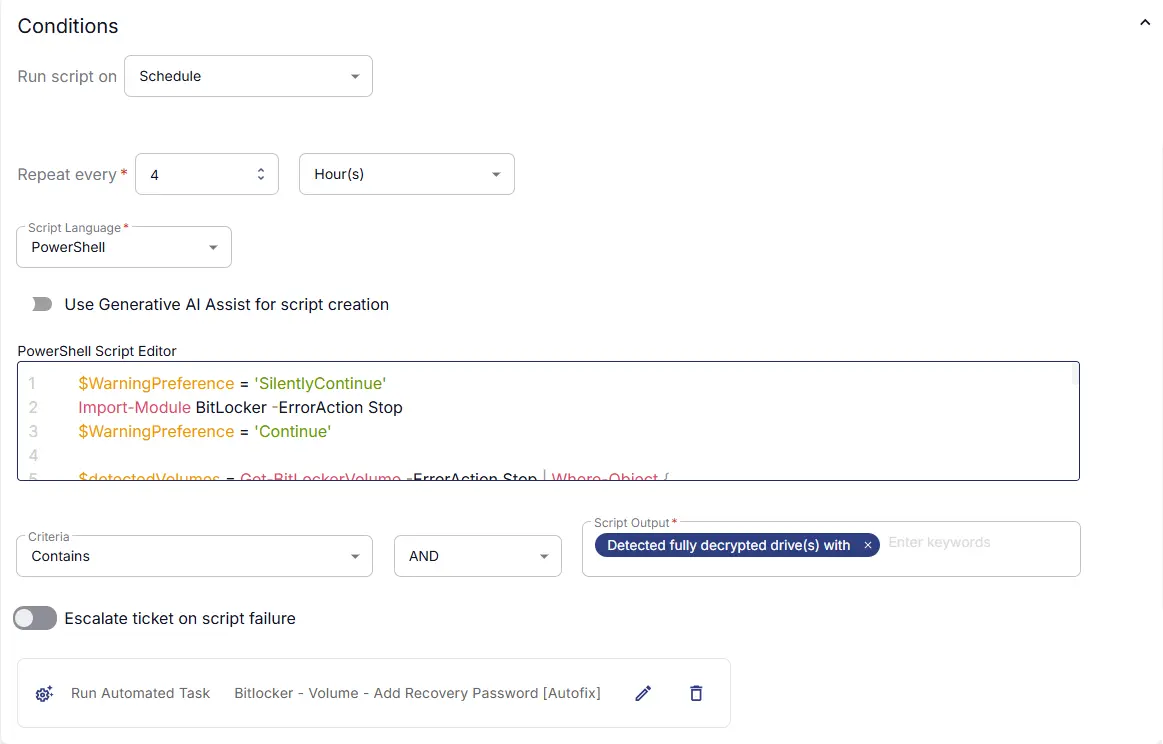
Conditions
- Run Script on:
Schedule - Repeat every:
4Hours - Script Language:
PowerShell - Use Generative AI Assist for script creation:
False - PowerShell Script Editor:
- Criteria:
Contains - Operator:
AND - Script Output:
Detected fully decrypted drive(s) with BitLocker protection OFF - Escalate ticket on script failure:
False - Add Automation:
BitLocker - Volume - Add Recovery Password [Autofix]
Ticket Resolution
- Automatically resolve:
False
Monitor Output
Output: Do not Generate Ticket

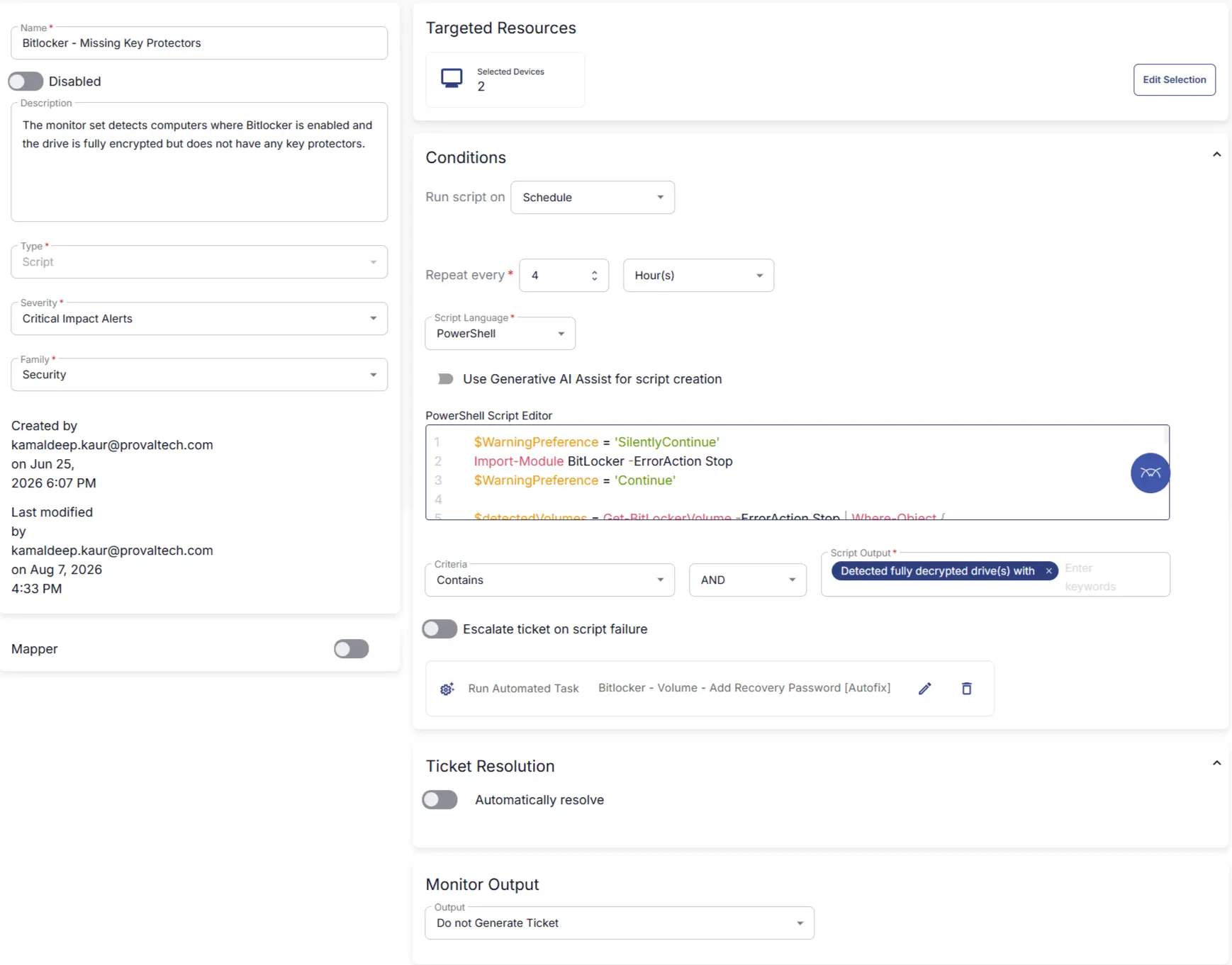
Completed Monitor
Changelog
2026-08-10
- Added Automation to the monitor. Tickets will be generated from the Automation task and not monitor anymore.
2026-06-29
- Initial version of the document