CVE-2013-3900 WinVerifyTrust Signature Vulnerability
Summary
This script was created to run the detection and remediation for CVE-2013-3900 WinVerifyTrust Signature Vulnerability based on the EDFs option selected on the agent.
Sample Run
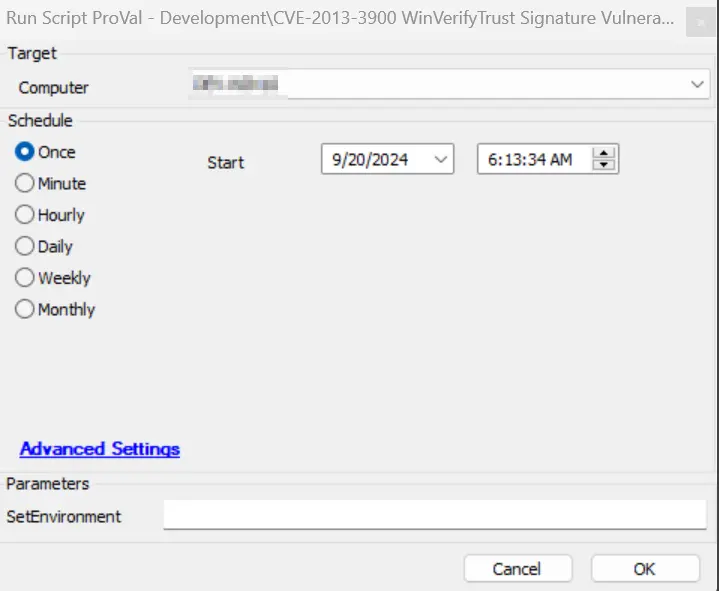
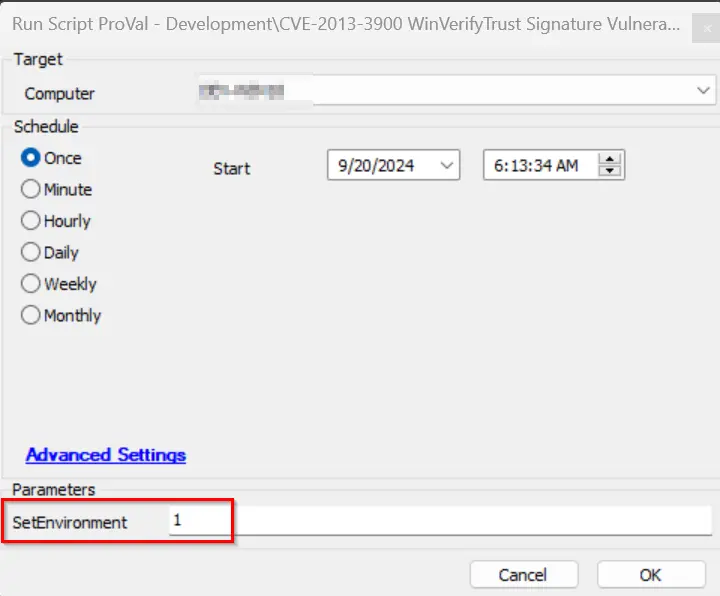
It is required to execute this script after importing with the setting SetEnvironment = 1.
Variables
| Name | Description |
|---|---|
| DetectionOnly | This collects client-EDF 'CVE Vulnerability Detection Only' data for the agent where the script is deployed. If it is 1, then the CVE-2013-3900-only detection will run and register to the dataview without remediation. |
| Detection-Remediation | This collects data from client-EDF 'CVE-2013-3900 Vul Detection and Remediation' for the agent where the script is deployed. If it is 1, then the CVE-2013-3900 vulnerability will be detected. If found vulnerable, it will attempt to remediate it and log the result to the dataview CWA Dataview - CVE-2013-3900 WinVerifyTrust Signature Audit. |
| RemediationStatusCheck | This contains a report on whether the remediation was successful or not. |
| psout | It contains the complete output of the PowerShell execution for the CVE detection/remediation action. |
| TicketCreation | It contains the ticket category ID applied on the monitor CWA Remote Monitor - CVE-2013-3900 WinVerifyTrust Signature Validation. A ticket will only be created if the category is set. |
EDFs
| Name | Level | Type | Example | Description |
|---|---|---|---|---|
| CVE-2013-3900 Status | Computer | Text | Remediation Successful | This stores the status of CVE-2013-3900 after script execution. |
| CVE-2013-3900 Logging | Computer | Text | @psout@ | This stores the script's PowerShell execution output for logging. |
| CVE-2013-3900 Detection Date | Computer | Text | 2024-05-01 00:00:00 | This stores the date and time when the last CVE-2013-3900 status was detected via the script. |
| CVE-2013-3900 Vulnerability | Computer | Text | Not Vulnerable | This indicates whether the device is vulnerable or not based on the script output detection. |
| CVE-2013-3900 Vul Detection and Remediation | Client | Flag | 1 | If this client EDF is checked, then the CVE-2013-3900 detection and remediation will be performed by the script as the client will be added to the group "CVE-2013-3900 Detection & Remediation". |
| CVE Vulnerability Detection Only | Client | Flag | 1 | If this client EDF is checked, then the CVE-2013-3900 detection only will be performed by the script as the agents will be added to the group "CVE Vulnerability Detection Only". |
| CVE-2013-3900 Vul Detection and Remediation Exclude | Location | Flag | 0 | If this location EDF is checked, then the CVE-2013-3900 detection and remediation will be excluded from all agents of the location. |
| CVE-2013-3900 Vul Detection and Remediation Exclude | Computer | Flag | 0 | If this EDF is checked, then the CVE-2013-3900 detection and remediation will be excluded from the agent. |
| CVE-2013-3900 Vul Detection and Remediation | Computer | Flag | 1 | If this EDF is checked, then the agent will be added to the group "CVE-2013-3900 Detection & Remediation". |
Output
- Script log
- Dataview
Ticketing
-
How to Enable Ticket:
- Navigate to the group "CVE-2013-3900 Detection & Remediation" > Open group > Go to Computers > Remote Monitors.
- Select the remote monitor CVE-2013-3900 WinVerifyTrust Signature Validation and check the ticket category.
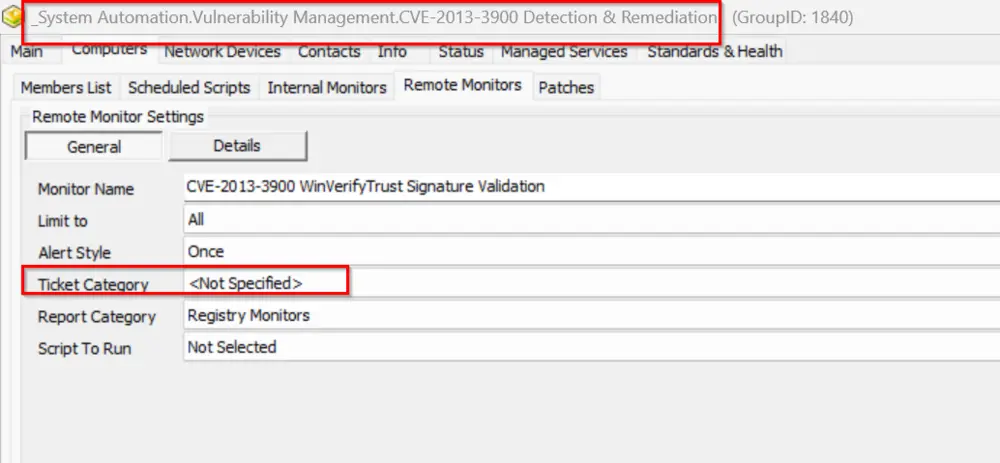
- If this ticket category is set, then only the script will be able to create a ticket for the remediation step.
Failure:
- Subject: CVE-2013-3900 WinVerifyTrust Signature Vulnerability is Detected on %ComputerName%
- Body: @TicketComment@ The remediation was attempted for the vulnerability fix on the computer name %computername% but it failed. Refer to the logs: @psout@
Success:
- Body: The computer: %computername% is already safe from the vulnerability. Refer to the logs: @psout@ OR The vulnerability has been remediated successfully. Refer to the log information below: @psout@
Changelog
2025-04-10
- Initial version of the document