Enable TLS 1.2 and TLS 1.3
Overview
Enables supported TLS 1.2 and TLS 1.3 protocols for Windows client and server communication.
Implementation
-
Download the component from the
datto-rmmrepository: Enable TLS 1.2 and TLS 1.3 -
After downloading the file, click on the
Importbutton in the Datto RMM interface. -
Select the component just downloaded and add it to the Datto RMM interface.

-
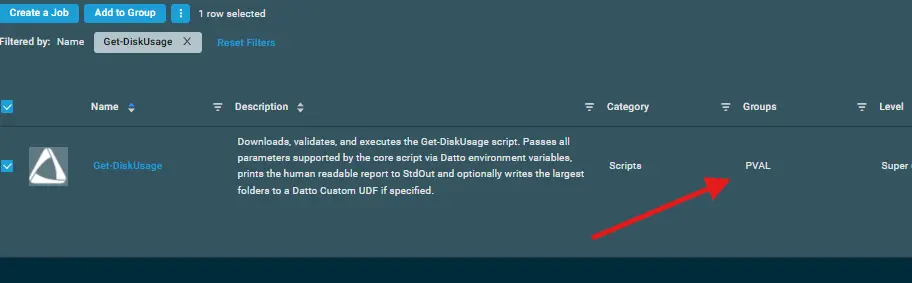
After Importing the component to the Datto RMM, make sure to add the component to the
PVALGroup always.- Steps to Add the component under
PVALGroup.
i. Click onDrop Down Icon.
ii. Click onAdd to Group.

iii. Select the group asPVAL
- Steps to Add the component under
Sample Run
To execute the component over a specific machine, follow these steps:
-
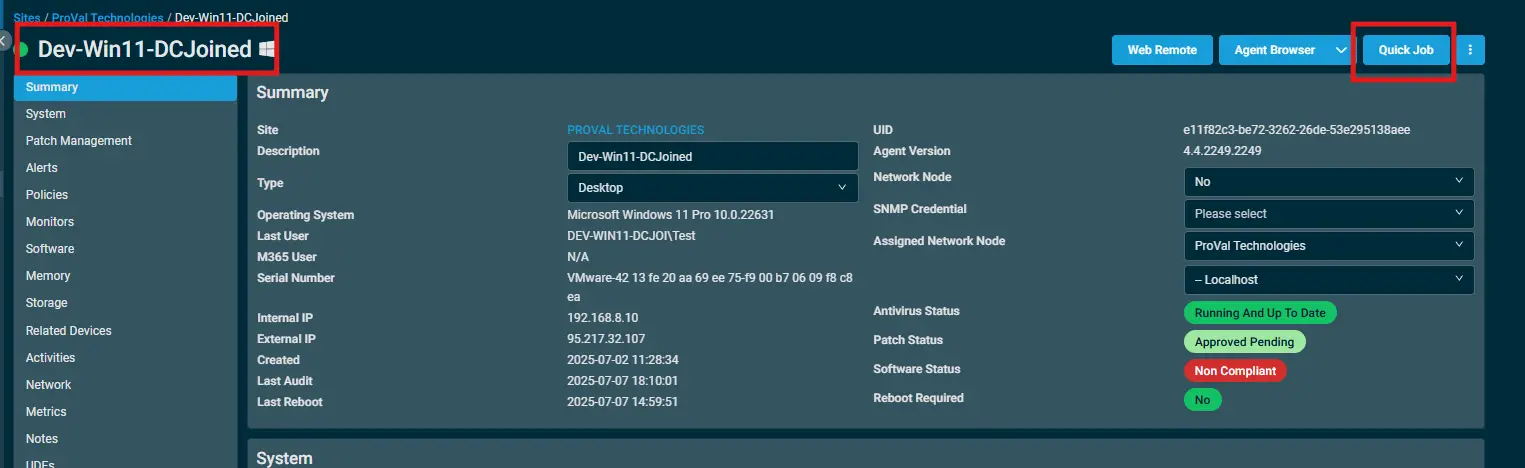
Select the machine you want to run the
componenton from the Datto RMM. -
Click on the
Quick Jobbutton.
-
Search the component
Enable TLS 1.2 and TLS 1.3and click onSelect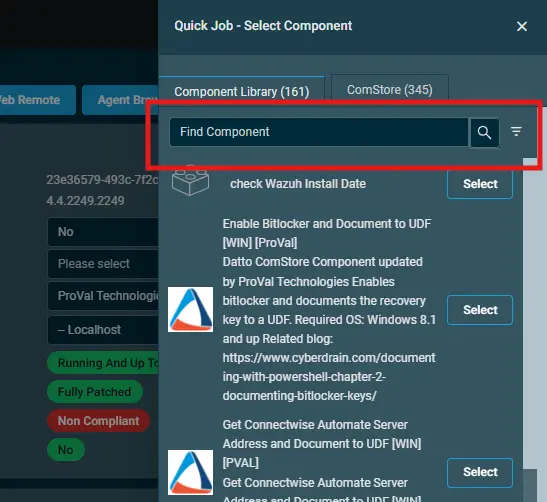
-
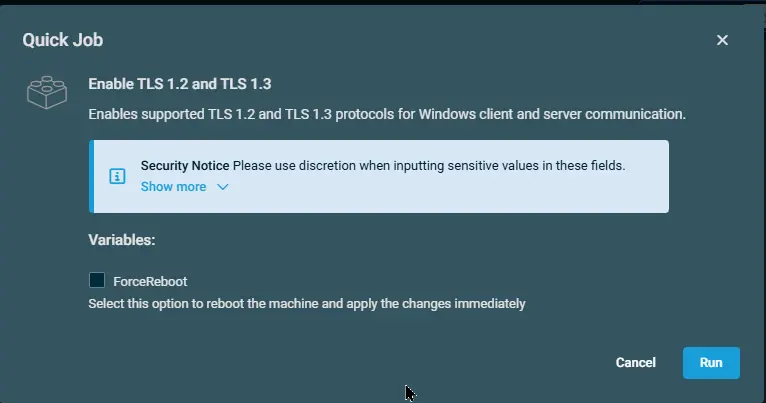
Click on
Runto execute the script:
Datto Variables
| Variable Name | Type | Default | Description |
|---|---|---|---|
| ForceReboot | Boolean | False | Select this option to reboot the machine and apply the changes immediately |
Output
- stdOut
- stdError
Attachments
Changelog
2026-09-16
- Initial version of the document