DUO Auth for Windows Login Deployment
Summary
This group adds members where the DUO Deployment is enabled. The agent is added if the company custom field "DUO Deployment" is checked.
Dependencies
CW RMM Custom Fields - Duo Authentication for Windows Logon Deployment
Details
| Field Name | Type of Field (Machine or Organization) | Description |
|---|---|---|
| DUO Auth for Windows Login Deployment | Dynamic | This group adds members where the DUO Deployment is enabled. The agent is added if the company custom field "DUO Deployment" is checked. |
Group Creation
-
Navigate to
Devices>Device Groups.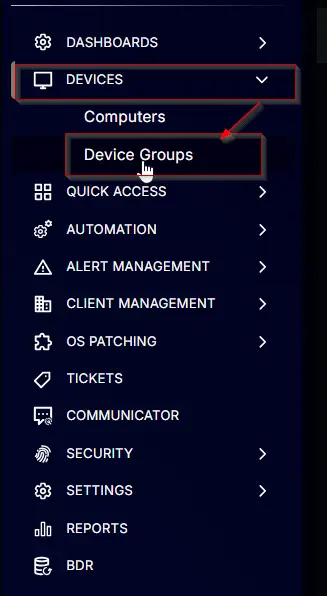
-
Create a new dynamic group by clicking the
Dynamic Groupbutton.
This page will appear after clicking on theDynamic Groupbutton:

-
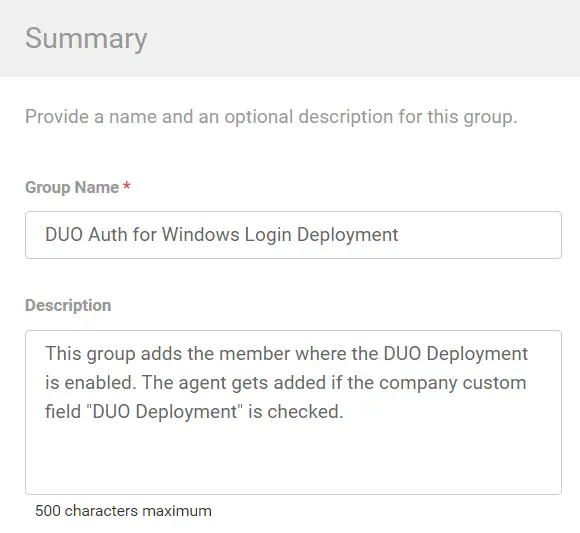
Set the group name to
DUO Auth for Windows Login Deployment.
Description:This group adds members where the DUO Deployment is enabled. The agent is added if the company custom field "DUO Deployment" is checked.
-
Click
+ Add Criteriain theCriteriasection of the group.

This search box will appear.

-
- Search and select the
OSfrom the search box. - Mark and select
Microsoft Windows 10andMicrosoft Windows 11in the comparison field.
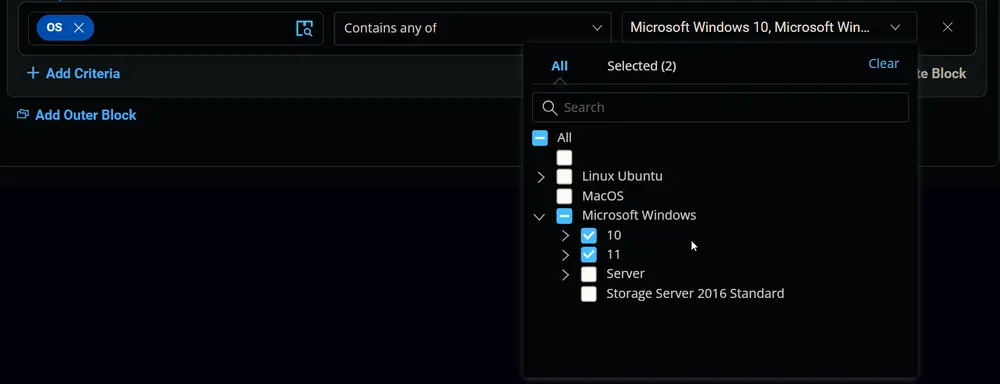
Condition:OSContains any ofMicrosoft Windows 10, Microsoft Windows 11
- Search and select the
-
- Search and select the
Duo Deploymentcustom field from the search box. - Set
Truein the comparison condition.

Condition:Duo DeploymentEqualTrue
- Search and select the
-
- Search and select the
Duo Deployment Excludecustom field from the search box. - Set
Falsein the comparison condition.

Condition:Duo Deployment ExcludeEqualFalse
- Search and select the
-
- Search and select the
Duo Deployment Resultcustom field from the search box. - Set
Failedin the comparison condition.

Condition:Duo Deployment ResultDoes Not Contain any ofFailed
- Search and select the
Changelog
2025-04-10
- Initial version of the document