Uninstall Datto Backup Tool
Summary
This script uninstalls the Datto Endpoint Backup, Datto Windows Agent or Datto Cloud Continuity or all, depending on the option selected at the Uninstall Datto Backup Tool client-level EDF. It then grabs the quietuninstallstring from the registry of the installed application.
Sample Run
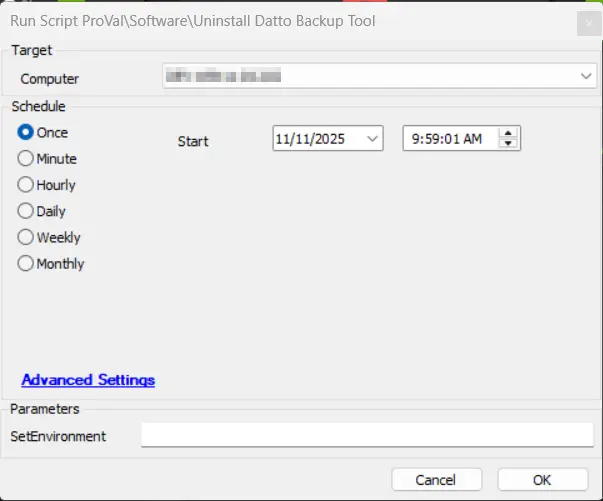
First Run: Execute the script with the user parameter SetEnvironment as 1 to import the EDFs needed for the script.

Regular Run:
Dependencies
Solution - Uninstall Datto Backup Tool
EDFs
| Name | Level | Type | Section | Description |
|---|---|---|---|---|
Uninstall Datto Backup tool | Client | Drop-down | Datto | This dropdown allows to select the Datto Endpoint Backup, Datto Windows Agents or Datto Cloud Continuity or All for uninstallation 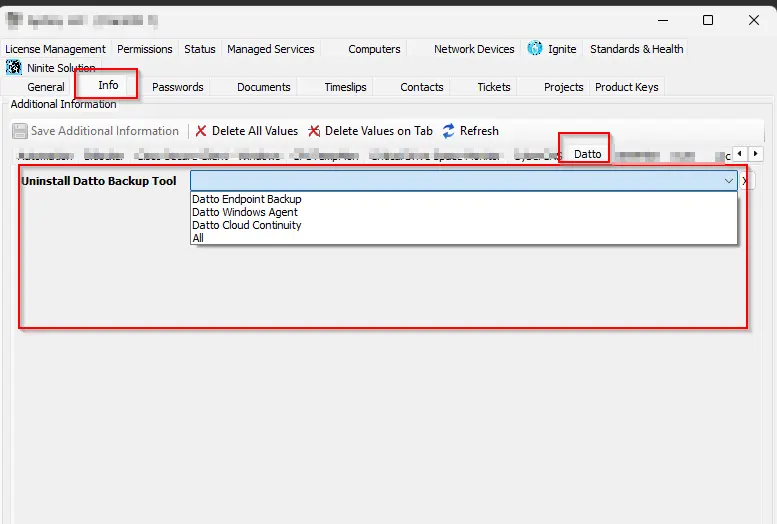 |
Exclude Datto Backup tool Removal | Location | Checkbox | Exclusions | This excludes the location from the uninstallation of Datto backup tools. 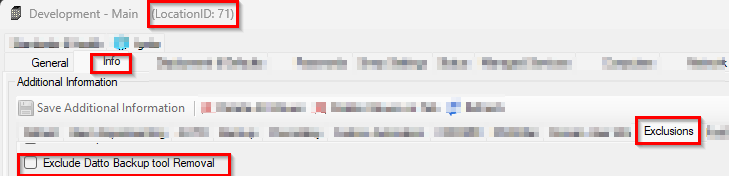 |
Exclude Datto Backup tool Removal | Computer | Checkbox | Exclusions | This exclude the computer from the uninstallation of Datto backup tools. 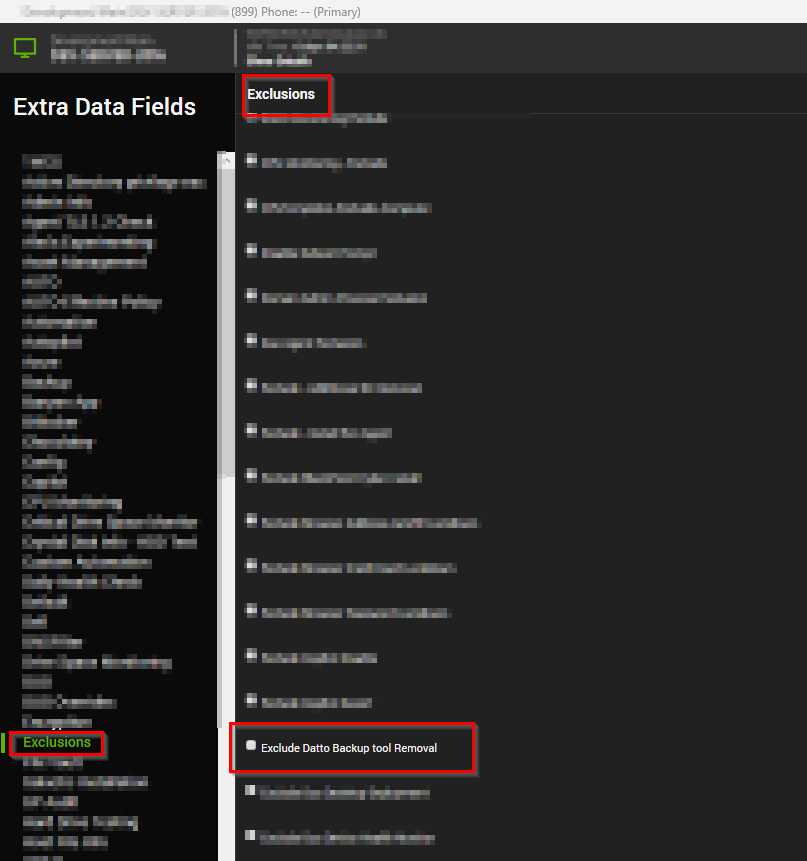 |
Process
- It checks if the agent has
Datto Endpoint Backup,Datto Windows AgentorDatto Cloud Continuityor all of these installed, depending on the option selected at theUninstall Datto Backup Toolclient-level EDF. - If detected, then it writes a PS1 on the agent with file hashes (shown above) that can be used to whitelist if any third-party blocking application is installed in the environment that can restrict the PowerShell execution.
- The PS1 fetches the quiet uninstall command from the application registry and executes it using the system account, and uninstalls the application along with proper error handling
Output
- Script Log
Changelog
2026-05-19
- Updated the solution to uninstall
Datto Endpoint Backupas well. - Code signed the script.
2025-11-06
- Initial version of the document