Install ImmyBot Agent
Summary
This script automates the installation of the ImmyBot Agent MSI installer with option to reinstall if needed.
Sample Run
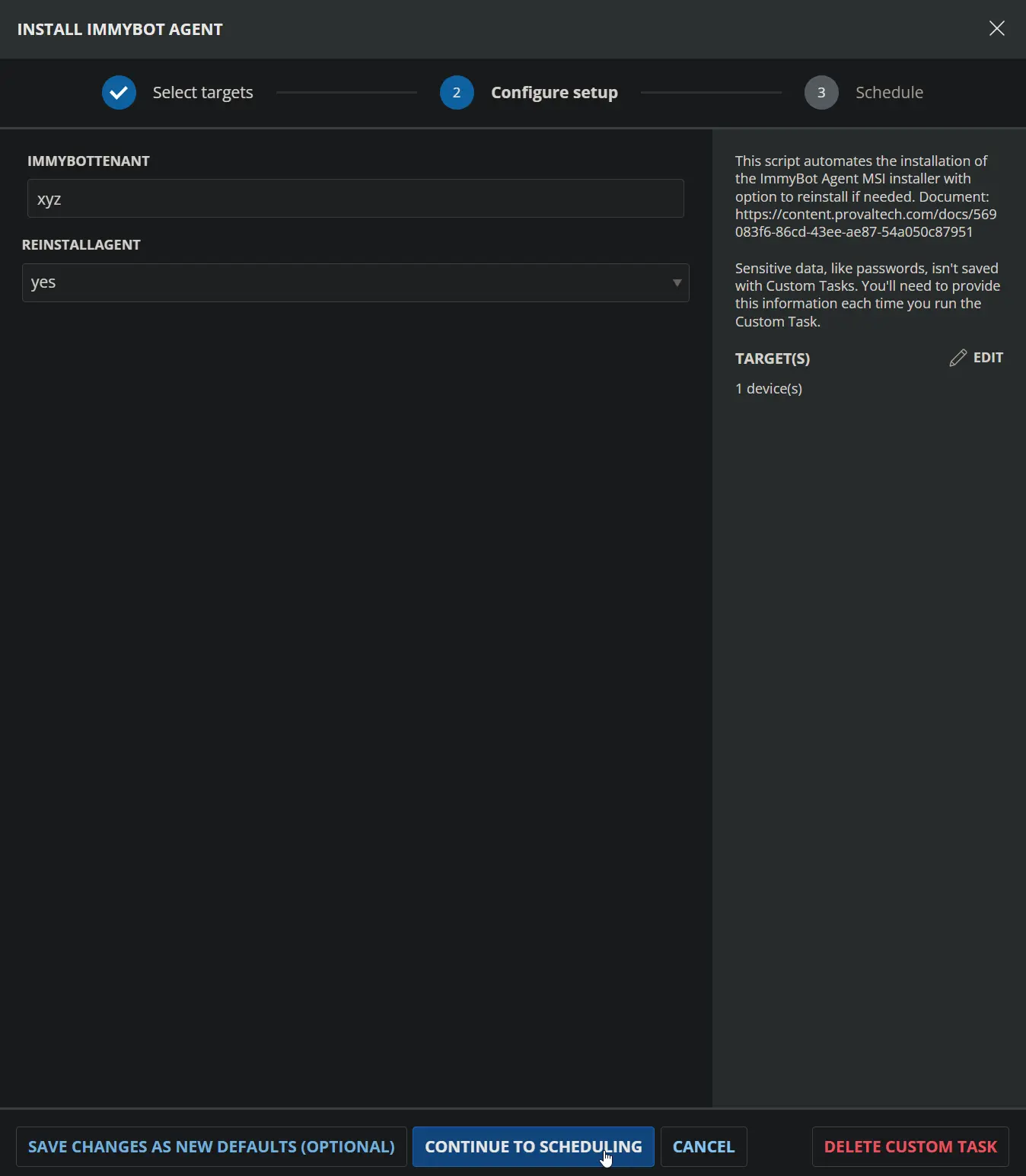
Dependencies
User Parameters
| Name | Example | Accepted Values | Required | Default | Type | Description |
|---|---|---|---|---|---|---|
| ReinstallAgent | Yes | Yes, No | No | No | Flag | Set to ‘Yes’ to force a reinstall of the ImmyBot Agent. |
Custom Fields
| Name | Example | Level | Type | Required | Description |
|---|---|---|---|---|---|
| ImmyBot Tenant | xyz | Client | Text | Yes | Subdomain part of your ImmyBot URL. For https://xyz.immy.bot, use xyz. |
| ImmyBot Installer ID | cd87c48a-4ab2-4cab-ab6d-2c578ae646a9 | Client | Text | Yes | Agent Installer ID. |
| ImmyBot Installer Key | Rg6k0ITU4r1+AyCfI/VKWtN95+KVszyLFEJZ3PKigrD= | Client | Text | Yes | Agent Installer Key. |
Obtaining Required Information
ImmyBot Tenant
- Use the subdomain from your ImmyBot URL (
xyzfromhttps://xyz.immy.bot). - Save the value to the client-level custom field
ImmyBot Tenant.
ImmyBot Installer ID and Key
- The Installer ID and Key are found in the install PowerShell script generated for your tenant.
Steps to Retrieve ID and Key
-
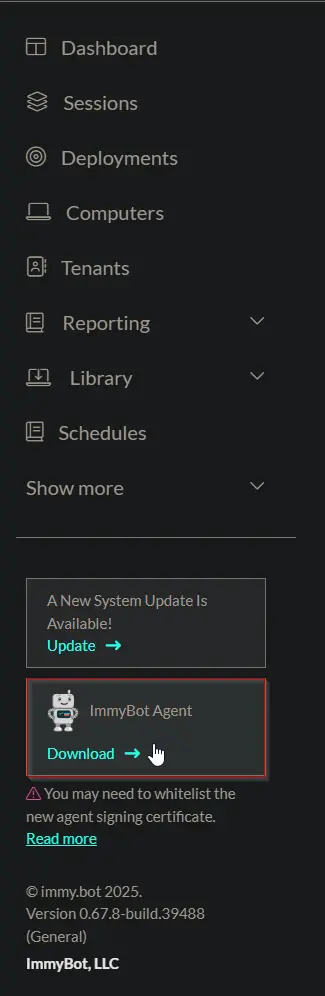
Open ImmyBot Agent Download
- In the navigation pane, click the ImmyBot Agent button.
- Click the Download link in the highlighted box.
-
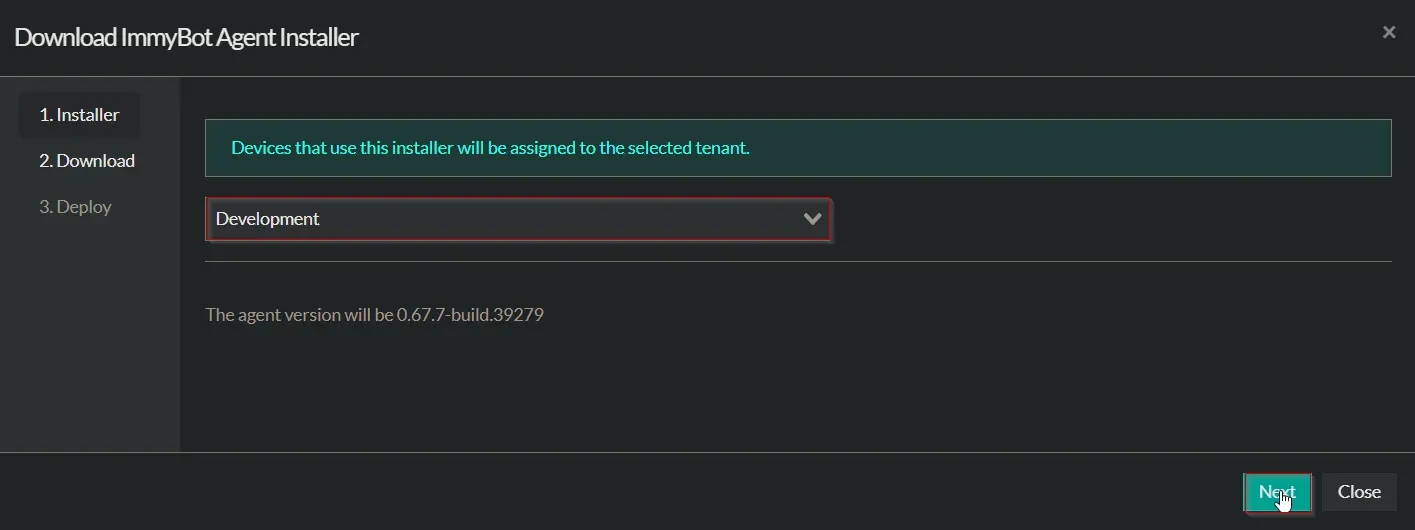
Select Tenant
- In the installer popup, select the correct tenant from the dropdown menu.
- Click Next to proceed.
-
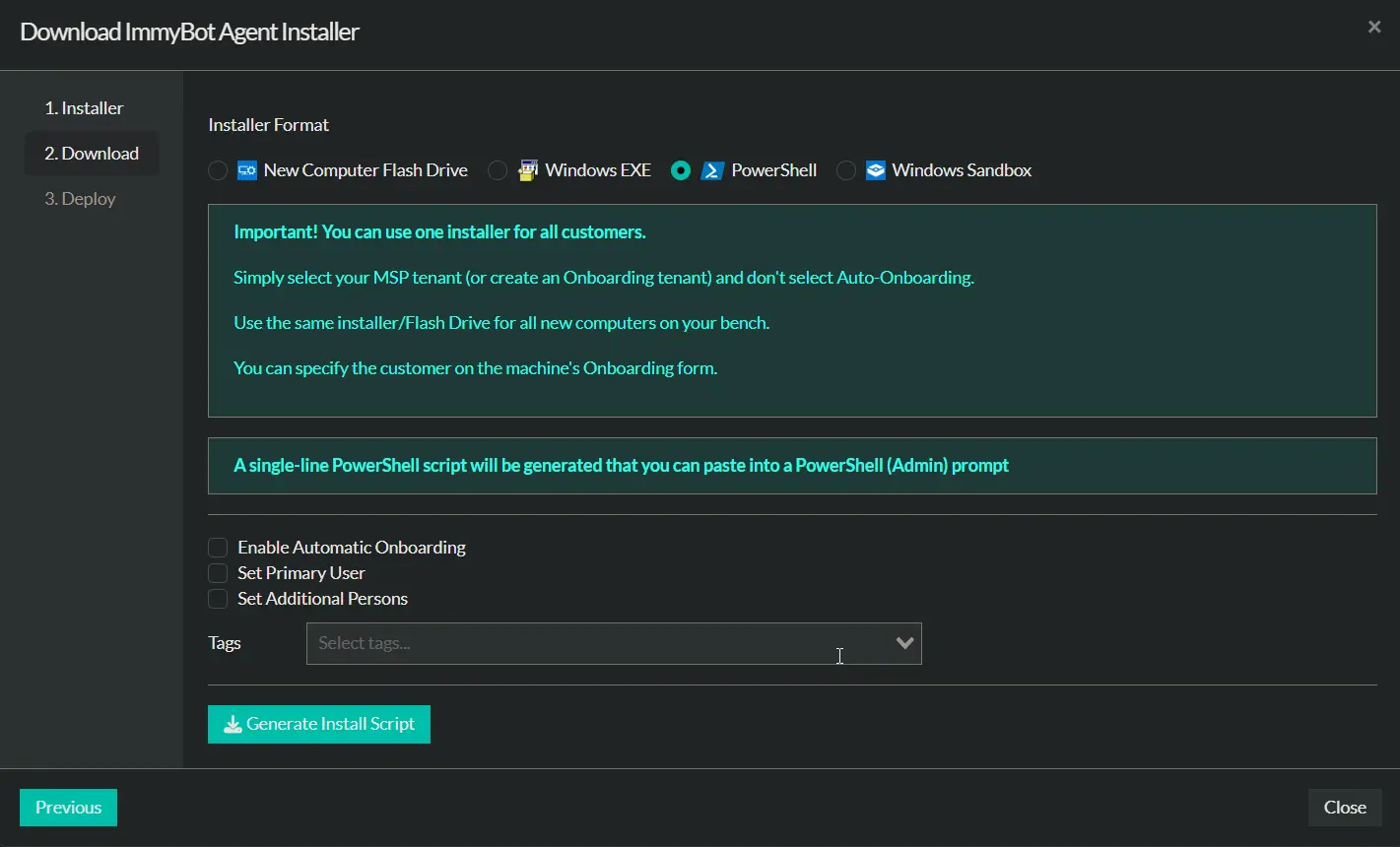
Choose Installer Format
- Select PowerShell as the Installer Format.
- Confirm your settings and options.
-
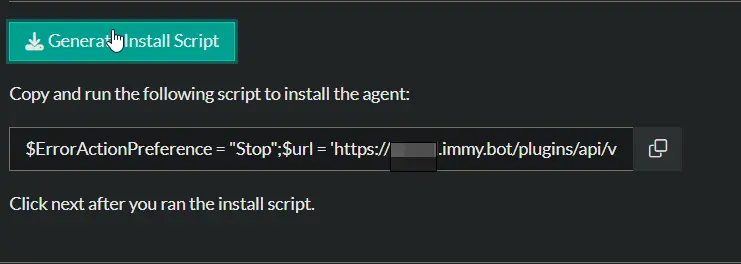
Generate Install Script
- Click the Generate Install Script button.
- Copy the generated PowerShell script from the field.
-
Extract ID and Key
-
Paste the copied script into a text editor.
-
Look within the script for the parameters labeled
IDandKEY. -
Example:
-
The value after
ID=is your ImmyBot Installer ID. Example:cd87c48a-4ab2-4cab-ab6d-2c578ae646a9 -
The value after
KEY=is your ImmyBot Installer Key. Example:Rg6k0ITU4r1+AyCfI/VKWtN95+KVszyLFEJZ3PKigrD=
-
-
Store Values
- Save the ID and Key into the corresponding client-level custom fields:
ImmyBot Installer IDImmyBot Installer Key
- Save the ID and Key into the corresponding client-level custom fields:
Task Setup Path
- Tasks Path:
AUTOMATION➞Tasks - Task Type:
Script Editor
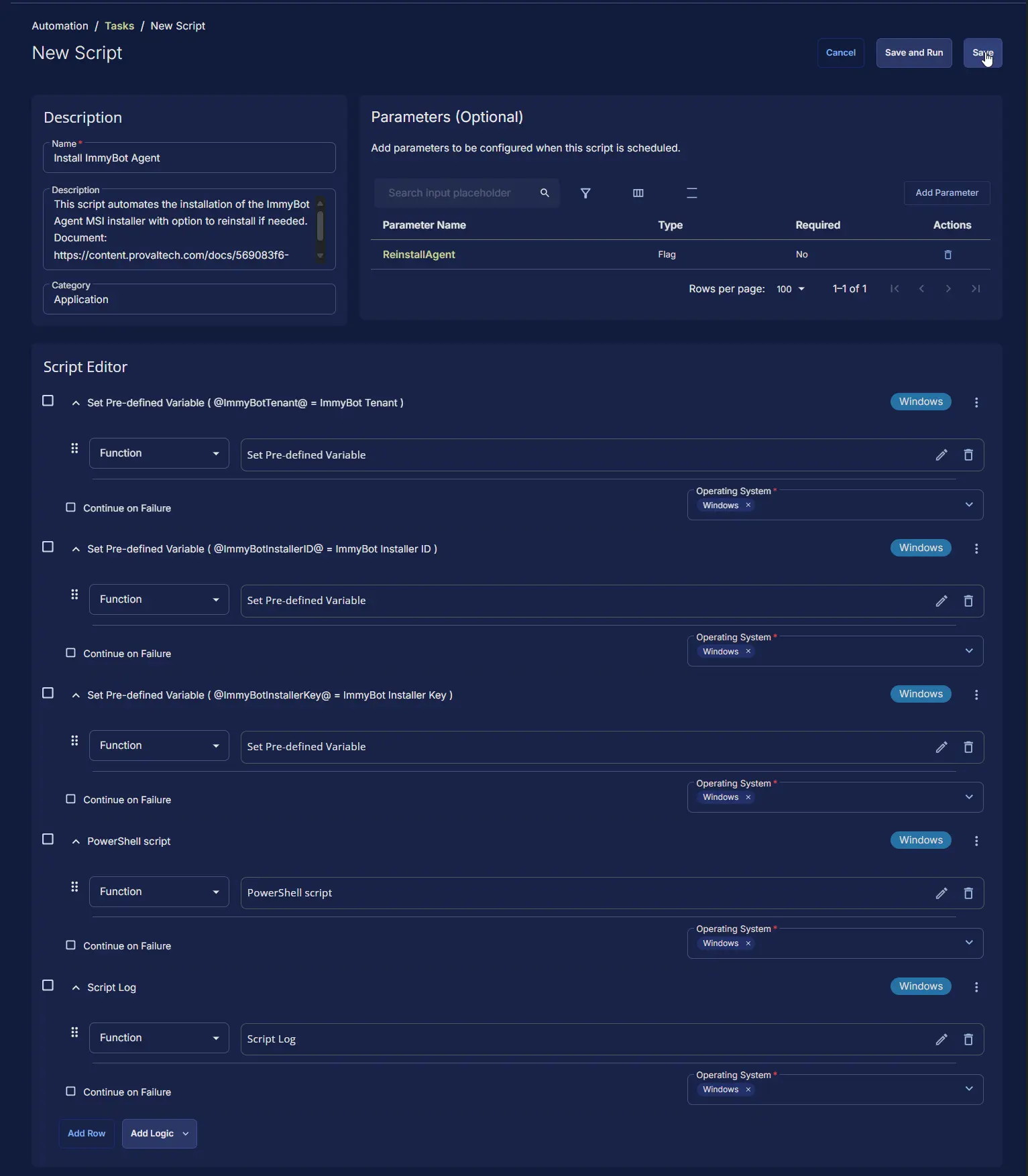
Task Creation
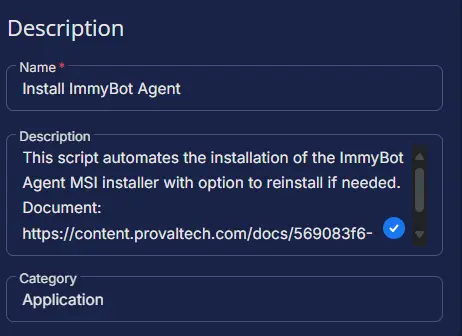
Description
- Name:
Install ImmyBot Agent - Description:
This script automates the installation of the ImmyBot Agent MSI installer with option to reinstall if needed. Document: https://content.provaltech.com/docs/c2576ff2-e86f-43f7-94dc-462a7afbc7f1 - Category:
Application
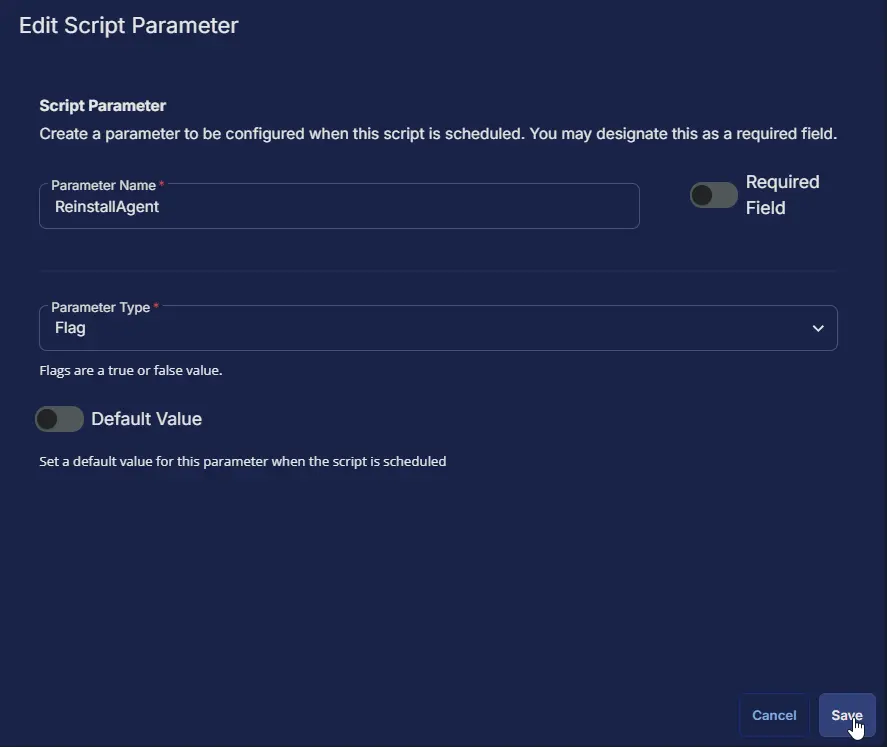
Parameters
| Parameter Name | Required Field | Parameter Type | Default Value |
|---|---|---|---|
| ReinstallAgent | Disabled | Flag | Disabled |
ReinstallAgent:

Script Editor
Row 1: Set Pre-defined Variable ( @ImmyBotTenant@ = ImmyBot Tenant )
- Variable Name:
ImmyBotTenant - Type:
Custom Field - Custom Field:
ImmyBot Tenant
- Operating System:Windows

Row 2: Set Pre-defined Variable ( @ImmyBotInstallerID@ = ImmyBot Installer ID )
- Variable Name:
ImmyBotInstallerID - Type:
Custom Field - Custom Field:
ImmyBot Installer ID - Operating System:
Windows

Row 3: Set Pre-defined Variable ( @ImmyBotInstallerKey@ = ImmyBot Installer Key )
- Variable Name:
ImmyBotInstallerKey - Type:
Custom Field - Custom Field:
ImmyBot Installer Key - Operating System:
Windows

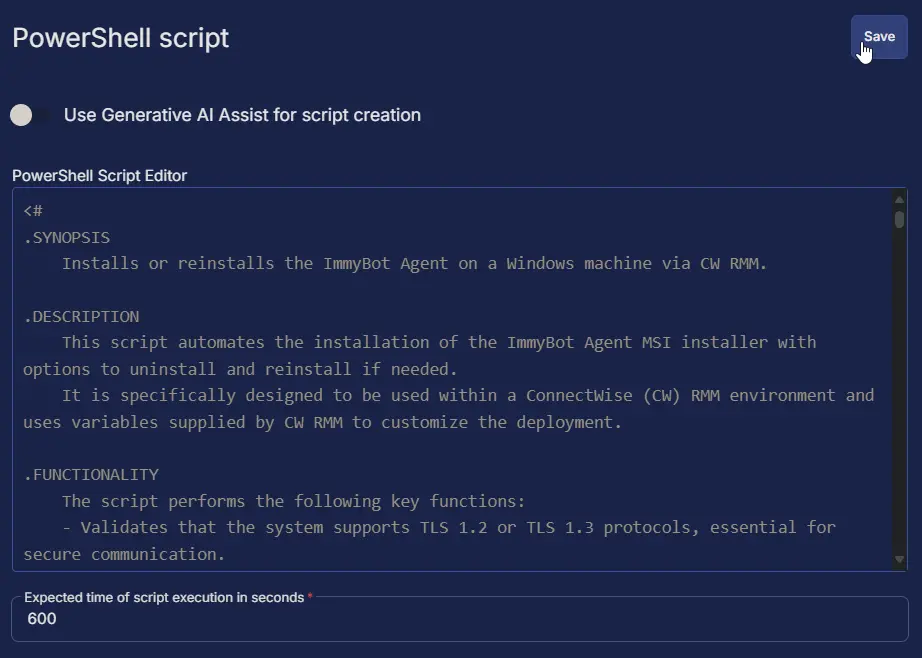
Row 4: PowerShell script
- Use Generative AI Assist for script creation:
False - Expected time of script execution in seconds:
600 - Operating System:
Windows - PowerShell Script Editor:
Row 5: Script Log
- Script Log Message:
%Output% - Operating System:
Windows

Completed Script
Output
- Script Log
Changelog
2025-08-04
- Initial version of the document