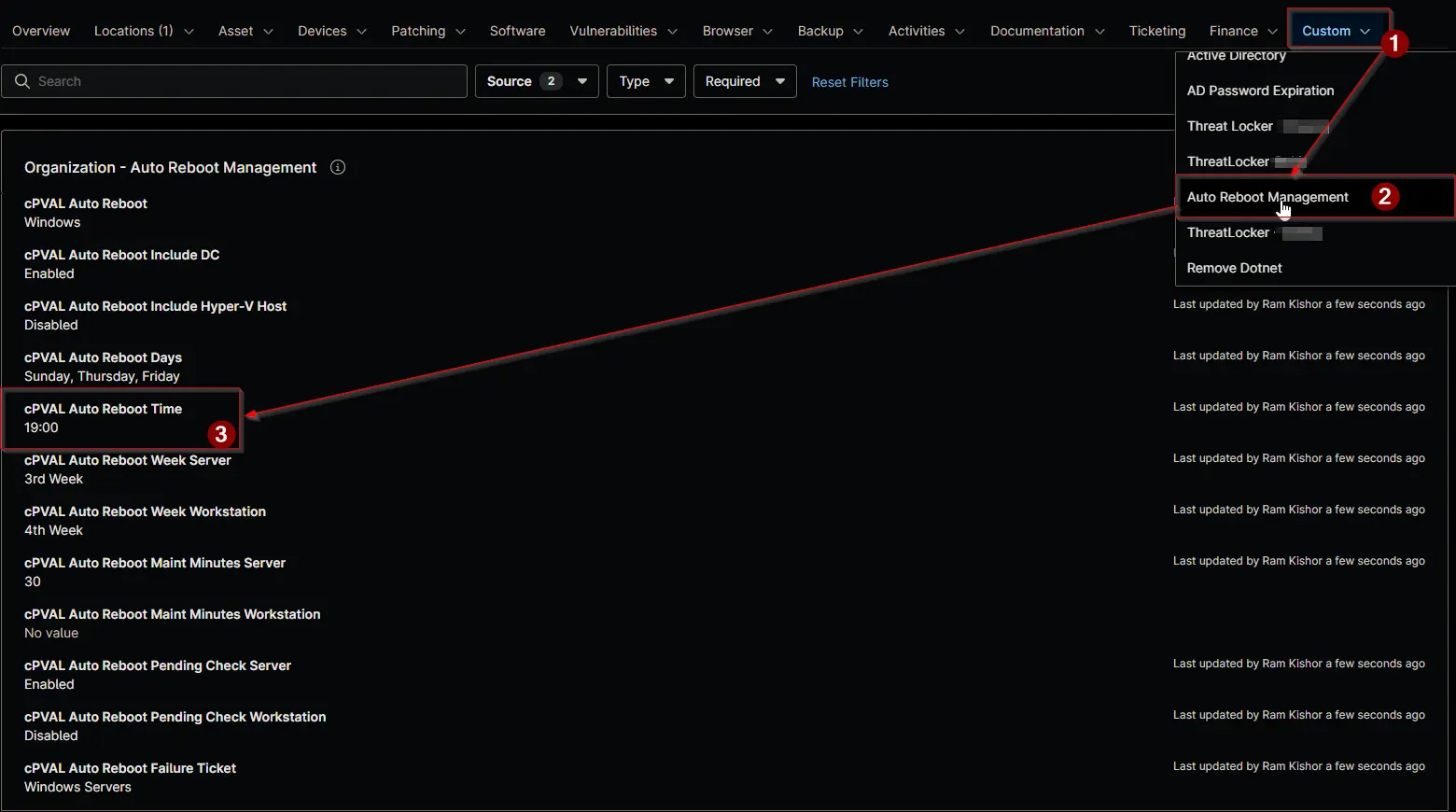
cPVAL Auto Reboot Time
Summary
Selects the time of day at which the Auto Reboot Management - NinjaOne solution restarts devices, on the hour or the half hour, from 00:00 to 23:30.
The time is read in the time zone of the primary machine that runs the Auto Reboot Management automation, not the device's own time zone. For a device in another time zone, convert the restart time it should have on its own clock into the primary machine's time zone and select that. For example, with the primary machine in US Eastern time, select 02:30 on Tuesday for a US Pacific device that should restart on Monday at 23:30 its time. A converter such as timeanddate.com gives the matching time, and Time Zones has more examples. Users see a restart notice about 50 minutes before a restart on the hour, and about 20 minutes before a restart on the half hour.
- Times are offered on the hour and the half hour only, so the hourly Auto Reboot Management scheduled task can request every restart at least 25 minutes ahead.
- A blank value inherits from the level above. No time at any level means no restart.
- A change takes effect at the next run of the Auto Reboot Management automation, within an hour.
Details
| Label | Field Name | Example | Definition Scope | Type | Required | Default Value | Dropdown Options | Editable | Custom Field Tab |
|---|---|---|---|---|---|---|---|---|---|
| cPVAL Auto Reboot Time | cpvalAutoRebootTime | 02:00 | Organization, Location, Device | Drop-down | No | 00:00, 00:30, 01:00, 01:30, 02:00, 02:30, 03:00, 03:30, 04:00, 04:30, 05:00, 05:30, 06:00, 06:30, 07:00, 07:30, 08:00, 08:30, 09:00, 09:30, 10:00, 10:30, 11:00, 11:30, 12:00, 12:30, 13:00, 13:30, 14:00, 14:30, 15:00, 15:30, 16:00, 16:30, 17:00, 17:30, 18:00, 18:30, 19:00, 19:30, 20:00, 20:30, 21:00, 21:30, 22:00, 22:30, 23:00, 23:30 | Yes |
|
Dependencies
- Automation: Auto Reboot Management
- Custom Field: cPVAL Auto Reboot Days
- Scheduled Task: Auto Reboot Management
- Solution: Auto Reboot Management - NinjaOne
Custom Field Creation
Sample Screenshot
Changelog
2026-11-11
- Initial version of the document