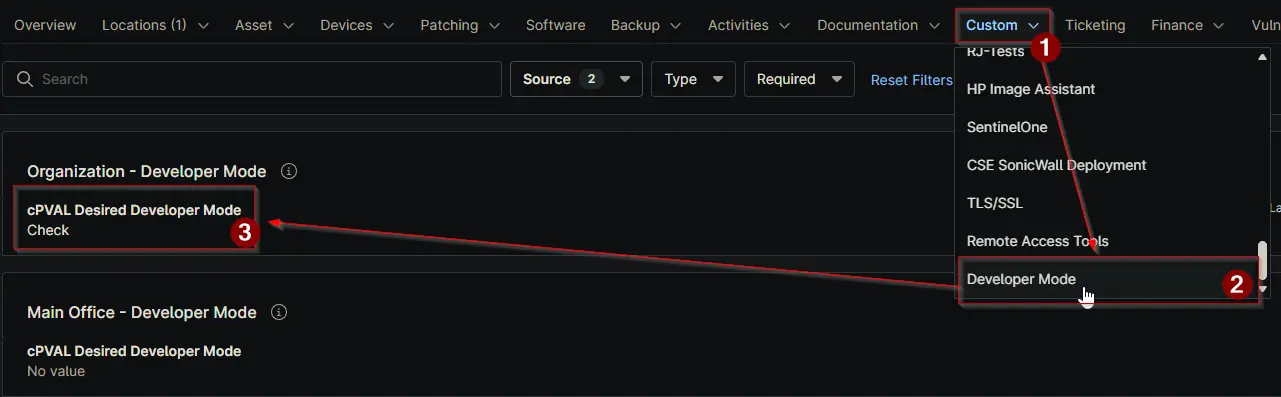
cPVAL Desired Developer Mode
Summary
This field controls how Developer Mode should be handled on devices. It is available at Organization, Location, and Device levels. The system follows a hierarchy where Device settings override Location, and Location settings override Organization.
There are four options. None will exclude the selected level from the automation, so no action is taken. Check will only read the current Developer Mode status from the device without making any changes. Enable will turn on Developer Mode on the device. Disable will turn off Developer Mode.
When the automation runs, it will follow the value set at the most specific level. For example, if a device has a value set directly, that value will be used even if different values are set at Location or Organization.
This field works together with the cPVAL Current Developer Mode field. After each run, the system updates the current state based on the selected action.
Details
| Label | Field Name | Definition Scope | Type | Required | Default Value | Available Options | Editable | Custom Field Tab Name |
|---|---|---|---|---|---|---|---|---|
| cPVAL Desired Developer Mode | cpvalDesiredDeveloperMode | Organization, Location, Device | Drop-down | True | None, Check, Enable, Disable | True | Developer Mode |
Dependencies
Custom Field Creation
Sample Screenshot
Changelog
2026-06-17
- Initial version of the document