cPVAL - Server Role - SharePoint Servers
Summary
A group tailored for Windows Servers that have the SharePoint Server role installed
Details
| Name | Description |
|---|---|
| cPVAL - Server Role - SharePoint Servers | A group tailored for Windows Servers that have the SharePoint Server role installed |
Dependencies
Solution - Server Roles Detection and Grouping for NinjaOne
cPVAL - Windows Servers
cPVAL - Roles Detected
Windows Server Roles Detection
Group Creation
Step 1
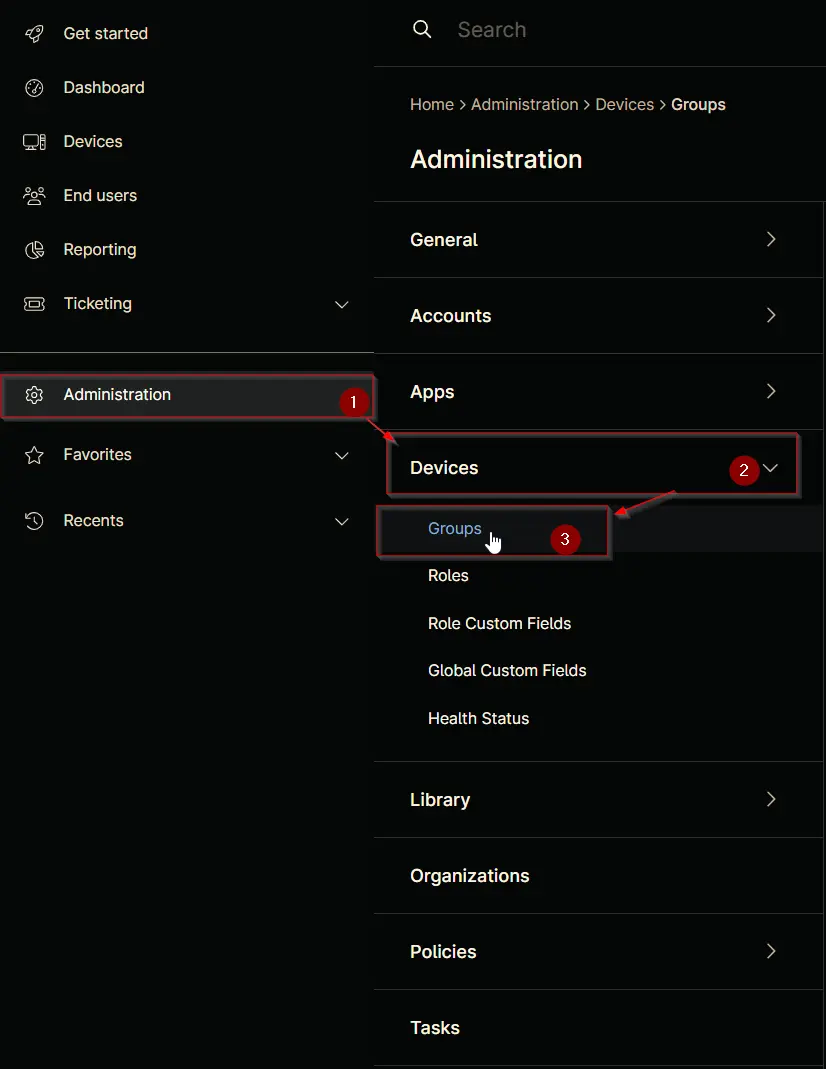
Navigate to Administration > Devices > Groups
Step 2
Locate the Create New Group button on the right-hand side of the screen, click on it.

Step 3
Condition: More filters => Custom Fields
Search and select the Custom Fields from the More filters button.
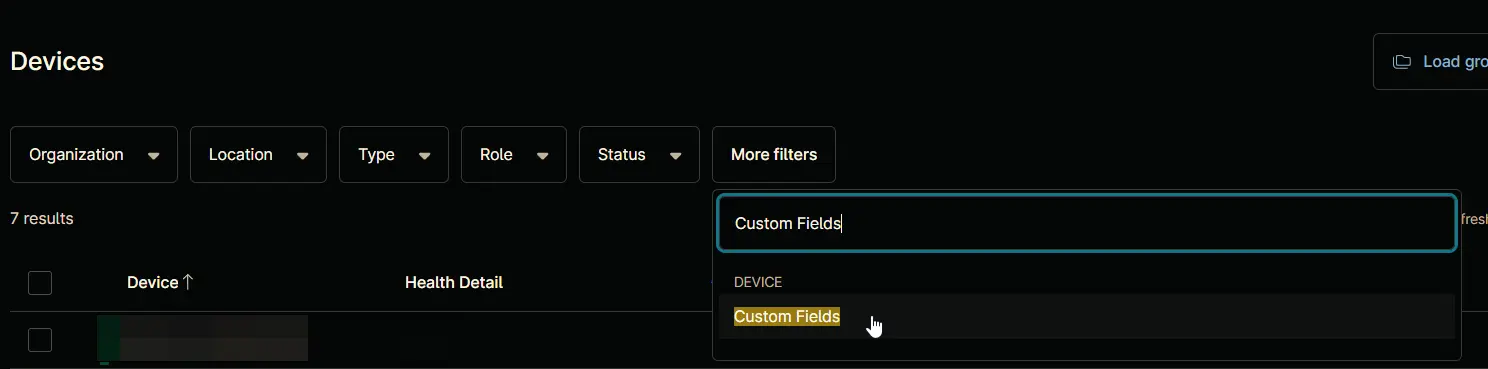
Filter by: Custom Fields windows will appear on the screen.

Step 4
Click the Add button located in the front of Has all conditions.

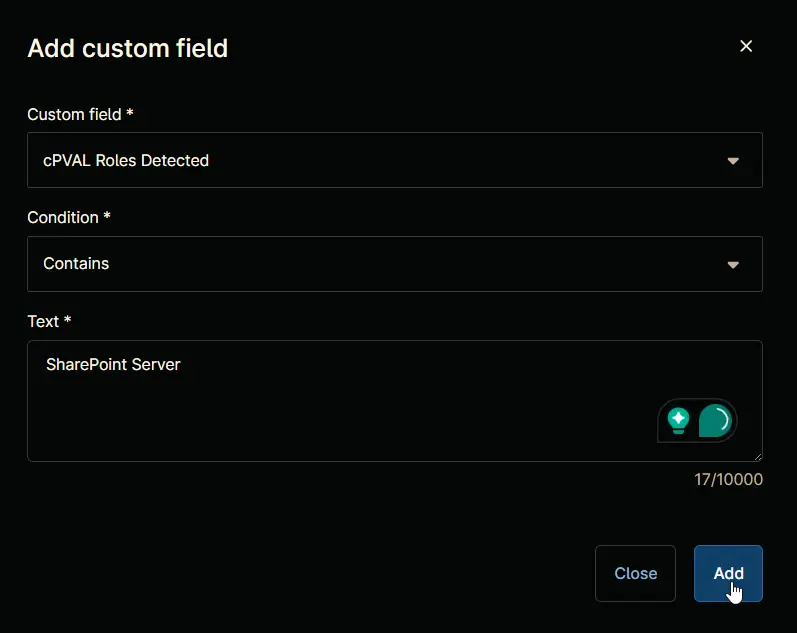
The Add Custom Field screen will appear.

Step 5
Fill in the following conditions and click the Add button to proceed.
Custom Field: cPVAL Roles Detected
Condition: Contains
Text: SharePoint Server
Step 6
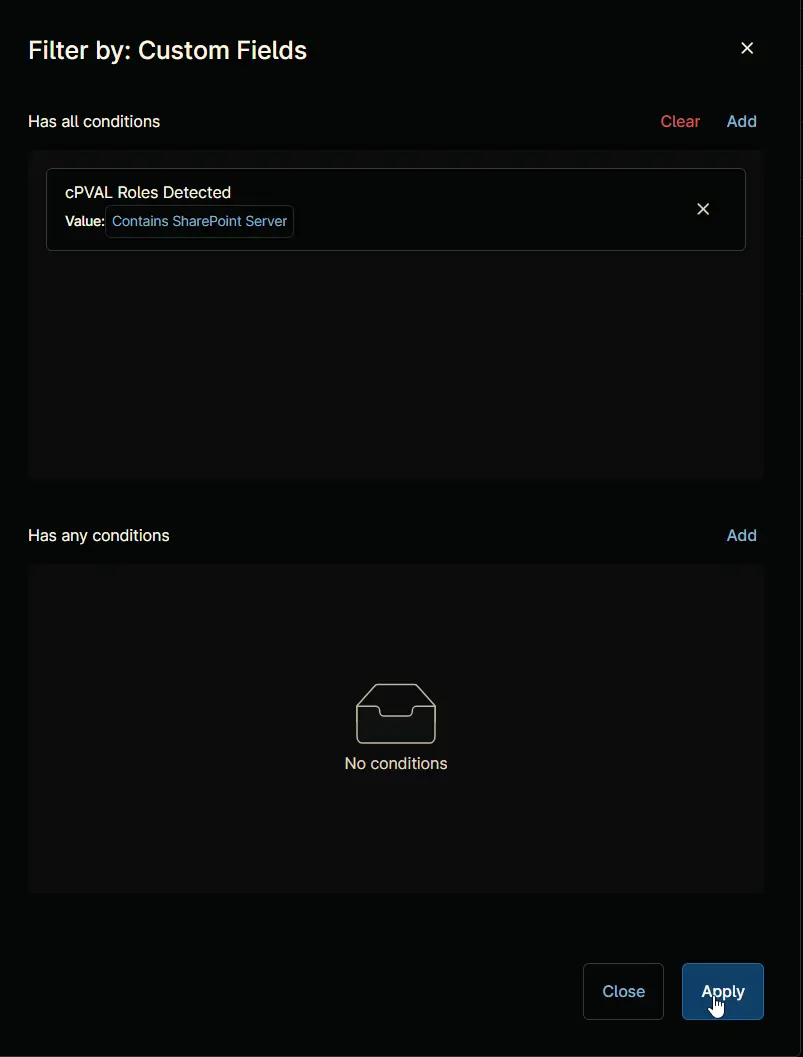
Click the Apply button to proceed.
Step 7
Click the Save group button to save changes.

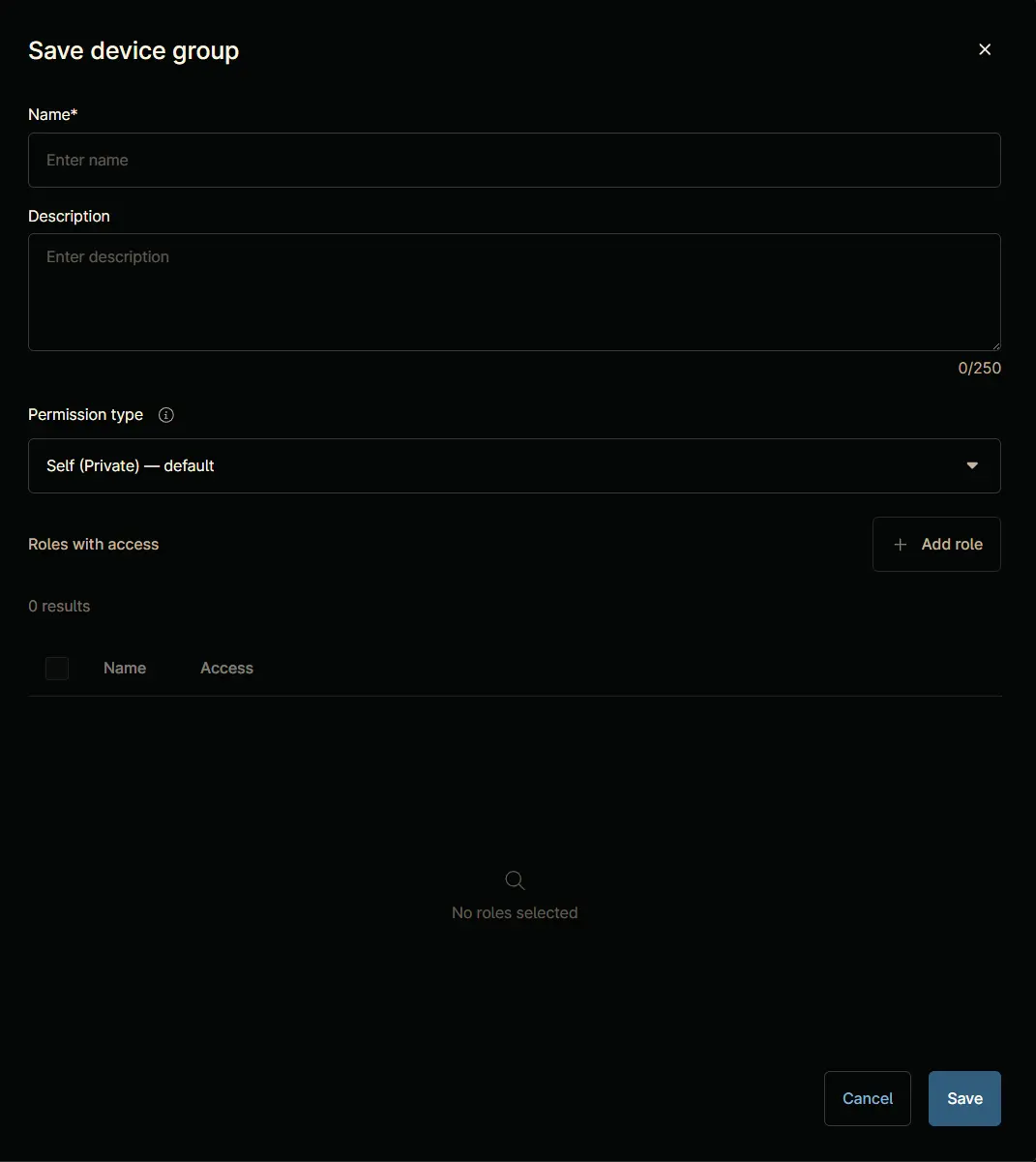
Save device group window will appear on the screen.
Step 8
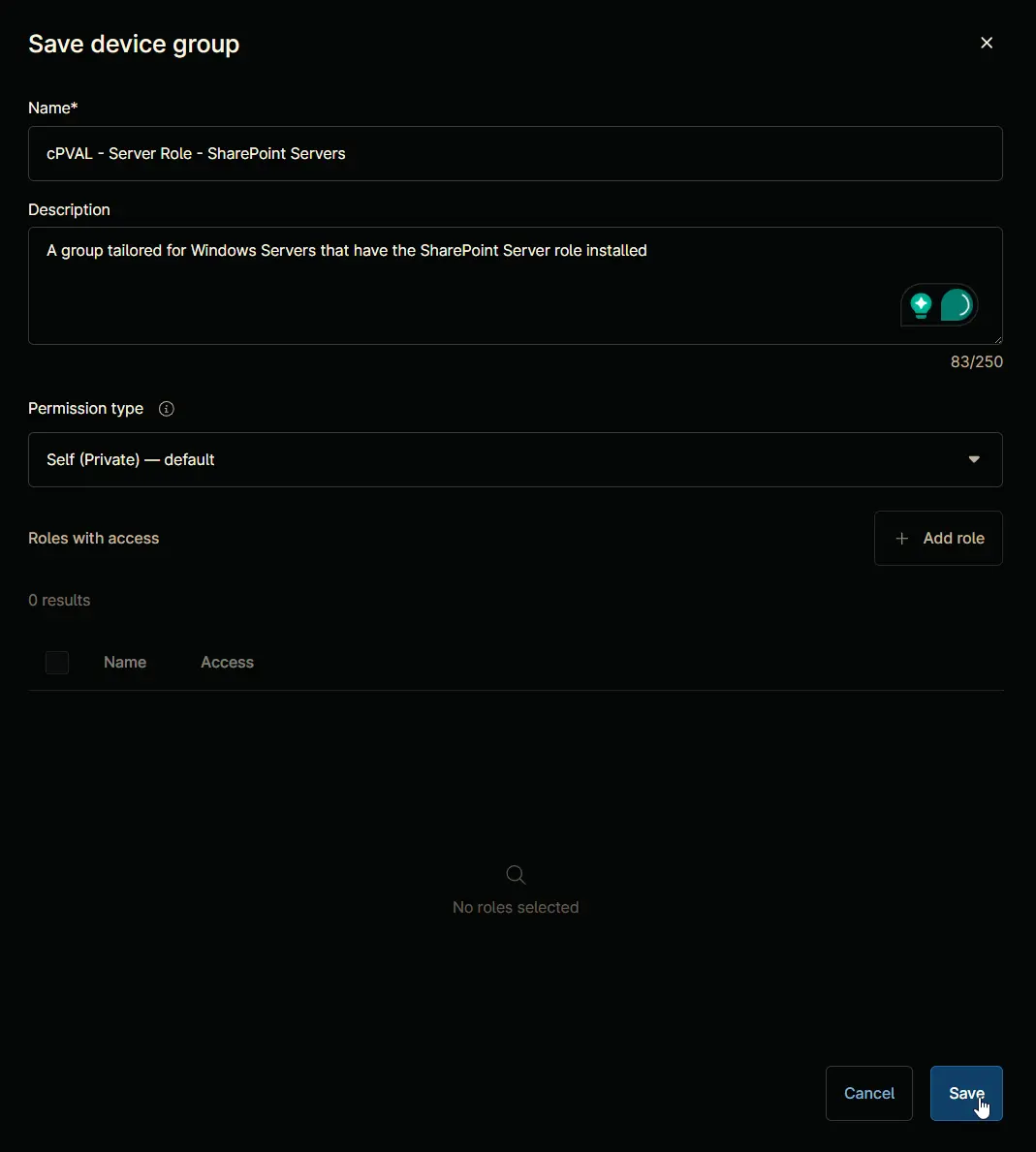
Fill in the following details and click the Save button to create the group.
Name: cPVAL - Server Role - SharePoint Servers
Description: A group tailored for Windows Servers that have the SharePoint Server role installed
Permission Type: Self (Private) - default
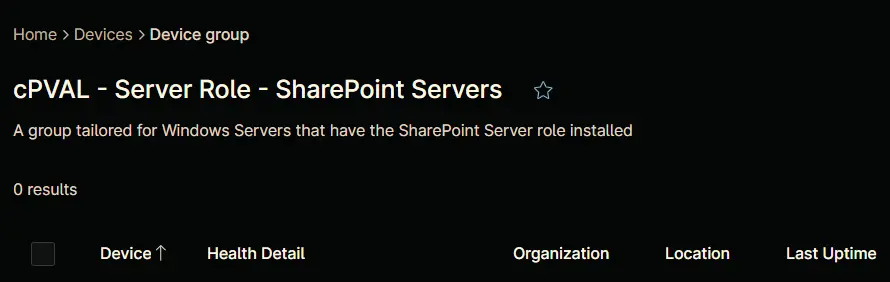
Completed Group
Changelog
2025-03-31
- Initial version of the document