ScreenConnect Client - Command - Execute
Summary
This script will execute a command via the default command-line parser on the target agent through Control.
Time Saved by Automation: 10 Minutes
Sample Run
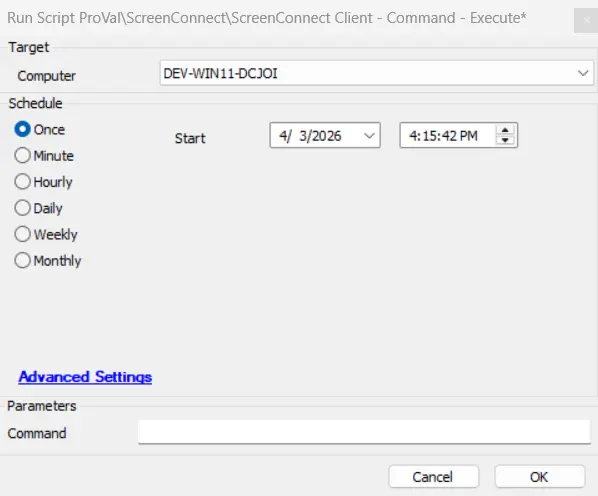
Dependencies
User Parameters
| Name | Example | Required | Description |
|---|---|---|---|
| Command | net user | False | This is the command that will run through Control. |
System Properties
| Name | Example | Required | Description |
|---|---|---|---|
| RMMPlus_AccessKey | dd22rtbm!sde8ye | True | This is the key set up in the CW Control RMM+ Plugin so Automate can reach out to gain access to the API. |
| RMMPlus_Headers | origin:yours.control.com | True | This is the URL (without http/https) for the CW Control server. This value needs to match the value in the RMM+ Plugin configuration in CW Control. |
| RMMPlus_Timeout | 1000 | True | The default timeout for command runs via RMM+ through Automate. 1000 is the default. |
Output
- Script log
Changelog
2025-12-29
- Fixed the issues where the script was failing to execute the script. Increased the timeout of the scipt.
2025-04-10
- Initial version of the document