CVE-2025-24084 - WSL Uninstall
Summary
Detects and removes Windows Subsystem for Linux (WSL) and related components only when WSL is present.
Dependencies
Target
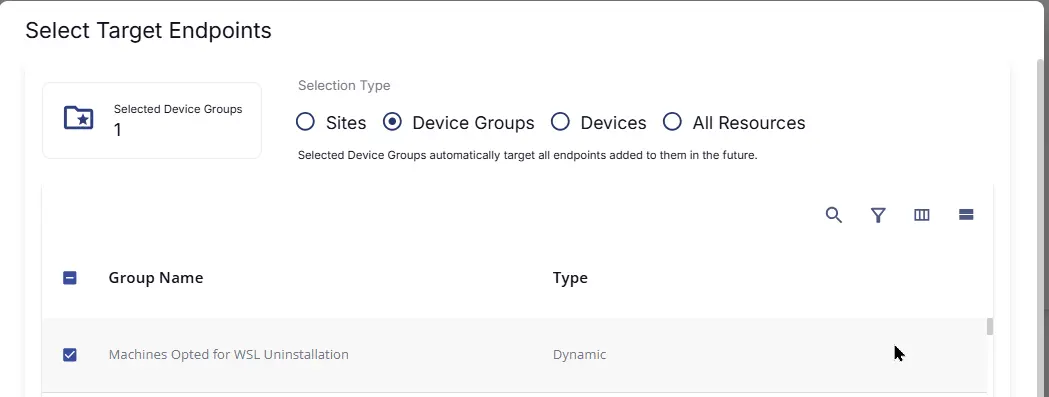
This monitor should target the group shown below:
Monitor Creation
Step 1
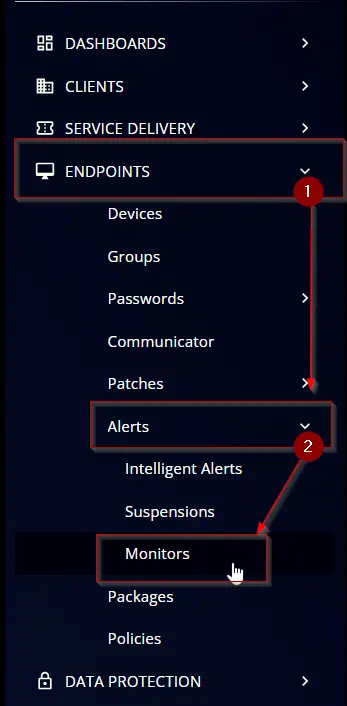
Navigate to ENDPOINTS ➞ Alerts ➞ Monitors
Step 2
Locate the Create Monitor button on the right-hand side of the screen and click on it.

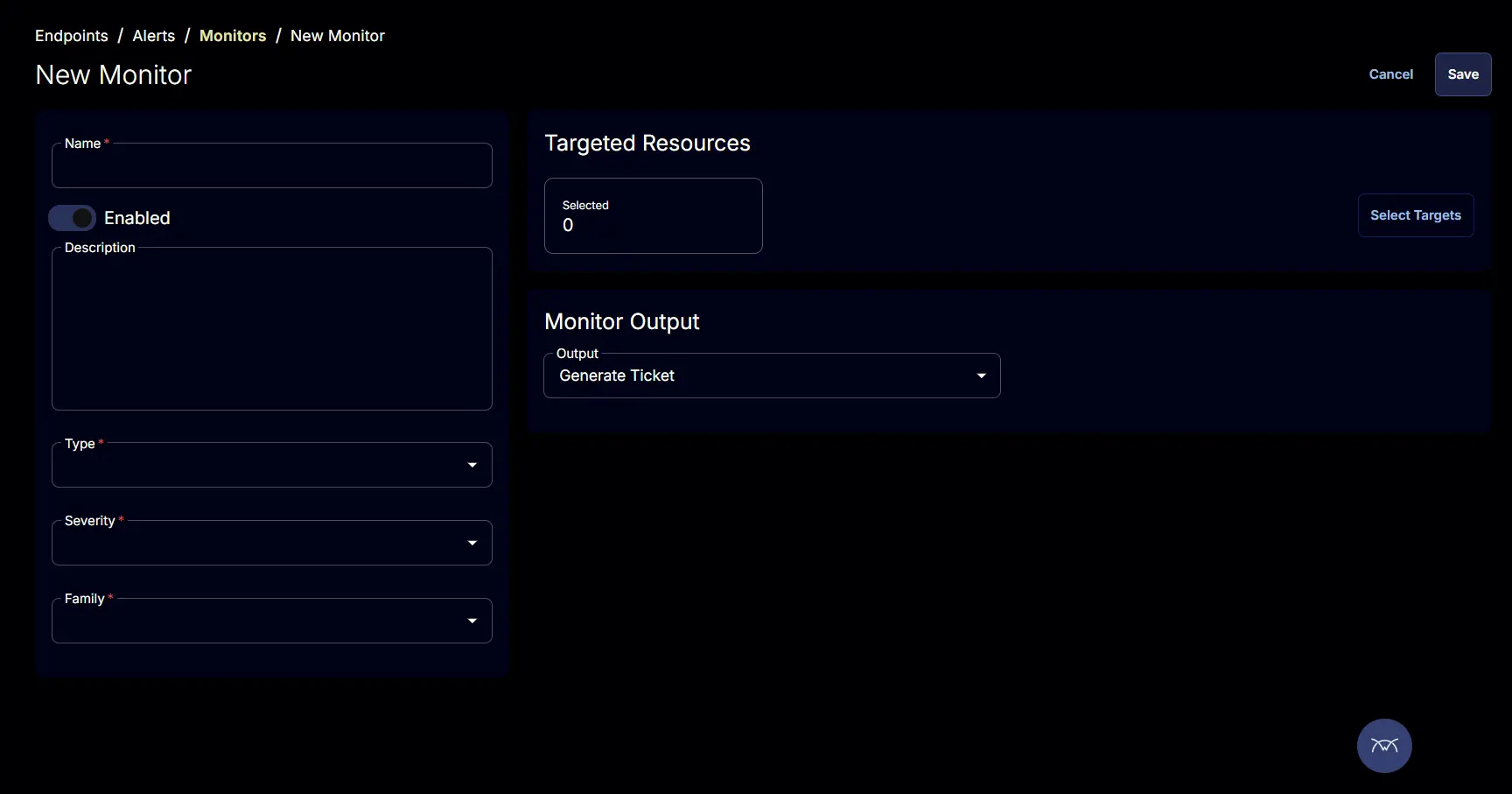
This page will appear after clicking on the Create Monitor button:
Step 3
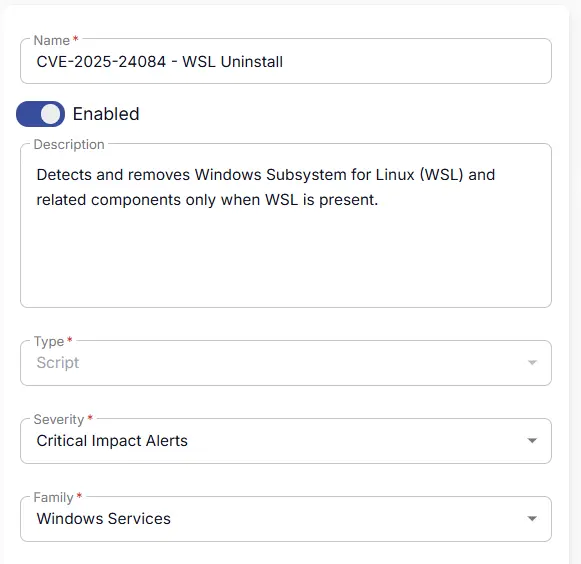
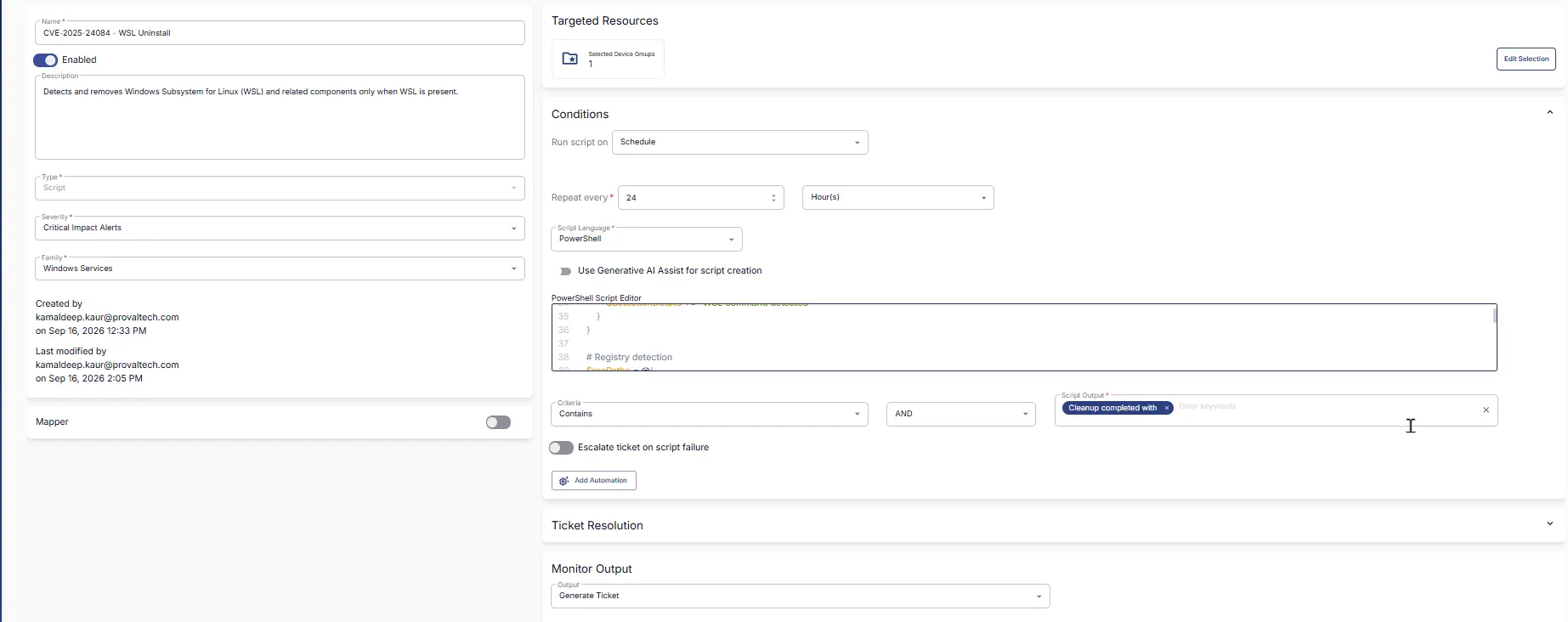
Fill in the mandatory columns on the left side
- Name:
CVE-2025-24084 - WSL Uninstall - Description:
Detects and removes Windows Subsystem for Linux (WSL) and related components only when WSL is present. - Type:
Script - Severity:
Critical Impact Alerts - Family:
Windows Services
Step 4
Click the Select Target button to choose the endpoints for running the monitor set.

This page will appear after clicking on the Select Target button:
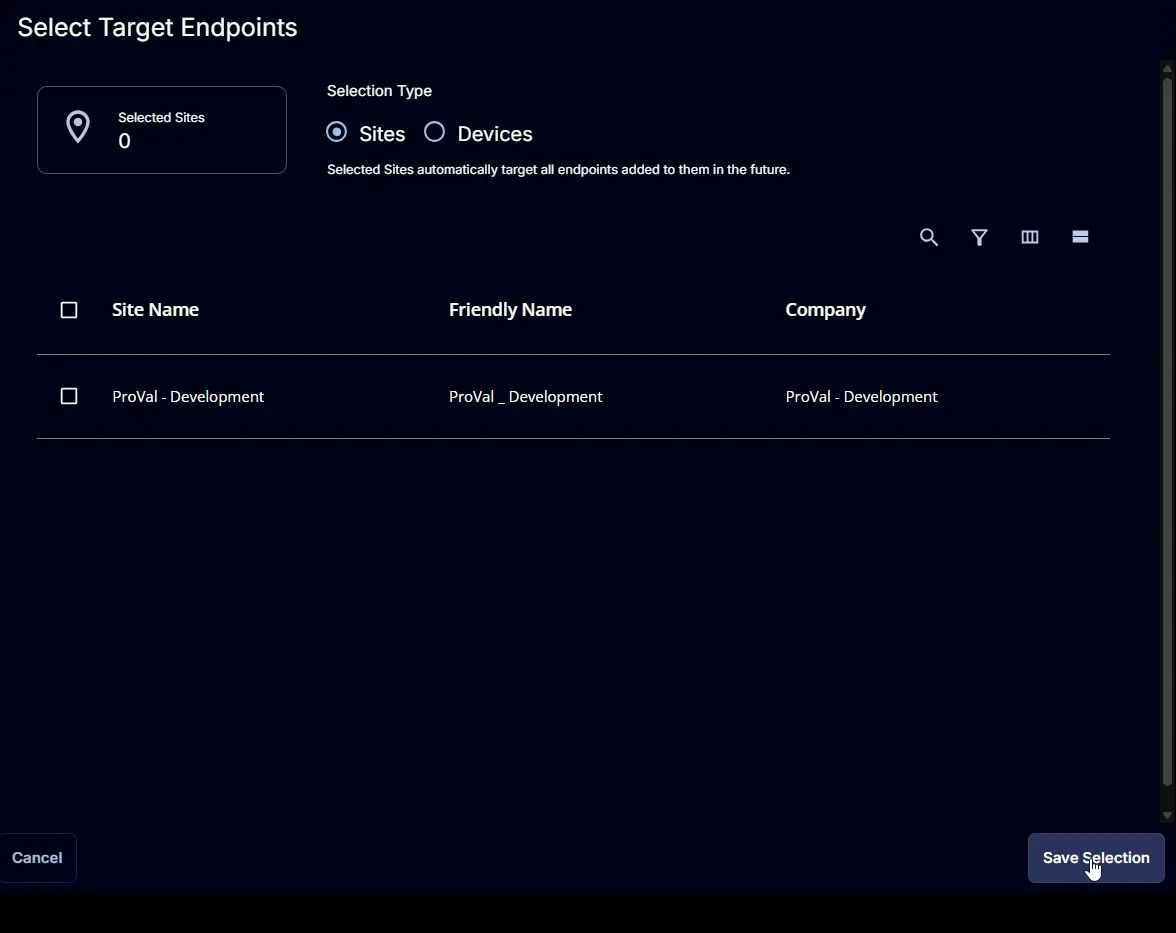
Click on Device Groups and select Machines Opted for WSL Uninstallation
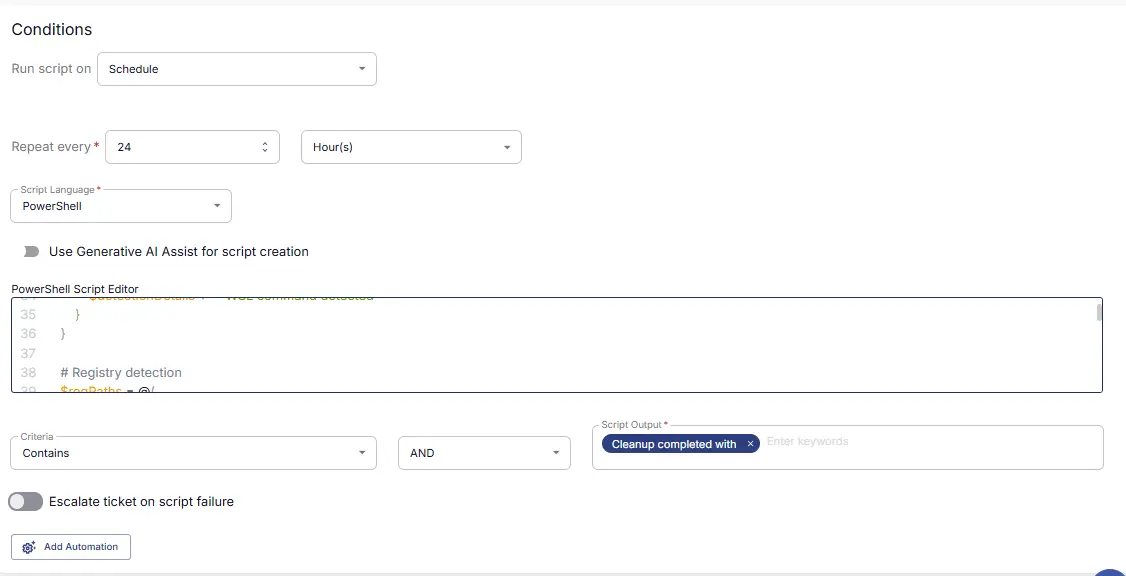
Conditions
-
Run script on:
Schedule -
Repeat every:
24 Hours -
Script Language:
PowerShell -
Use Generative AI Assist for script creation:
False -
PowerShell Script Editor:
Navigate to the
cw-rmmrepository, open the script linked below, copy the raw code, and paste it into the RMM script editor: -
Criteria:
Contains -
Operator:
AND -
Script Output:
Cleanup completed with -
Escalate ticket on script failure:
Disabled -
Add Automation: ``
Ticket Resolution
- Automatically Resolve:
Enabled - Dropdown Option:
Run same script as above - Criteria:
Contains - Operator:
AND - Script Output:
No WSL component or residue detected.

Monitor Output
- Output:
Generate Ticket

Completed Monitor
Changelog
2026-09-16
- Initial version of the document