Datto RMM Site ID
Summary
The Site ID of the target site in the Datto RMM portal that the agent will check into after installation.
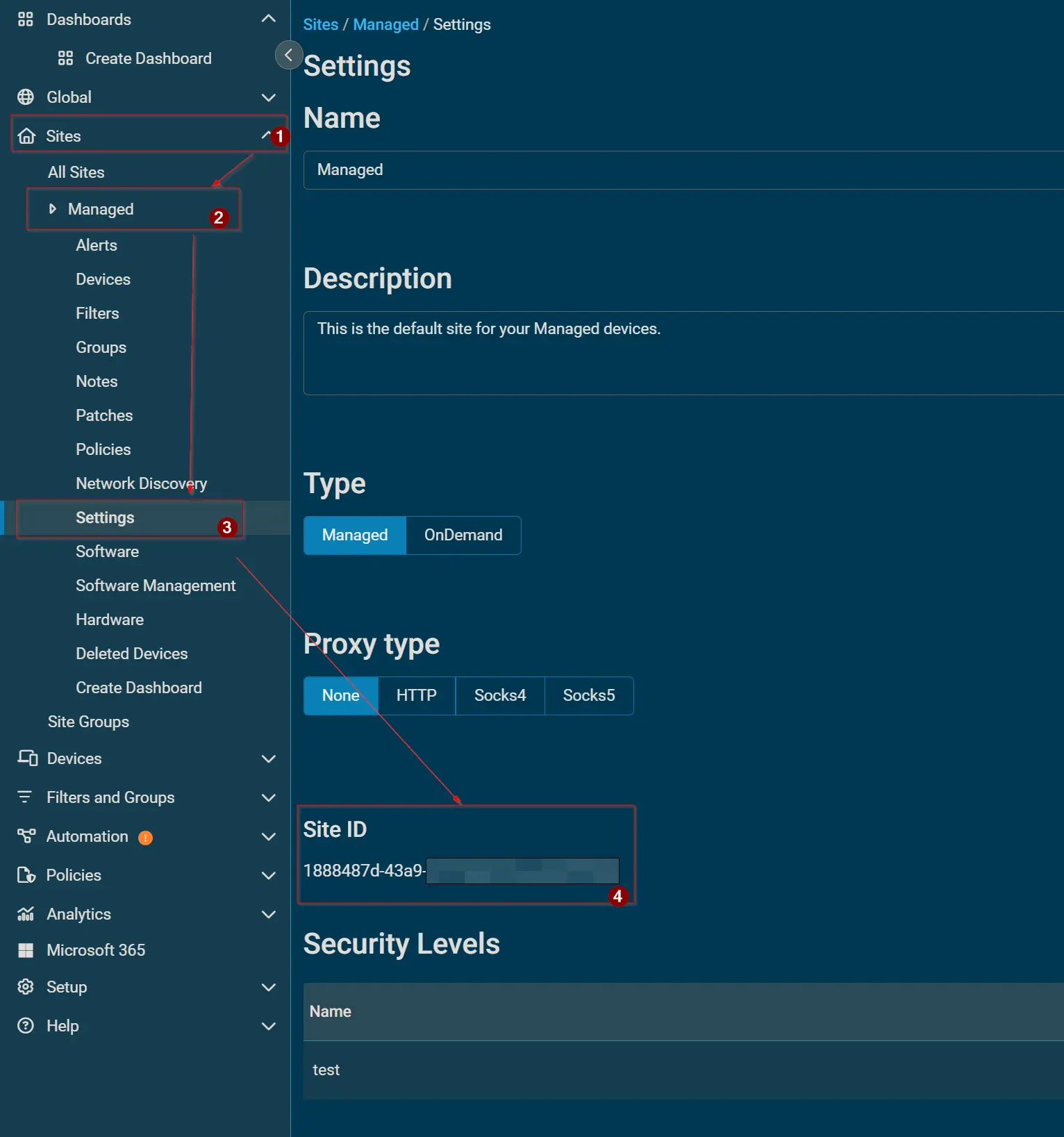
How to retrieve Site ID
In the Datto RMM portal, go to the Settings page for the site you want to look up, then scroll down until you find the Site ID option.
Site ID Path: Sites > <Desired Site> > Settings > Site ID
Dependencies
Custom Field Setup Location
Custom Fields Path: SETTINGS ➞ Custom Fields
Details
| Name | Level | Type | Default Value | Editable | Description |
|---|---|---|---|---|---|
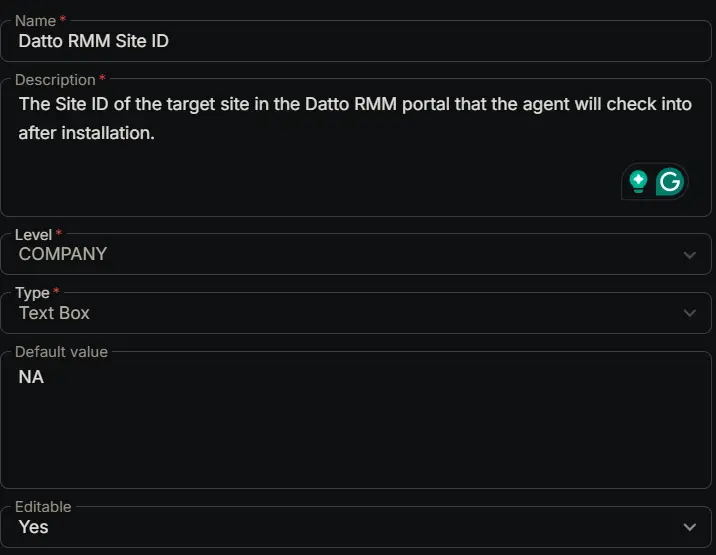
| Datto RMM Site ID | COMPANY | Text Box | NA | Yes | The Site ID of the target site in the Datto RMM portal that the agent will check into after installation. |
Completed Custom Field
Changelog
2026-02-28
- Initial version of the document