CHKDSK - Run All Drives
Overview
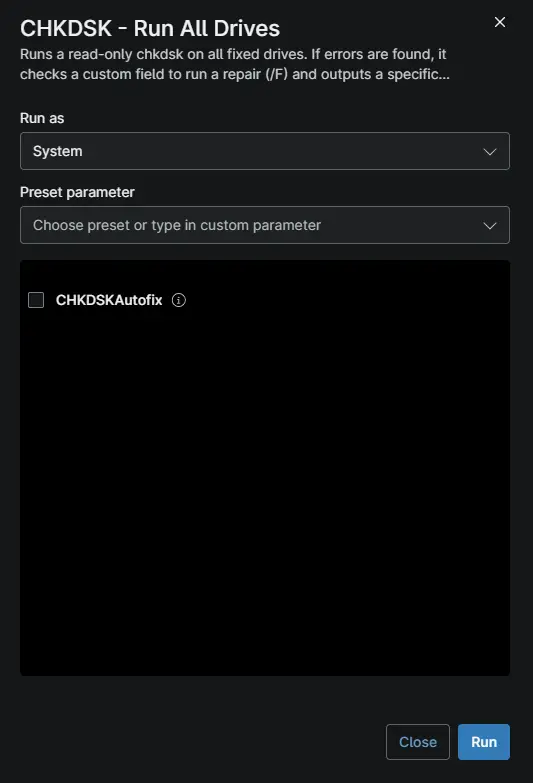
This automation scans all internal fixed drives for bad sectors using a read-only chkdsk. If errors are found and the cpvalChkdskAutofix custom field is set to "Enabled", it schedules an offline repair using chkdsk /F on the target drives. The results and error messages are output directly to the NinjaOne activity log, and the script exits with code 1 to trigger ticket creation via compound condition. Schedule this automation as a routine maintenance task to proactively monitor disk health and automatically remediate corruption before it leads to drive failures.
Note:
Before running this automation, ensure the
cpvalChkdskAutofixdevice custom field is created in NinjaOne. If this field is not set to "Enabled", the script will only report the errors and exit without attempting a repair. Additionally, the script will intentionally show as "Failed" (Exit Code 1) when disk problems are found; this behavior is required to trigger the ticket creation or commenting condition in the NinjaOne policy.
Requirements
- Supported operating system and device role
- Run As:
System - PowerShell 5.1
Sample Run
Custom Fields
| Custom Field | Scope | Type | Description |
|---|---|---|---|
| cPVAL ChkDsk Autofix | Device, Organization, Location, System | Drop-down | This is used to set if autofix needs to be executed or not during the script run. |
Parameters
| Name | Calculated Name | Type | Default Value | Description |
|---|---|---|---|---|
CHKDSKAutofix | chkdskautofix | Checkbox | --- | This is used to run enable the function to run autofix if Checked |
Dependencies
Automation Setup/Import
Output
- Activity Details
Changelog
2026-10-16
- Initial version of the document