CVE-2016-2115 - SMB Signing
Summary
This script is created to run the detection/remediation for CVE-2016-2115 - SMB Signing Disable check and enable it if the remediation option is selected via EDF.
Sample Run
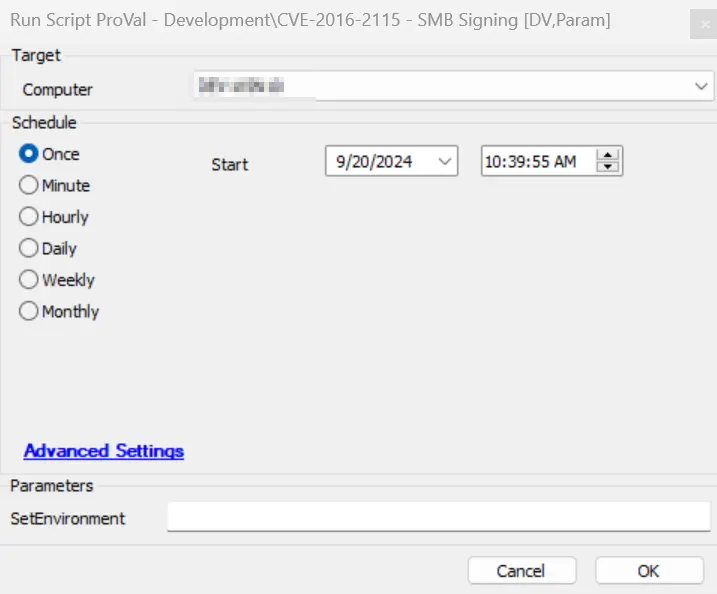
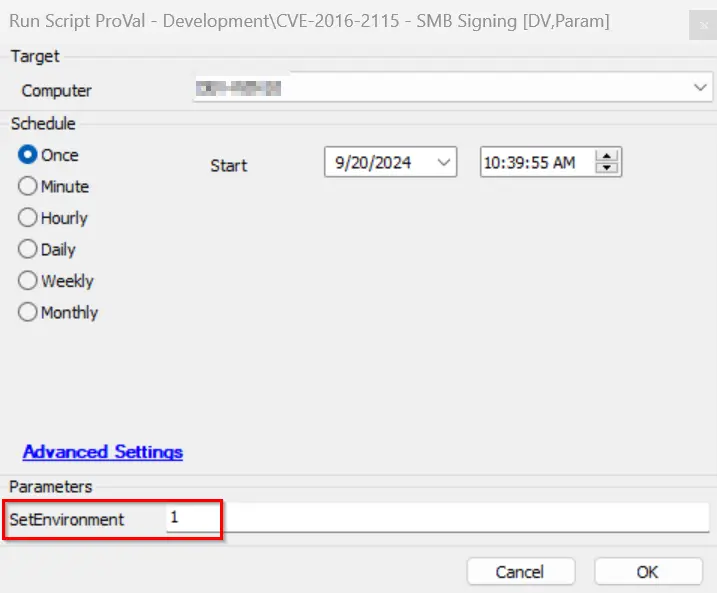
It is required to execute this script after importing with the setting SetEnvironment = 1.
Dependencies
CWA Remote Monitor - SMB Signing Detection
Variables
| Name | Description |
|---|---|
| DetectionOnly | This collects data from client-EDF 'CVE Vulnerability Detection Only' for the agent where the script is deployed. If it is 1, then the CVE-2016-2115-only detection will run and register to the dataview without remediation. |
| Detection-Remediation | This collects data from client-EDF 'CVE-2016-2115 Vul Detection and Remediation' for the agent where the script is deployed. If it is 1, then the SMB Signing will be detected; if found disabled, then it attempts to enable it and logs the result to the dataview. |
| SMBSignDetection | This contains the SMB signing audit status of the agent. |
| psout | It contains the SMB signing remediation data. |
| TicketCreation | It contains the ticket category ID applied on the monitor CWA Remote Monitor - SMB Signing Detection. If the category is set, then only the ticket will be created. |
EDFs
| Name | Level | Type | Example | Description |
|---|---|---|---|---|
| CVE-2016-2115 Status | Computer | Text | Remediation Successful | This stores the status of CVE-2016-2115 after script execution. |
| CVE-2016-2115 Logging | Computer | Text | @psout@ | This stores the script PowerShell execution output for logging. |
| CVE-2016-2115 Detection Date | Computer | Text | 2024-05-01 00:00:00 | This stores the date and time when the last CVE-2016-2115 status was detected via the script. |
| CVE-2016-2115 Vulnerability | Computer | Text | Not Vulnerable | This shows whether the device is vulnerable or not based on the script output detection. |
| CVE-2016-2115 Vul Detection and Remediation | Client | Flag | 1 | If this client EDF is checked, then the CVE-2016-2115 detection as well as remediation will be performed by the script. |
| CVE Vulnerability Detection Only | Client | Flag | 1 | If this client EDF is checked, then the CVE-2016-2115 detection only will be performed by the script. |
| CVE-2016-2115 Vul Detection and Remediation Exclude | Location | Flag | 0 | If this location EDF is checked, then the CVE-2016-2115 detection & remediation will be excluded from all agents of the location. |
| CVE-2016-2115 Vul Detection and Remediation Exclude | Computer | Flag | 0 | If this EDF is checked, then the CVE-2016-2115 detection & remediation will be excluded from the agent. |
| CVE-2016-2115 Vul Detection and Remediation | Computer | Flag | 1 | If this EDF is checked, then the agent will be added to the group "CVE-2016-2115 SMB Signing Detection & Rem". |
Output
- Script log
- Dataview
Ticketing
- How to Enable Ticket:
-
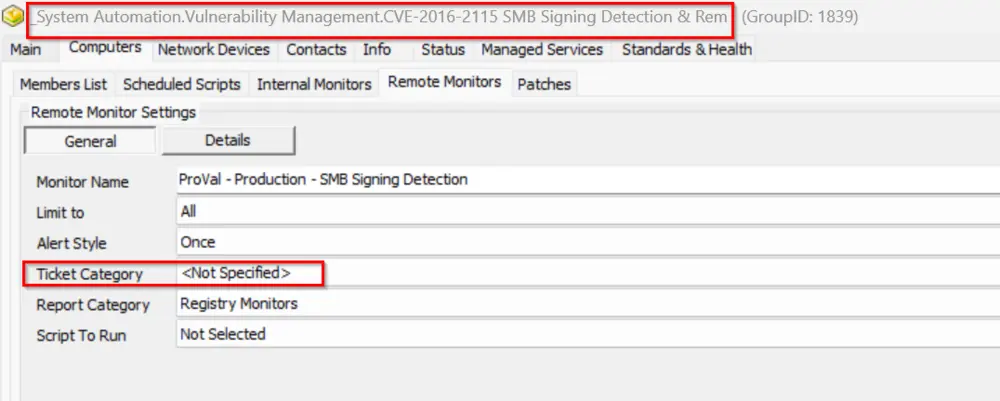
Navigate to the group 'CVE-2016-2115 - SMB Signing' > Open group > Go to Computers > Remote Monitors.
-
Select the remote monitor CWA Remote Monitor - SMB Signing Detection and check the ticket category.
-
If this ticket category is set, then only the script will be able to create a ticket for the remediation step.
Failure:
- Subject:
CVE-2016-2115 SMB Signing enabling failed on %ComputerName% - Body:
@TicketComment@
There are two possible failure comments:
The remediation PowerShell execution has failed. Refer to the below logs:
@psout@
OR
The remediation was attempted for the vulnerability fix on the computer name %computername% but it failed. Refer to the logs:
@psout@
Success:
- Body:
The vulnerability has been remediated successfully. Refer to the below log information:
@psout@
- Subject:
-
Changelog
2025-04-10
- Initial version of the document