Check Safe Mode Status
Overview
This script is designed to monitor and detect whether the system is currently running in Safe Mode. It evaluates the system boot state and generates an alert if Safe Mode is detected.
Note: This script is specifically developed for implementation within a monitoring policy.
Implementation
-
Download the component Check Safe Mode Status from the attachments.
-
After downloading the attached file, click on the
Importbutton -
Select the component just downloaded and add it to the Datto RMM interface.

Sample Run
To implement the component over a policy, follow these steps:
-
Under the
Policies>Monitoringsection, click on create policy.-
State the name of the policy
Check Safe Mode Status -
Provide the description.
-
State the Scope of the policy.
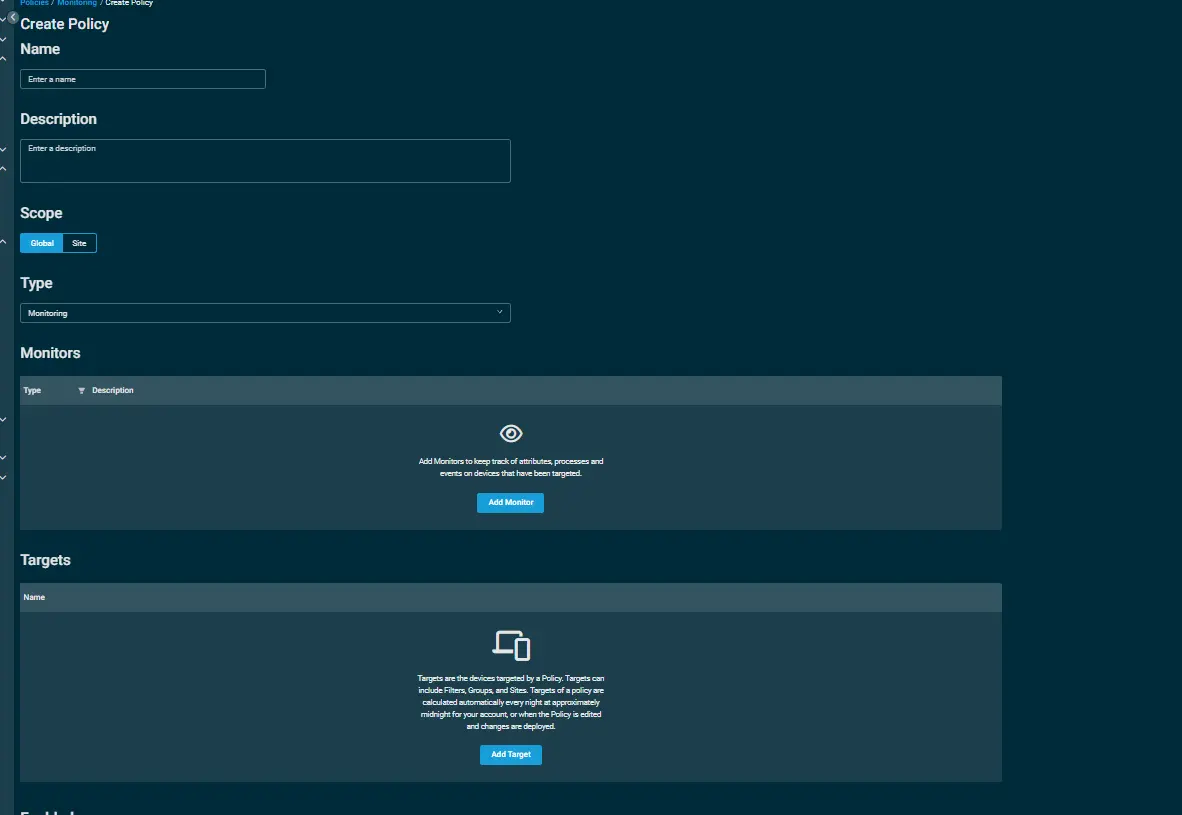
-
Within the Monitors section, click on
Add Monitor.
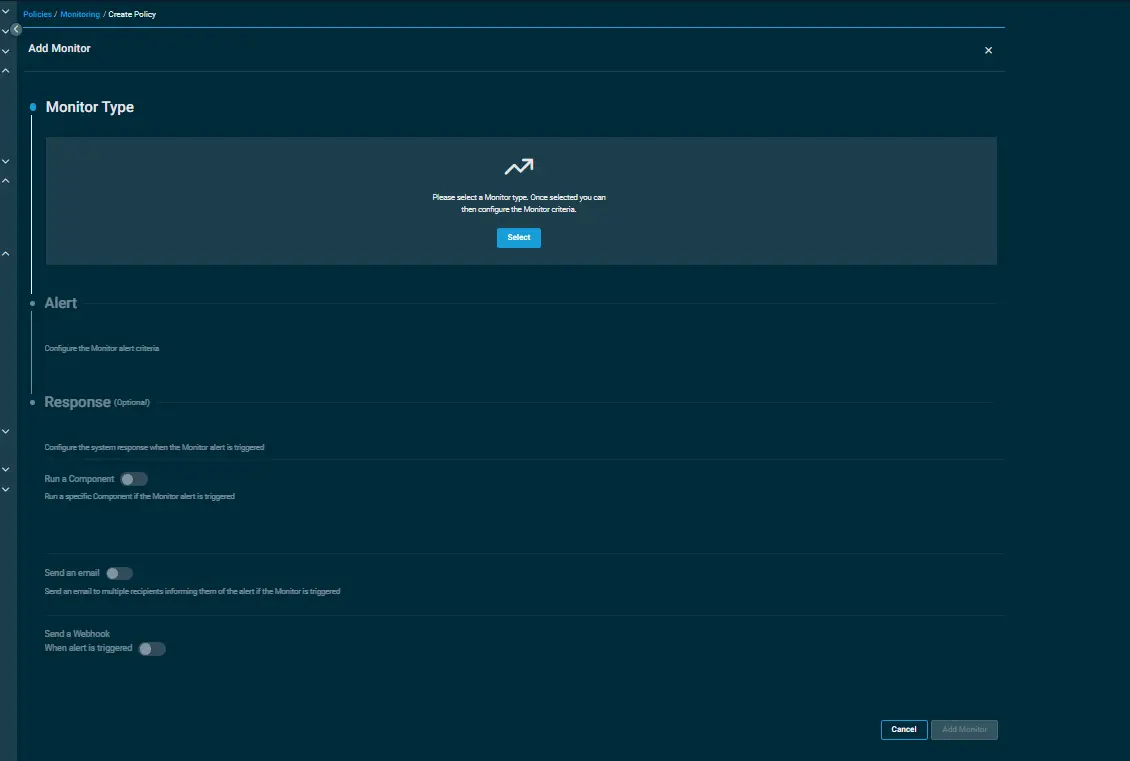
-
Under the
Monitor Type, click onSelectand then select theComponentoption.
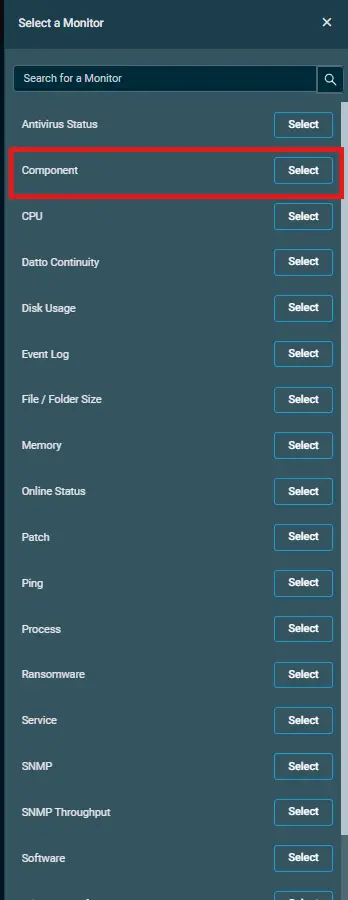 .
. -
Inorder to configure your
componentvia alerting, follow the below steps:- Click on
Select a Component Monitorand then select
the componentCheck Safe Mode Statusfrom the search bar. - Set the interval to
execute the component monitor. - Select the
priority to raise an alert. - Select the time to
auto resolve the alert.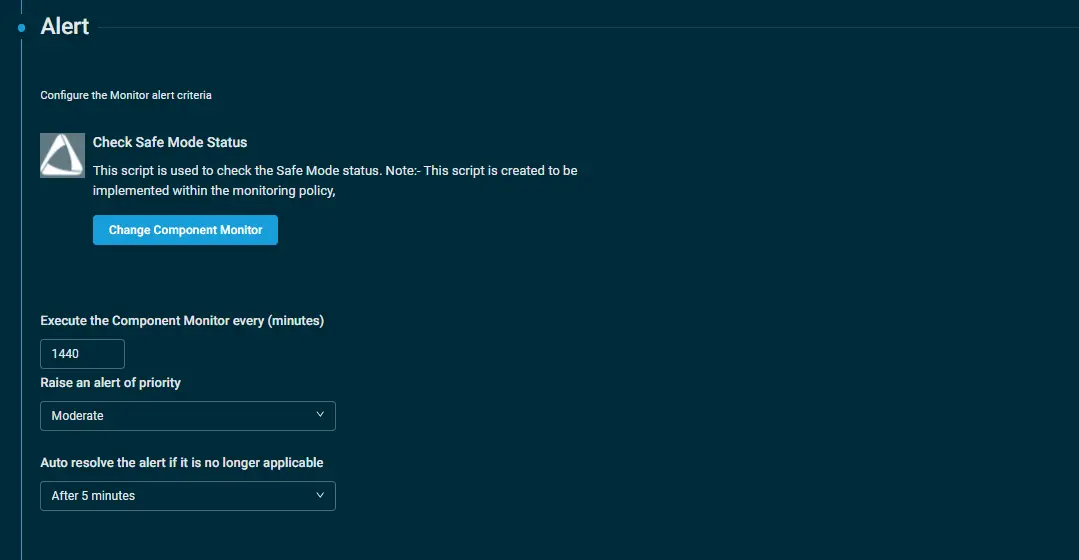
- Click on
-
-
Click on
Add Targetto provide the targeted machines. -
Click on
Save and Deploy Nowto save the policy.
Output
stdOut
Once the monitoring is configured and the machine is in safe mode then you'll recieve the alerts in the following state over the Global > Alerts section.

stdError
StdErr is not expected.
Attachments
Changelog
2026-02-18
- Initial version of the document