Windows 11 Upgrade Failure [Ticket]
Summary
This script generates a ticket for computers where either the Windows 11 Installer or Install Windows 11 Feature Update [Update Assistant, Reboot] script has failed more than three times. It utilizes the computer-level EDF Windows 11 Installation Attempts to track the number of installation attempts.
Note: Ticket generation requires the client-level EDF Create Installation Failure Tickets to be enabled. For more information, refer to the EDFs section in the solution's document.
Sample Run
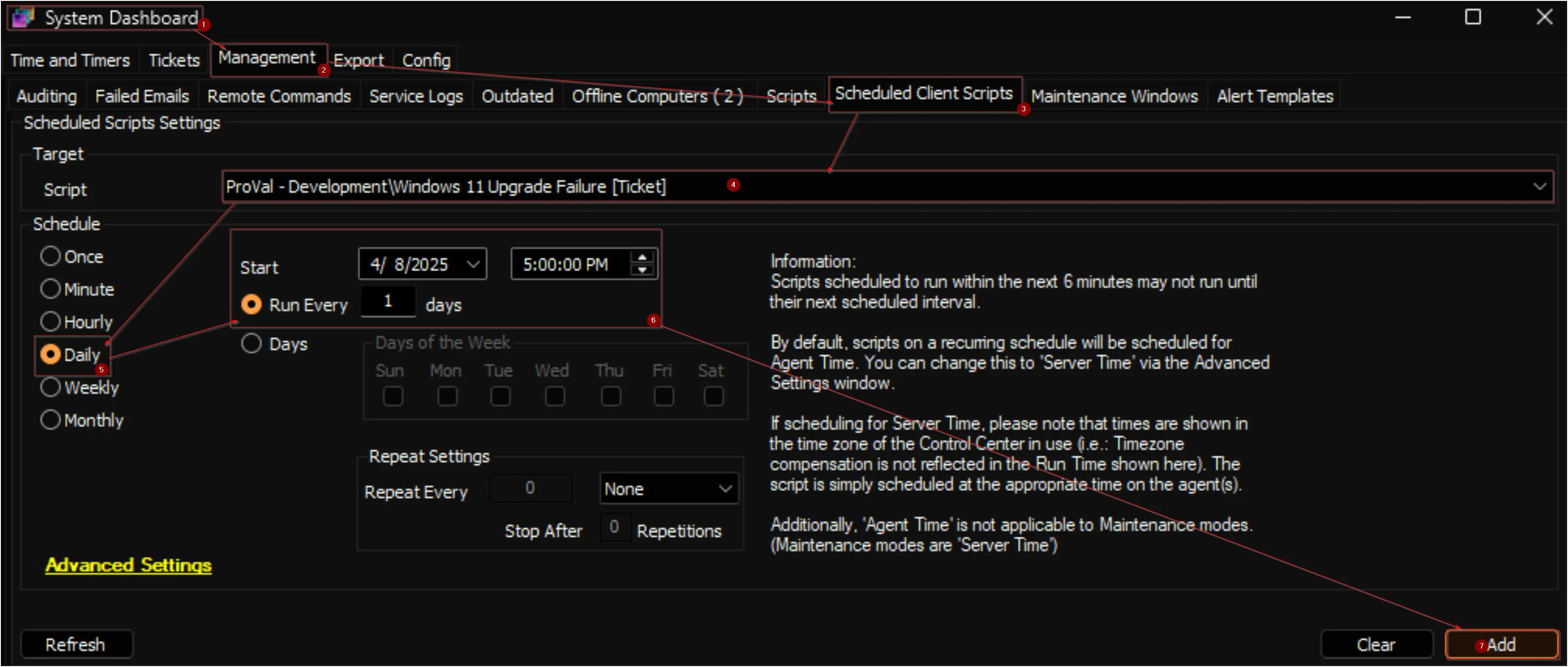
This is a client script and is recommended to be scheduled to run daily.
Dependencies
- Script: Install Windows 11 Feature Update [Troubleshoot, Reboot]
- Script: Windows 11 Installer
- Script: Install Windows 11 Feature Update [Update Assistant, Reboot]
- Solution : Windows 11 Installation and Feature Update
Output
- Tickets
Ticketing
Subject: Windows 11 Feature Update failed on @sqlComputer@
Body:
The <Script Name> Script has failed <Number of attempts> times for <Computer Name>. The last run time of the script was <Last Run Time>. The monitor set will not automatically run the script.
It is recommended to use the workaround script `Install Windows 11 Feature Update [Automation, Reboot]`, which attempts troubleshooting before initiating the upgrade. Please exercise caution while running the workaround script, as it will forcefully restart the computer and may reboot up to 7 times.
Changelog
2026-07-13
- Updated the ticket subject to ensure it remains within the allowed character limit.
2026-03-09
- Introduced a new EDF
Create Installation Failure Tickets. - Updated the ticket subject and body to reflect the addition of the new script to the solution.
2025-04-08
- Initial version of the document