Mozilla Firefox - Extension - Remove
Summary
This document describes how to remove an extension from the Mozilla Firefox browser.
Sample Run
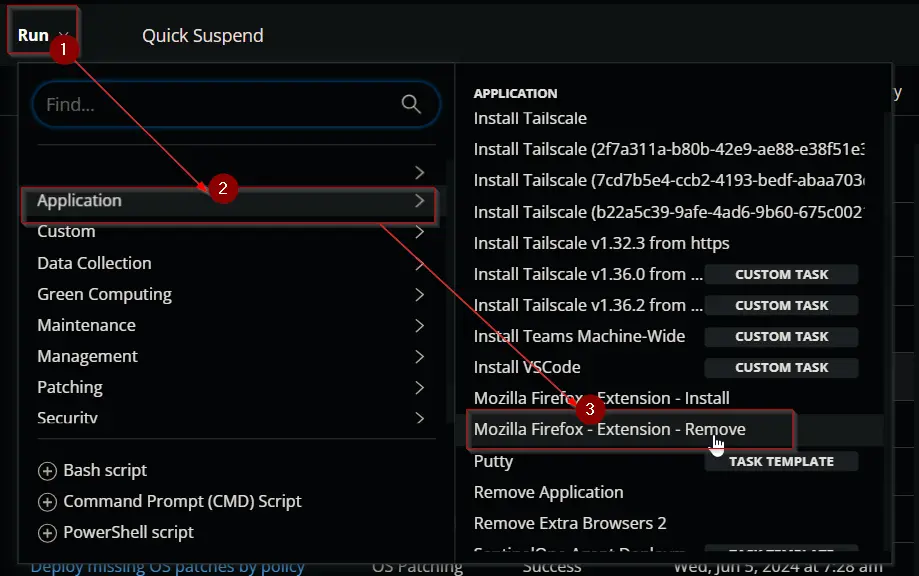
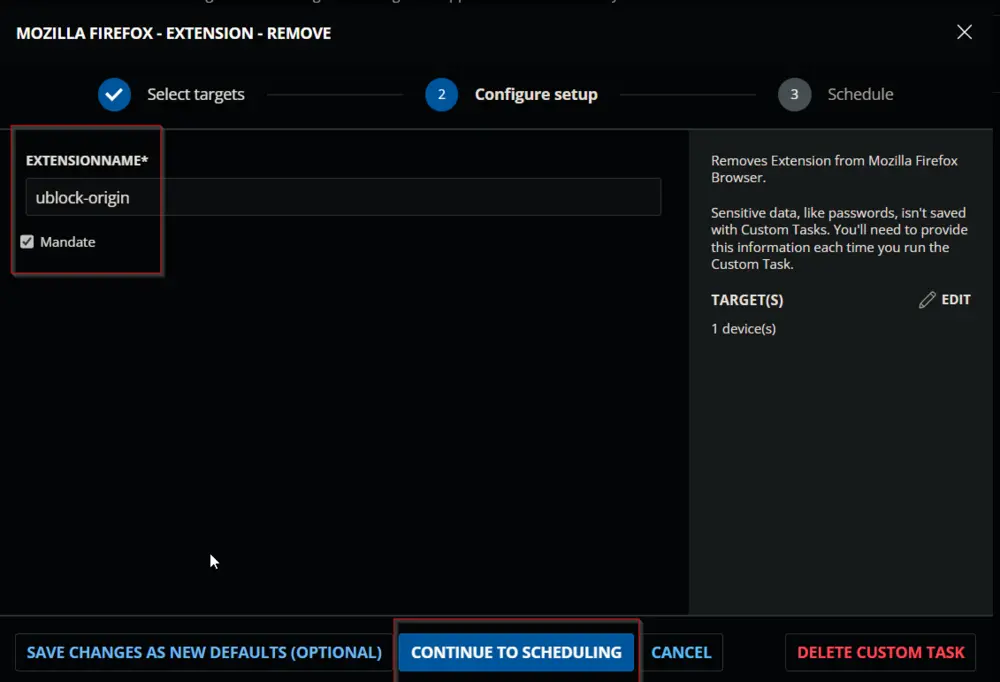
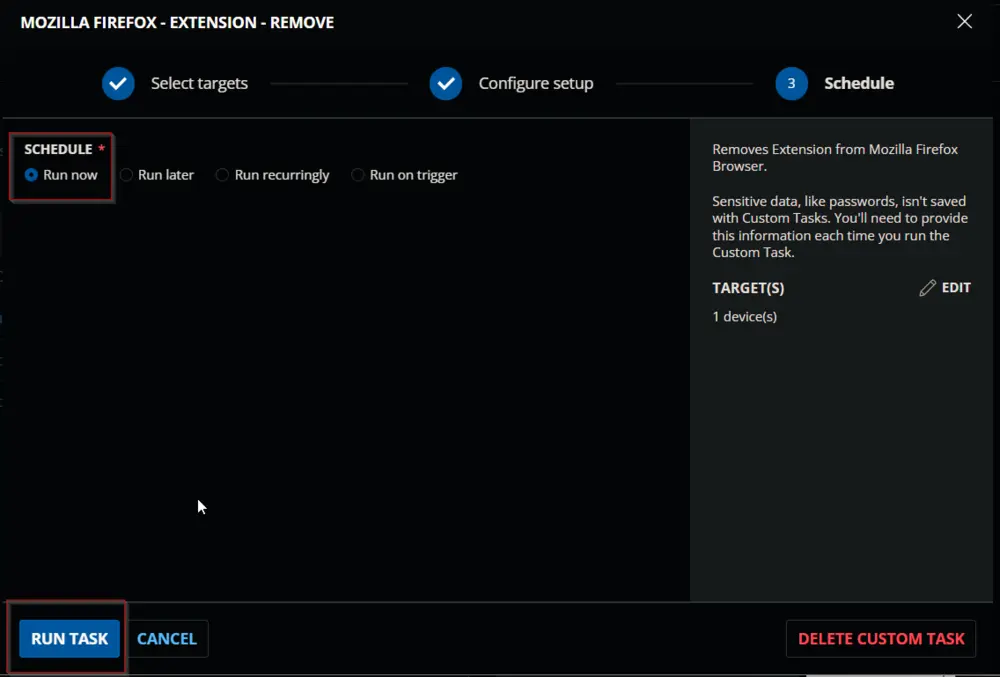
Dependencies
User Parameters
| Name | Example | Required | Description |
|---|---|---|---|
| ExtensionName | 'Unblock-Origin' | True | The name of the extension to remove. |
| Mandate | False | Use this switch to prevent future installation of the target addon in Firefox. |
Task Creation
Create a new Script Editor style script in the system to implement this task.
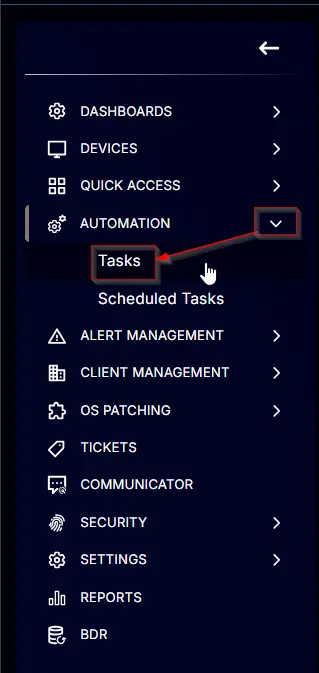

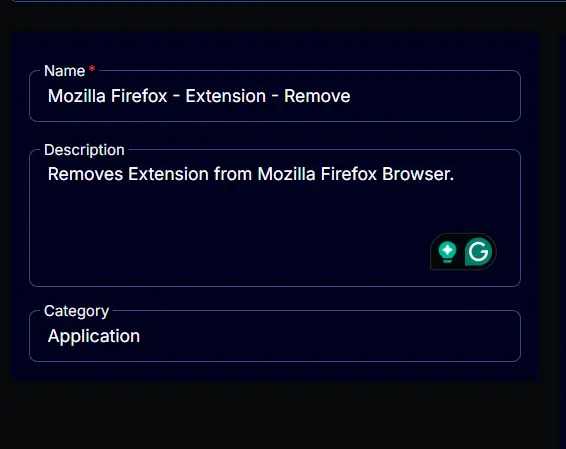
Name: Mozilla Firefox - Extension - Remove
Description: Removes an extension from the Mozilla Firefox browser.
Category: Application
Parameters
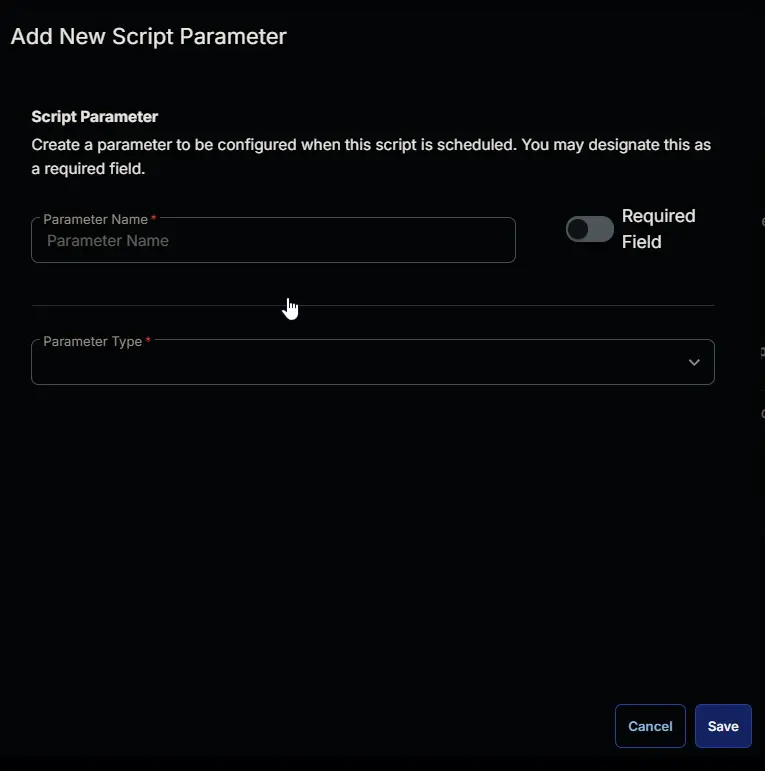
Add a new parameter by clicking the Add Parameter button present at the top-right corner of the screen.

This screen will appear.
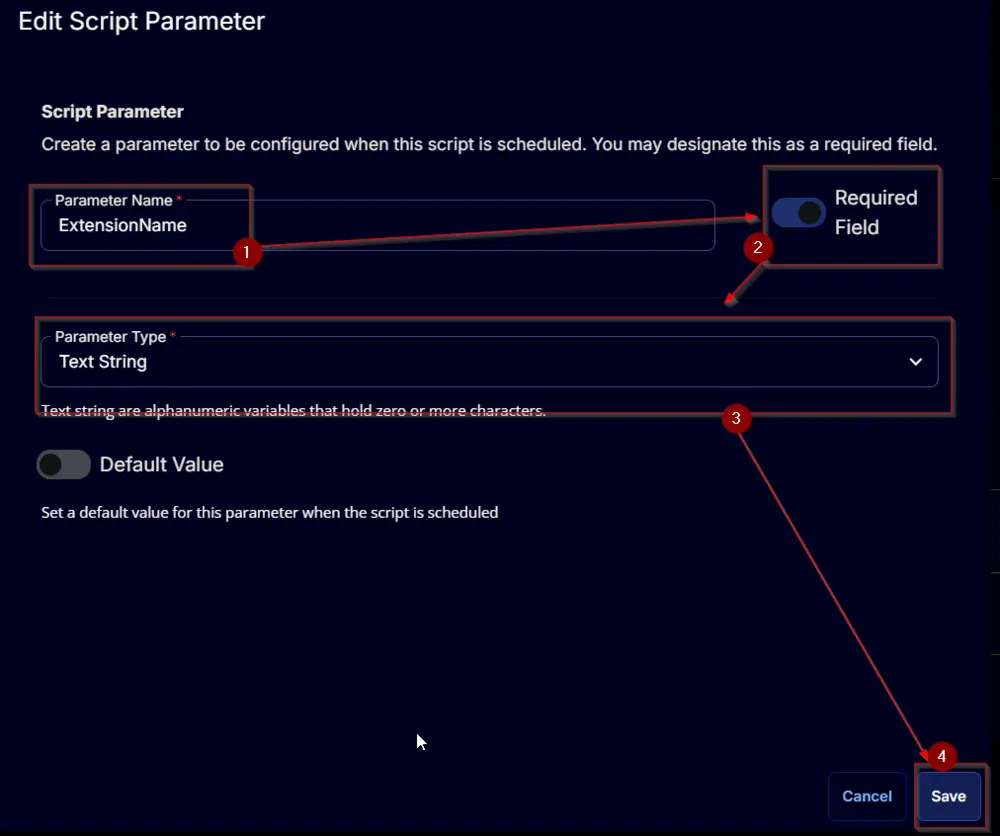
- Set
ExtensionNamein theParameter Namefield. - Enable the
Required Fieldoption. - Select
Text Stringfrom theParameter Typedropdown menu. - Click the
Savebutton.
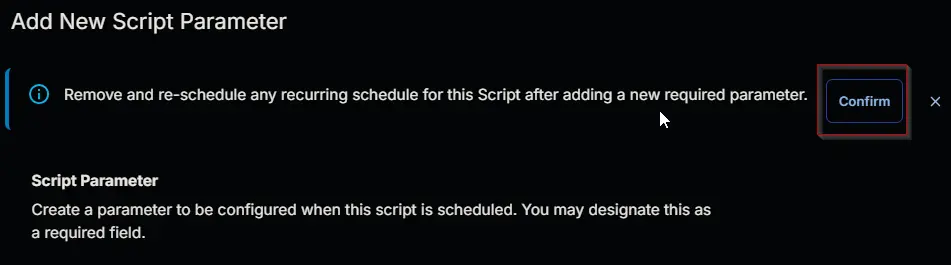
- It will ask for confirmation to proceed. Click the
Confirmbutton to create the parameter.
Add another parameter by clicking the Add Parameter button present at the top-right corner of the screen.
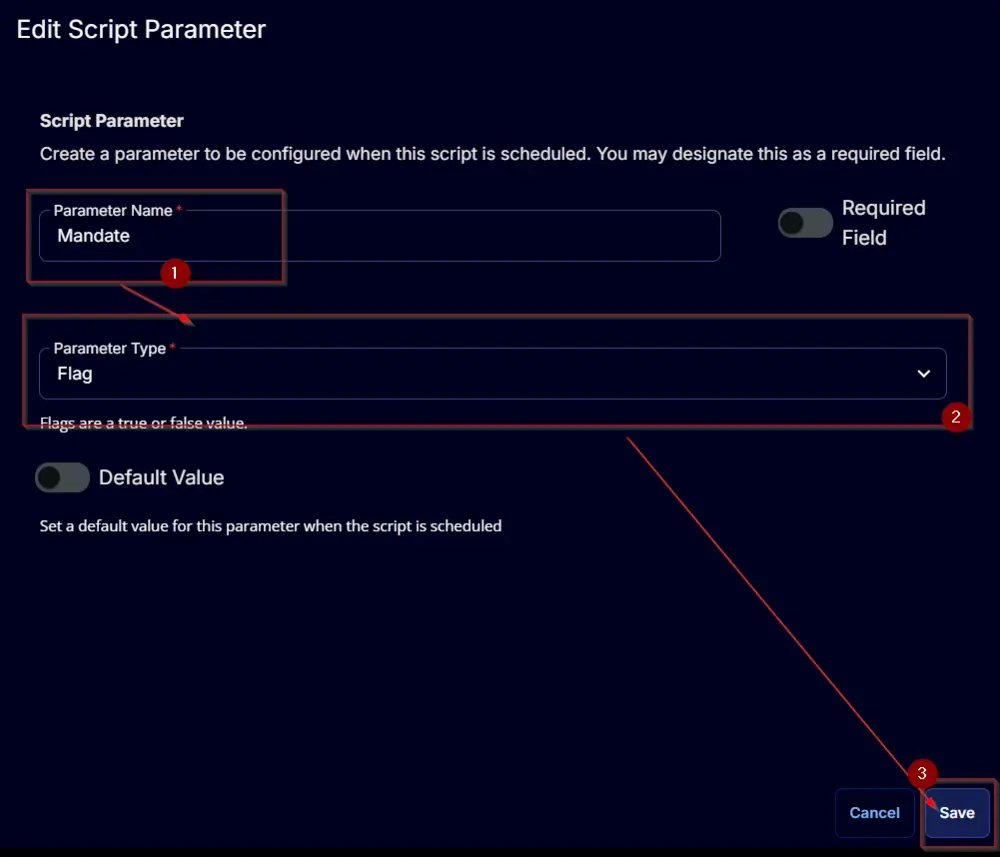
This screen will appear.
- Set
Mandatein theParameter Namefield. - Select
Flagfrom theParameter Typedropdown menu. - Click the
Savebutton.
- It will ask for confirmation to proceed. Click the
Confirmbutton to create the parameter.
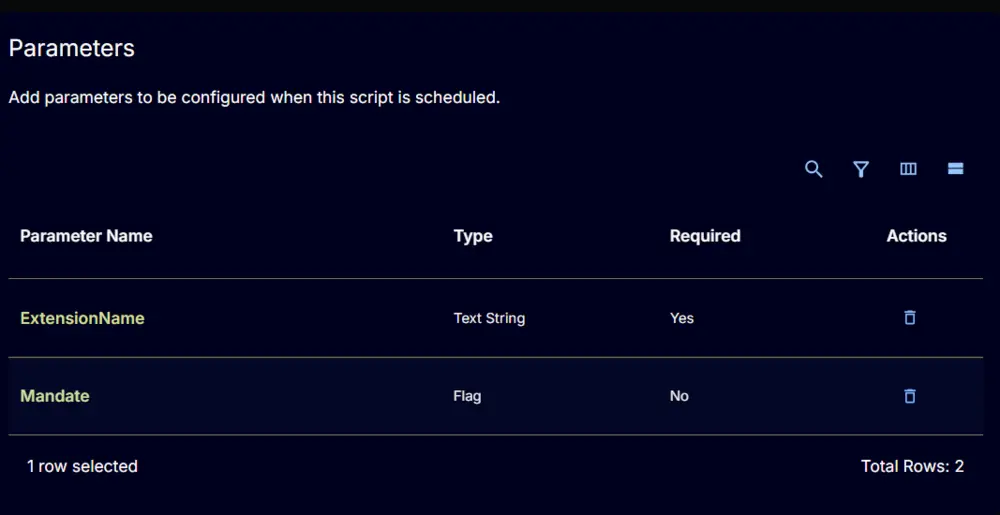
Task
Navigate to the Script Editor section and start by adding a row. You can do this by clicking the Add Row button at the bottom of the script page.

A blank function will appear.

Row 1 Function: PowerShell Script
Search and select the PowerShell Script function.


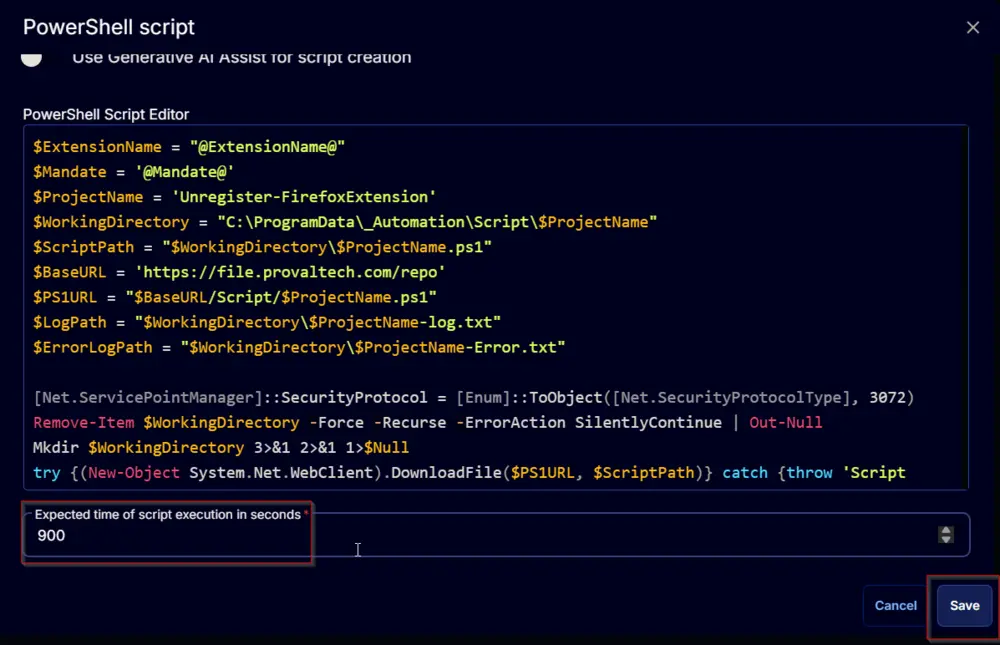
The following function will pop up on the screen:

Paste in the following PowerShell script and set the expected time of script execution to 900 seconds. Click the Save button.
Click the Save button at the top-right corner of the screen to save the script.

Completed Task

Output
- Script Log
Changelog
2025-04-10
- Initial version of the document