Manage - Windows Installer Cache
Summary
The script performs a quarantine operation with force parameter to identify and isolate orphaned Windows Installer cache files, generates a manifest of the quarantined items, and then executes a deletion operation using the generated manifest. This staged approach provides a controlled and auditable remediation process while minimizing risk.
The implementation is designed for automated deployment, supports secure content delivery through code-signature validation, and helps reclaim disk space by safely removing orphaned Windows Installer cache files.
Sample Run

Dependencies
Implementation
-
Export the agent procedure from ProVal's VSA RMM instance.
Name:Manage - Windows Installer CacheThe export will download the necessary XML file.
-
Import this XML file into the partner's VSA RMM instance.
-
Export the
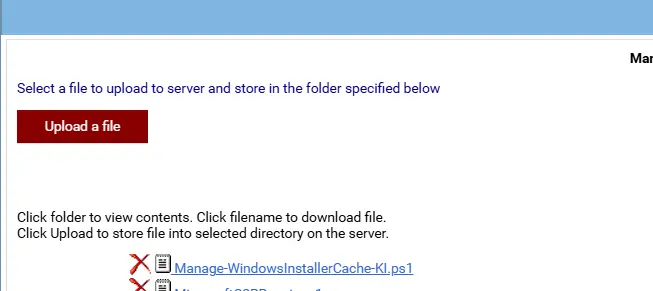
Manage-WindowsInstallerCache-KI.ps1from the ProVal's Internal VSA. This is also placed under the below path:
Manage Files>Shared Files>PVAL>Manage-WindowsInstallerCache-KI.ps1
- Map the
Manage-WindowsInstallerCache-KI.ps1into the25thstep of the script in the client's environment.
Parameters:
Force: It includes UNVERIFIED files in quarantine operations when the Force parameter is set to 1. Without enabling this option (Force = 0), UNVERIFIED files are only logged in the CSV/JSON output and are never quarantined. Valid values for Force are 0 or 1.
Output
- Script Logs
- C:\ProgramData_automation\script\Manage-WindowsInstallerCache-log.txt
- C:\ProgramData_automation\script\Manage-WindowsInstallerCache-error.txt
Changelog
2026-07-03
- Updated powershell script to use the
Forceparameter as well. - Updated the implementation script in VSA to prompt the user for the
Forceparameter value during execution.
2026-06-15
- Initial version of the document