Deploy ConnectSecure Agent [Windows]
Overview
The script performs an installation of the ConnectSecure Vulnerability Scan Agent by securely retrieving the latest installer, executing a silent installation, and registering the endpoint using the provided authentication parameters. It then validates the installation to ensure the agent has been successfully deployed.
The implementation is designed for automated deployment, supports secure content delivery through code-signature validation, and helps ensure endpoints are onboarded to the ConnectSecure platform for continuous vulnerability assessment and security monitoring.
Implementation
-
Download the component
Deploy ConnectSecure Agent [Windows]from the attachments. -
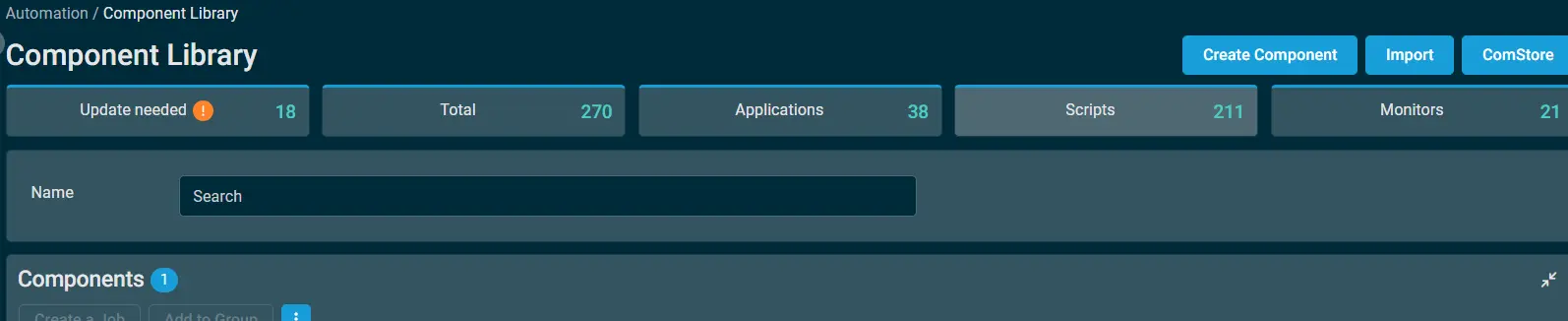
After downloading the attached file, click on the
Importbutton -
Select the component just downloaded and add it to the Datto RMM interface.
-
Create the Site Variables mentioned in the document.
Site Variables
- Go to
Setup>Global Settings>Variables - Create the below global Variable
| Name | Example | Description |
|---|---|---|
| cpvalConnectSecureCompanyID | 123456 | The unique identifier mapped to the specific company within the ConnectSecure portal. |
| cpvalConnectSecureTenantID | 1234567890 | The top-level tenant identifier for the ConnectSecure environment. |
| cpvalConnectSecureUserSecret | uiohwfnuhfwfwf15fwfg5fereerfrger56545 | The authentication secret/token required to register the agent to the portal. |
Note : To override the global settings, create the variable with same name under
Site > All Sites > Select the site > Settings > Variables > Add Variable
For instructions on obtaining the required IDs for running the script, refer to the Instructions section of this article.
Datto Variables
| Variable Name | Type | Default | Description |
|---|---|---|---|
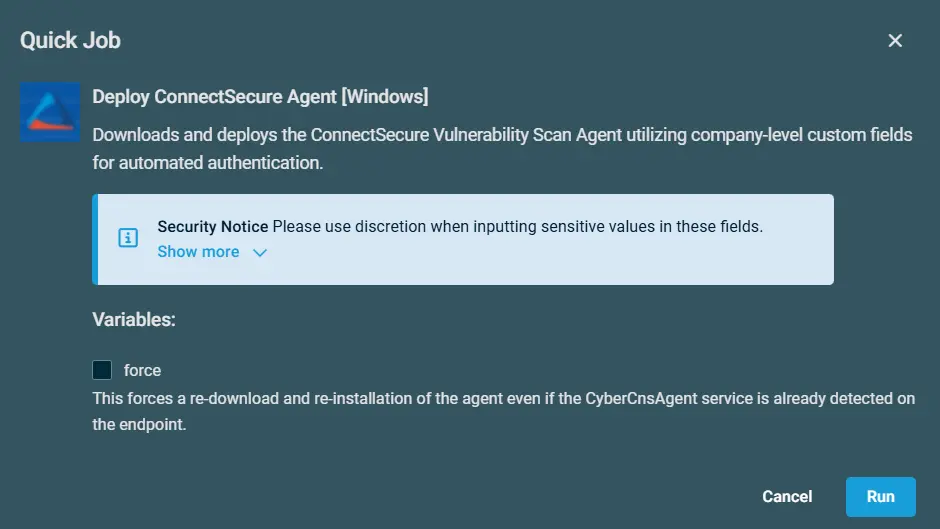
| Force | Boolean | False | This forces a re-download and re-installation of the agent even if the CyberCnsAgent service is already detected on the endpoint. |
Sample Run
To execute the Deploy ConnectSecure Agent [Windows] over a specific machine, follow these steps:
-
Select the machine you want to run the
Deploy ConnectSecure Agent [Windows]on from the Datto RMM. -
Click on the
Quick Jobbutton.

-
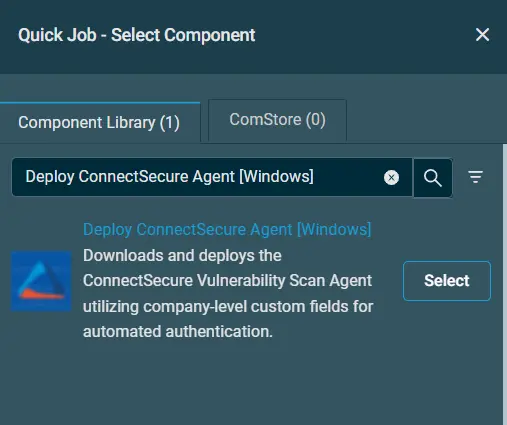
Search the component
Deploy ConnectSecure Agent [Windows]
-
Click on
Selectand thenRun
Output
- Activity log
Attachments
Deploy ConnectSecure Agent [Windows]
Changelog
2026-07-08
- Initial version of the document