Install Microsoft 365 Apps
Overview
This guide explains how to install Microsoft 365 Apps for Business or any Microsoft 365 installation using XML configuration. You can use https://config.office.com/ to help build the configuration file. If no XML is provided, Microsoft 365 Apps for Business will install with a default configuration. XML settings include: 64-bit, Current Channel, Updates Enabled, Exclude Groove/Skype for Business, English, Silent, AcceptEULA.
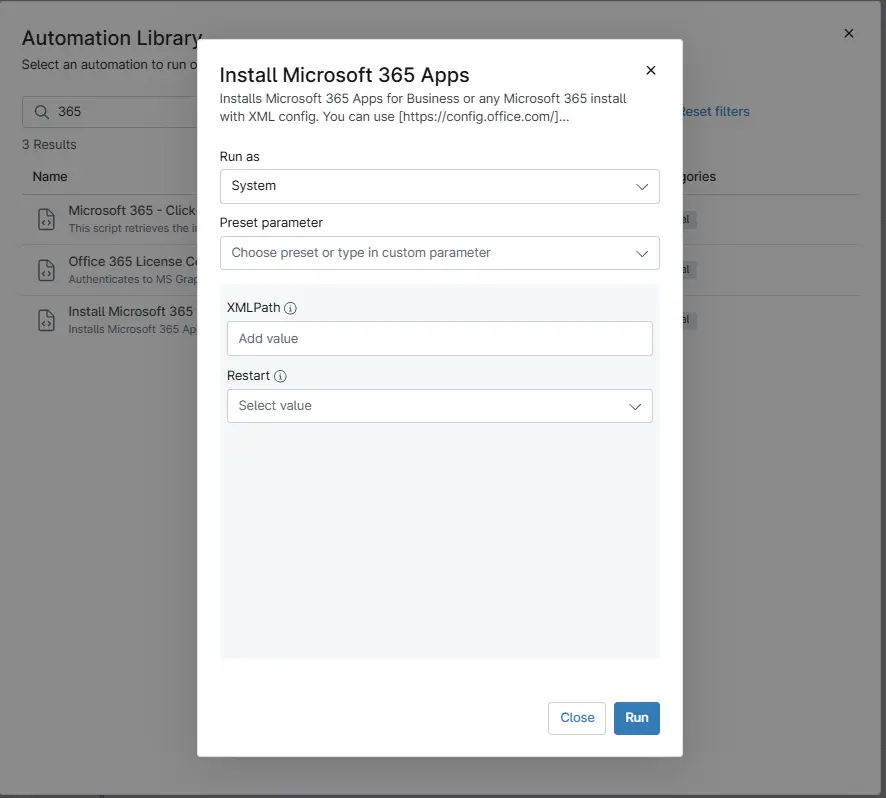
Sample Run
Play Button > Run Automation > Script
Dependencies
User Parameters
| Name | Example | Required | Type | Description |
|---|---|---|---|---|
XMLPath | https://pathtoxml.com C:\Temp\FileName.xml | False | Text String | Installs Microsoft 365 using the specified XML configuration file. Supports both a local file path or a URL. If not provided, a default configuration is used. |
Restart | 0 - 1 | False | Flag | Optional. Performs a system restart after installation. |
Automation Setup/Import
Output
- Activity Details
Changelog
2026-03-06
- Initial version of the document