Manage - .Net Runtimes
Summary
This Automate implementation helps keep .NET on Windows devices clean, current, and secure. It can list installed .NET components, install the latest supported versions, update patch releases, remove unsupported versions, or perform a full cleanup and refresh.
The script checks Microsoft release data in real time, then uses that information to decide what to install, update, or remove. This reduces manual effort and lowers the risk of keeping outdated .NET versions.
When you run this script, expect software changes on the endpoint. Depending on the selected action, it may download installers, silently install updates, and remove older versions. A stable internet connection and administrator access are required.
NOTE:
- Installing or uninstalling
sdkcan also install or remove relatedaspNetCoreRuntime,desktopRuntime, andruntimecomponents. - Installing or uninstalling
desktopRuntimecan also install or remove the relatedruntime. - For actions other than
list, ifTypeis not provided, the script usesdesktopRuntimeby default. - Install and update use the machine's native architecture installer (for example, x64 installer on x64 machines).
- If x86 components already exist on a machine, the script can detect and remove outdated x86 components during
uninstall,update, andrenew. - Use
Versioncarefully:- For
list,install,uninstall, andupdate, you can target specific major versions (including unsupported versions). - For
renewwithVersion, all specified versions must still be supported. If any are unsupported, the action will stop.
- For
- Set
Forceto1to apply force removal behavior. Any other value (or blank) means force is not applied. - For
uninstall,update, andrenew, older-version cleanup primarily targets components detected bydotnet.exe. WithForce = 1, cleanup can also remove .NET entries found through uninstall registry data and package metadata, including components thatdotnet.exedoes not list. renewis the most aggressive option. It can remove versions you are not targeting. Review your required application dependencies before using it.
Dependencies
Sample Run
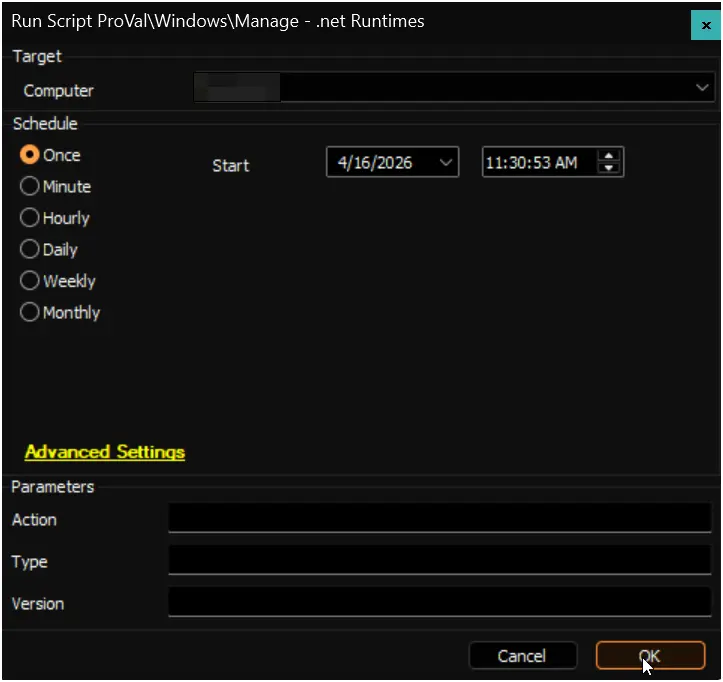
Note: You will notice the Force parameter is missing in screenshots for examples 1 to 15. We spared both your eyes and my wrists from updating 15 screenshots for a value that is not used there. Examples 16 and 17 include Force, so those screenshots show the extra field. :)
Example 1: List all installed .NET components
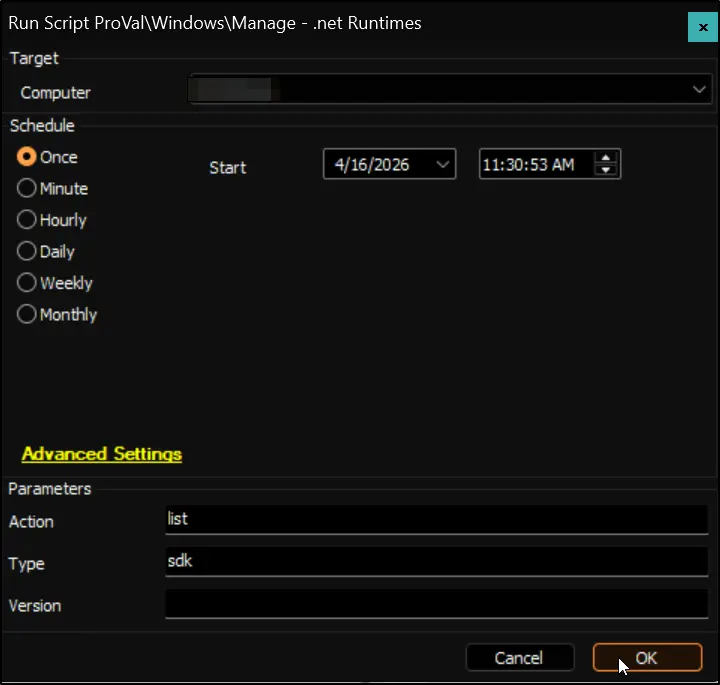
Example 2: List only .NET SDKs
- Action:
list - Type:
sdk
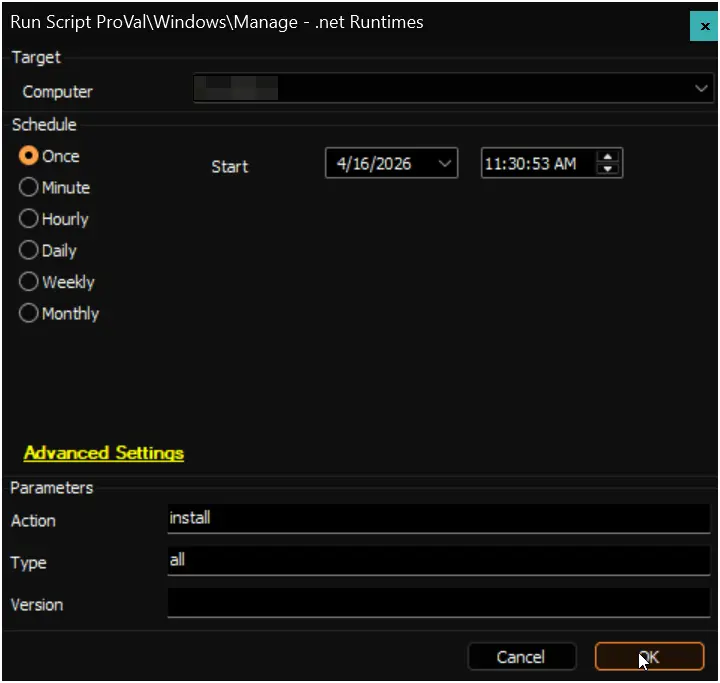
Example 3: Install the latest versions of all .NET components
- Action:
install - Type:
all
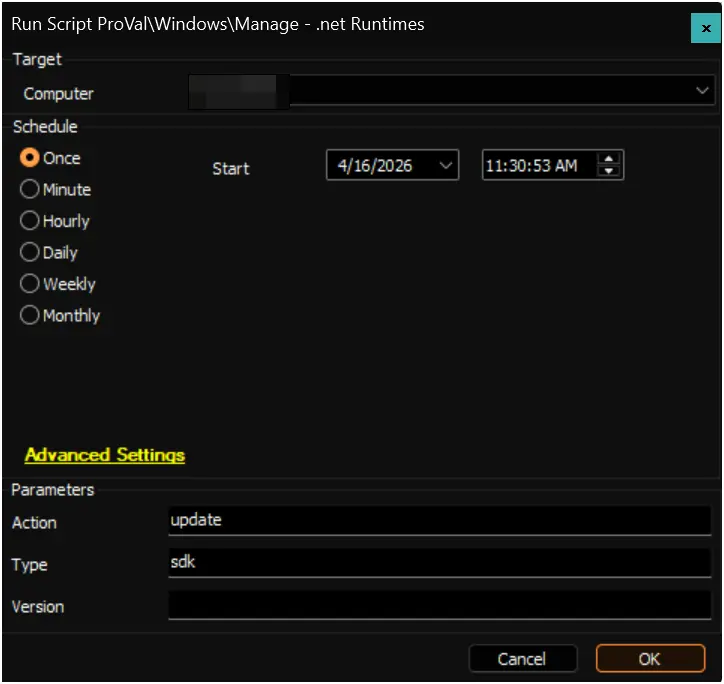
Example 4: Update SDKs to the latest patch version
- Action:
update - Type:
sdk
Example 5: Remove unsupported ASP.NET Core versions
- Action:
uninstall - Type:
aspNetCoreRuntime
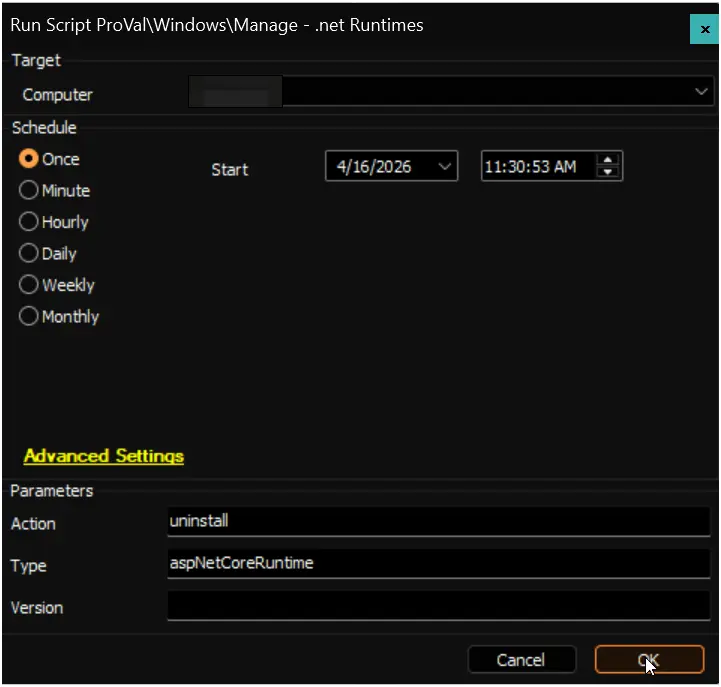
Example 6: Removes all unsupported versions of .NET runtimes and SDKs and installs the latest available version
- Action:
renew - Type:
all
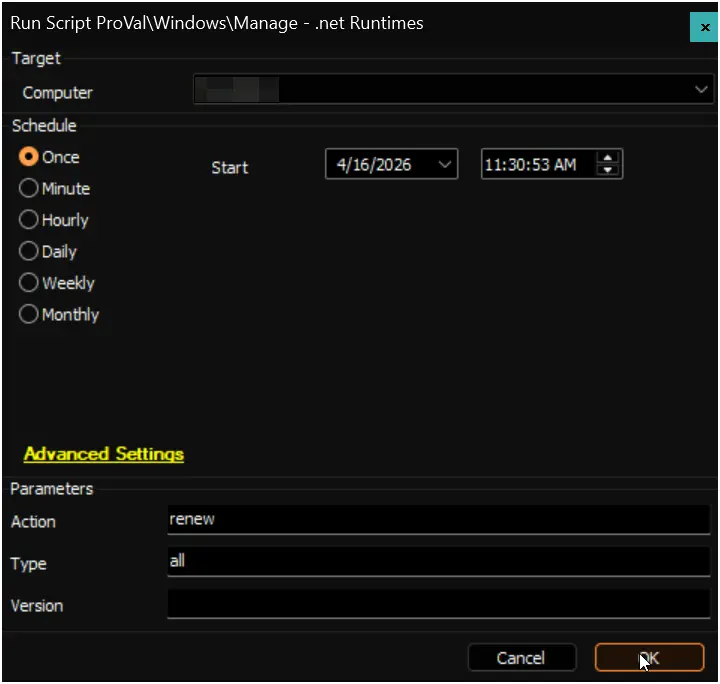
Example 7: Install the latest .NET Desktop Runtime (default type)
- Action:
install
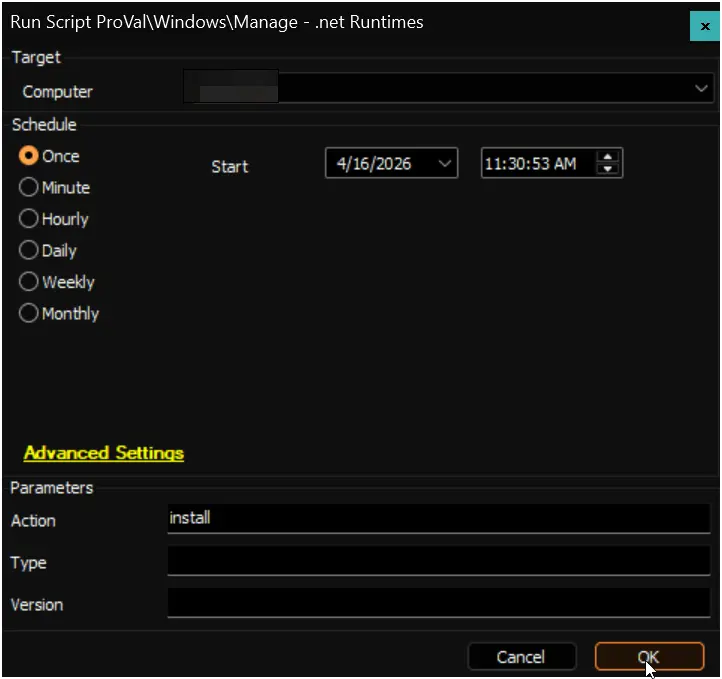
Example 8: Install .NET 10 Desktop Runtime
- Action:
install - Type:
desktopRuntime - Version:
10
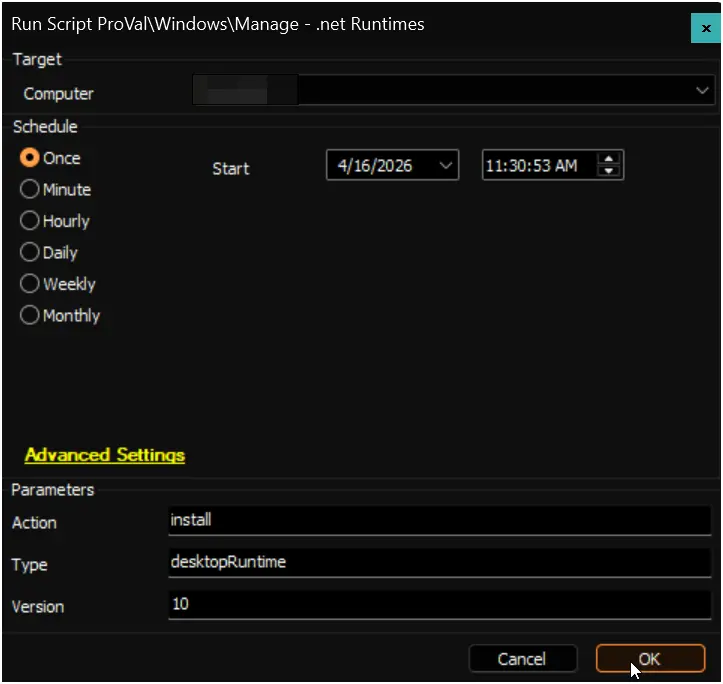
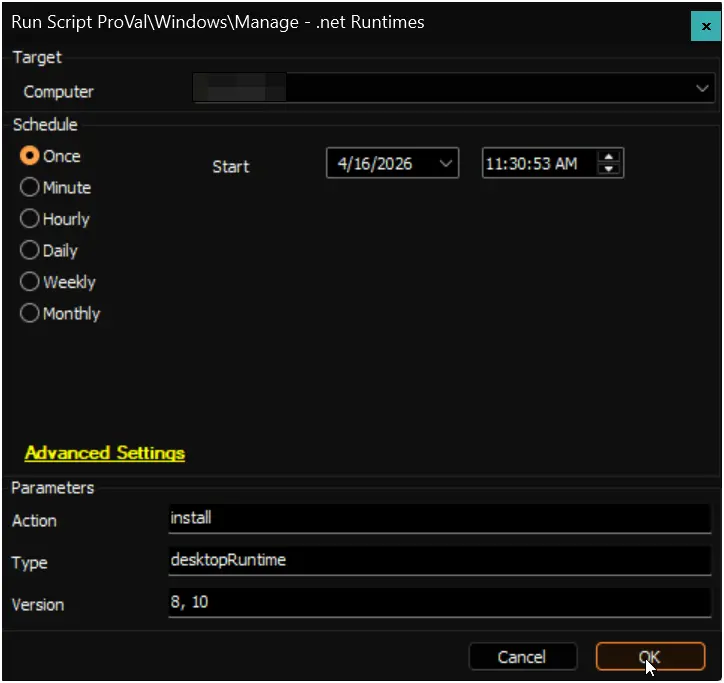
Example 9: Install multiple specific versions
- Action:
install - Type:
desktopRuntime - Version:
8, 10
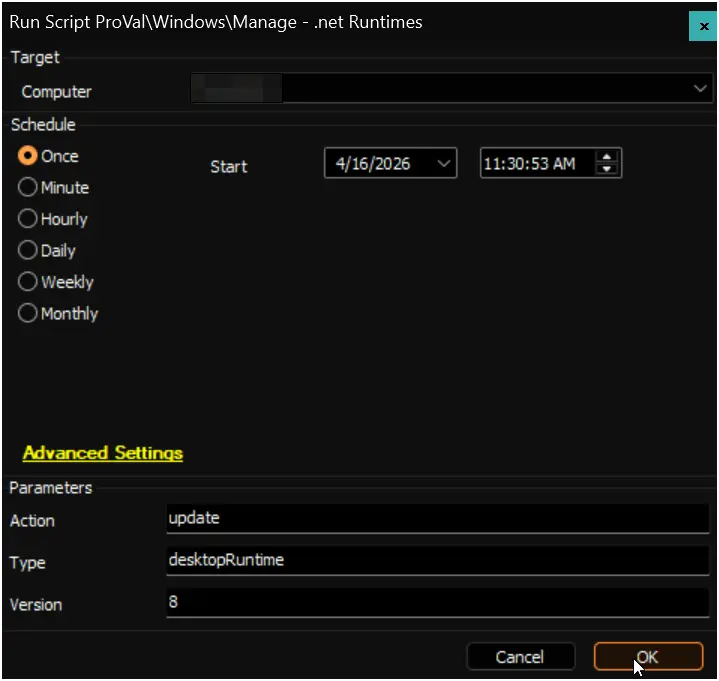
Example 10: Update only .NET 8 to the latest patch
- Action:
update - Type:
desktopRuntime - Version:
8
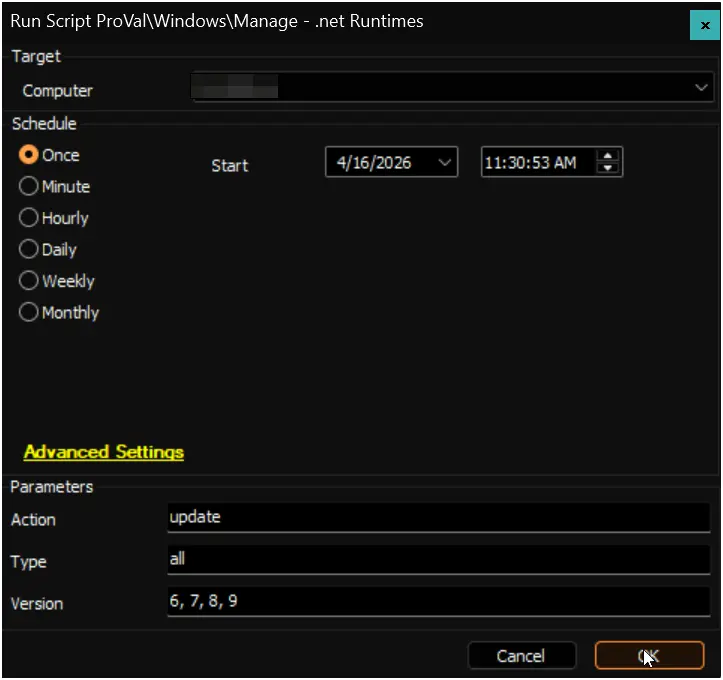
Example 11: Update multiple versions to their latest patches
- Action:
update - Type:
all - Version:
6, 7, 8, 9
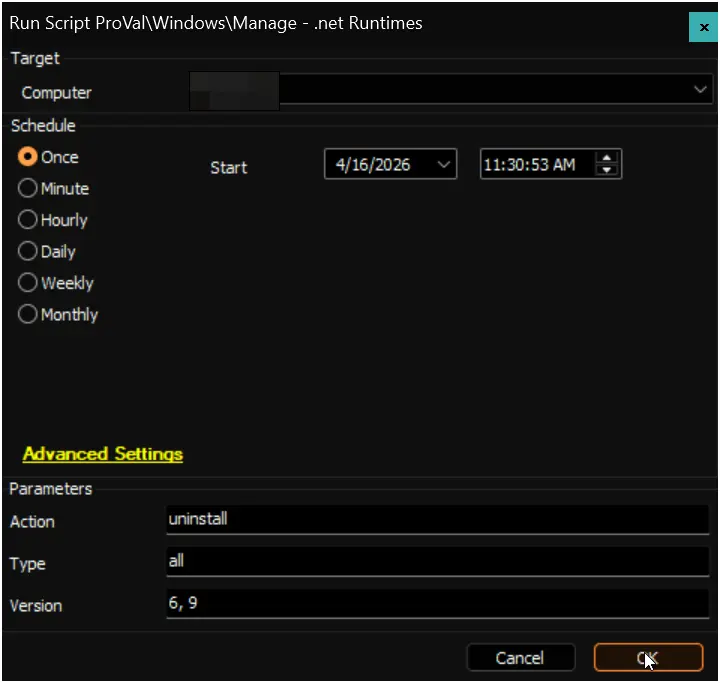
Example 12: Remove specific .NET versions
- Action:
uninstall - Type:
all - Version:
6, 9
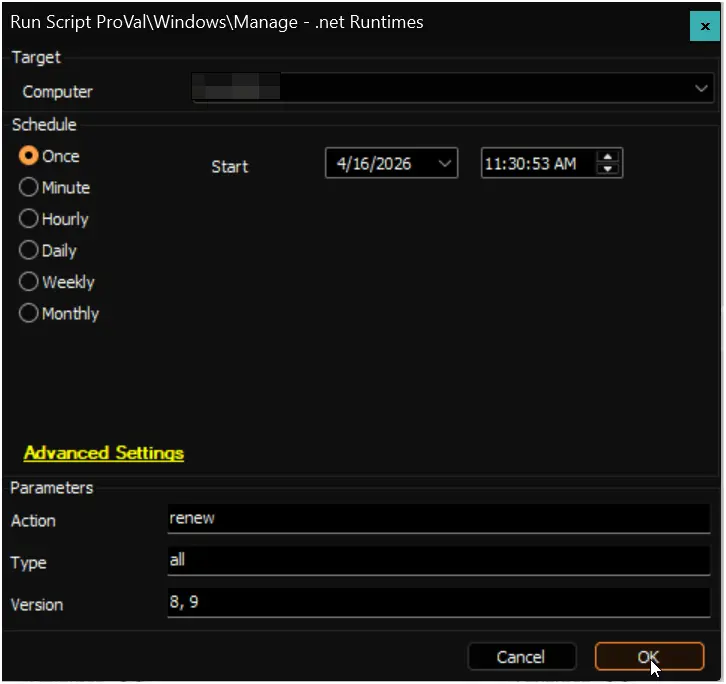
Example 13: Keep only .NET 8 and .NET 9 and remove all others
- Action:
renew - Type:
all - Version:
8, 9
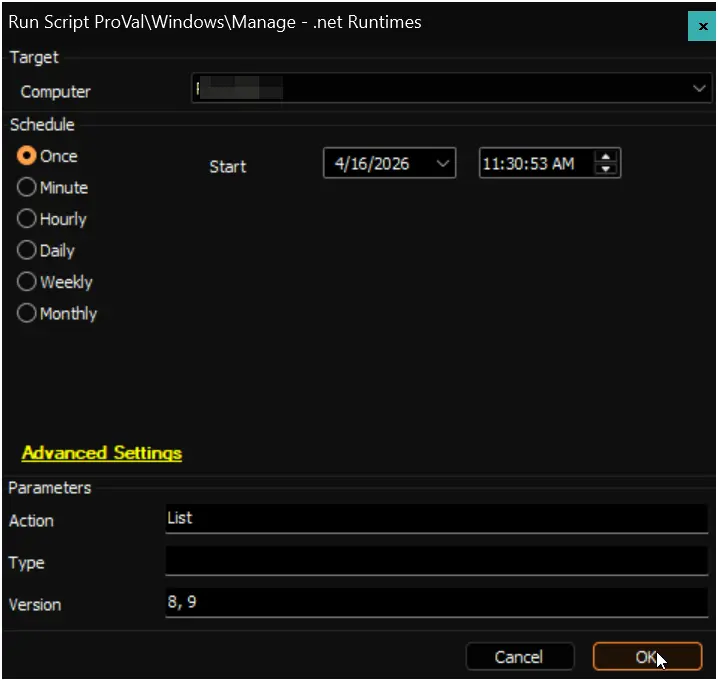
Example 14: List only .NET 8 and .NET 9 components
- Action:
list - Type:
<Blank> - Version:
8, 9
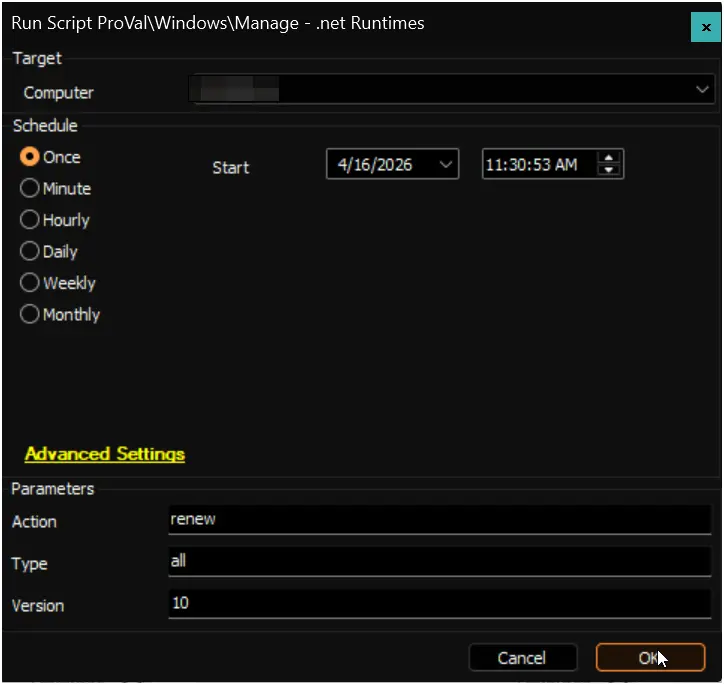
Example 15: Keep only .NET 10 and remove all others
- Action:
renew - Type:
all - Version:
10
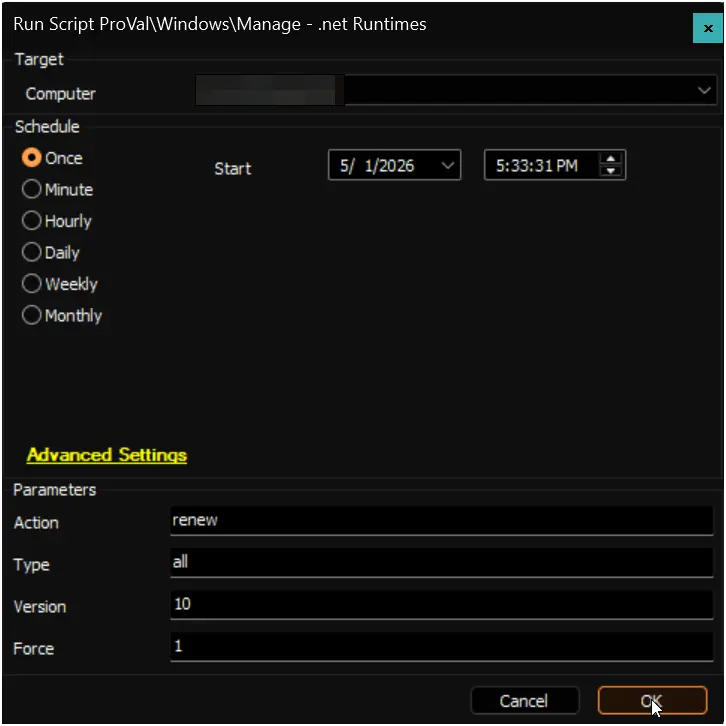
Example 16: Force renew to .NET 10 only
- Action:
renew - Type:
all - Version:
10 - Force:
1
Example 17: Force uninstall .NET 8
- Action:
uninstall - Type:
all - Version:
8 - Force:
1
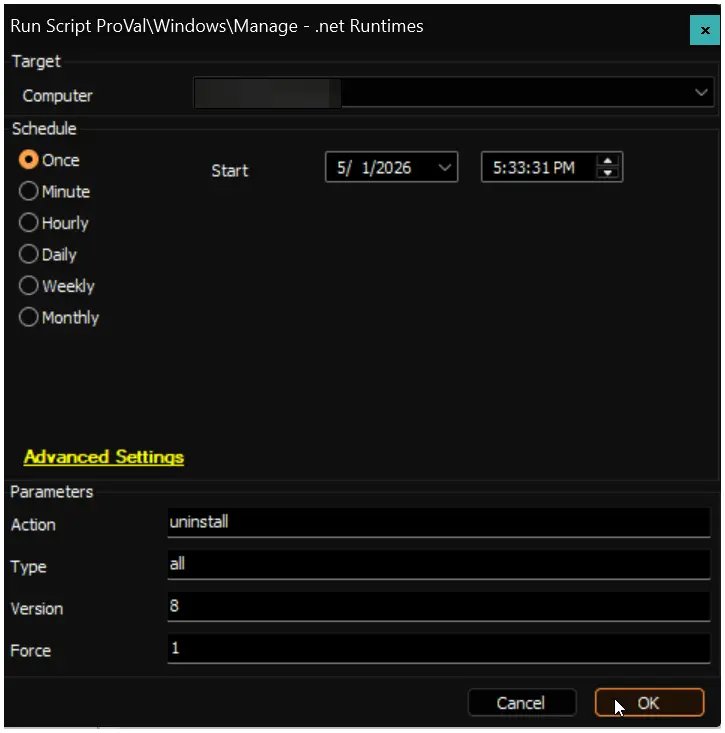
Global Variables
| Name | Value | Accepted Values | Description |
|---|---|---|---|
| Debug | False | False, True | When True, enables informational logging; when False (default), informational logs are suppressed to avoid adding entries to the h_scripts table. Set to True to assist with troubleshooting. |
| ScriptEngineEnableLogger | False | False, True | When True, enables final (success/failure) logging; when False (default), these logs are suppressed to avoid adding entries to the h_scripts table. Set to True to assist with troubleshooting. |
User Parameters
| Name | Example | Mandatory | Description |
|---|---|---|---|
Action |
| False | Specifies the action to perform. Valid values are:
list |
Type |
| False | Specifies the type of .NET component to manage. Valid values are:
desktopRuntime |
Version |
| False | (Optional) Limit the action to specific .NET versions by major version number (e.g., 8, 9, or 8, 9, 10). When omitted, the script uses its default behavior for each action. Accepts both supported and EOL versions for list, install, uninstall, and update. For renew, all specified versions must be actively supported. Note: Default is not set (all applicable versions are targeted). |
Force |
| False | Set Force to 1 to apply forced MSI dependency bypass during removal. If Force is 0 or blank, normal safe behavior is used. |
Tips for Version Behavior
| Action | Without Version | With Version (e.g., Version 8, 9) |
|---|---|---|
list | Shows all installed .NET components | Shows only versions 8 and 9 |
install | Installs the latest supported version | Installs the latest release for each specified version (EOL included with warning) |
update | Updates only supported installed versions | Updates the specified version(s), including EOL |
uninstall | Removes only unsupported/EOL versions | Removes the specified version(s), including supported |
renew | Installs latest supported + removes all unsupported | Keeps only specified version(s), removes everything else. Aborts if any version is EOL. |
Force Parameter - Caution
⚠️ WARNING: The
Forceparameter overrides Windows Installer dependency protection. Use only when you fully understand the implications.
Without Force (or Force = 0 or blank), the script respects MSI dependency providers registered by other applications. If software such as Visual Studio, SQL Server, or third-party tools installed a .NET component and registered a dependency on it, the Windows Installer will silently refuse to remove it (returning exit code 0) to protect the dependent application. This is by design.
When Force = 1, the script appends IGNOREDEPENDENCIES=ALL to all MSI uninstall commands, which:
- Bypasses the dependency provider safety check.
- Forces removal of the .NET component regardless of what other software depends on it.
- May cause dependent applications to malfunction, fail to start, or require repair/reinstallation.
When to use Force = 1:
- You are certain no critical software depends on the targeted .NET version.
- You are performing a controlled upgrade where a newer version will immediately replace the removed one (e.g.,
Action: renew,Version: 10,Force: 1installs .NET 10 before removing older versions). - You need to clean up orphaned registry entries from partially removed installations.
When NOT to use Force = 1:
- On systems with Visual Studio, SQL Server, or other enterprise software that bundles .NET runtimes.
- On shared or production servers where breaking a dependency could disrupt services.
- When you are unsure which applications depend on the .NET components being removed.
Output
- Script Logs
Changelog
2026-05-01
- Improved mixed x64/x86 handling: installs follow machine architecture, while cleanup actions can still remove outdated x86 components.
- Updated install, update, and removal logic to be architecture-aware for safer results.
- Improved uninstall reliability by resolving Windows Installer product codes from registry data.
- Added
Forceparameter to allow dependency bypass for advanced cleanup scenarios. - Improved
renewcleanup to remove orphaned MSI entries using .NET version parsing from package names. - Expanded logging for removal operations, including exact uninstall command paths and exit codes.
2026-04-16
- Introduced the
Versionparameter.
2025-05-14
- Initial version of the document