Dell Hardware Monitoring
Purpose
This solution describes how to configure NinjaOne to automatically generate a CW Manage ticket for Dell OMSA alerts.
Associated Content
Automation
| Content | Function |
|---|---|
| Dell Hardware Monitoring | Monitors Dell server hardware events from Windows Event Logs generated by Dell OMSA |
Condition
| Content | Function |
|---|---|
| Dell OMSA Alerts | Runs the Dell Hardware Monitoring automation once per hour and generates a ticket with the script’s results if any monitored event log is detected. |
CW Manage Ticket Template
| Content | Function |
|---|---|
| Dell Hardware Monitoring | Configuration for ConnectWise Manage Ticket to generate. |
Implementation
Step 1
Create the Dell Hardware Monitoring automation.
Step 2
Create the Dell Hardware Monitoring ticket template.
Note: The details demonstrated in the document may differ depending on environment. Please verify the required information with consultant or partner before completing these fields.
Step 4
Create the Dell OMSA Alerts condition for default Windows Server [Default] agent policy.
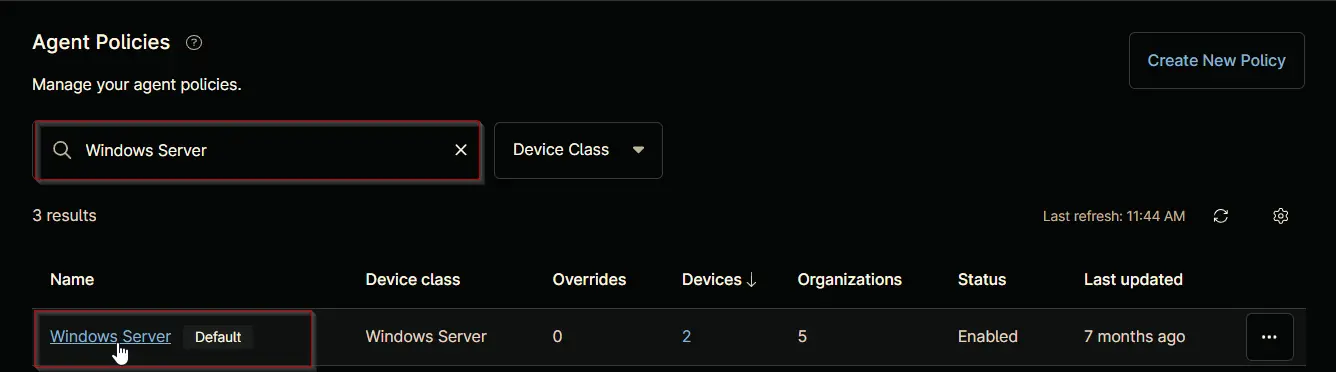
Note: The details demonstrated in the document may differ depending on environment. Please verify the required information with consultant or partner before completing these fields.
Changelog
2025-06-17
- Initial version of the document