Manage Browser Session Restore
Overview
This script configures browser session restore settings. It enables, disables, or removes the browser session restore configuration for supported browsers Google Chrome, Microsoft Edge, Brave and Mozilla Firefox.
Implementation
-
Download the component from the
datto-rmmrepository: Manage Browser Session Restore -
After downloading the file, click on the
Importbutton in the Datto RMM interface. -
Select the component just downloaded and add it to the Datto RMM interface.

-
After Importing the component to the Datto RMM, make sure to add the component to the
PVALGroup always.- Steps to Add the component under
PVALGroup.
i. Click onDrop Down Icon.
ii. Click onAdd to Group.

iii. Select the group asPVAL
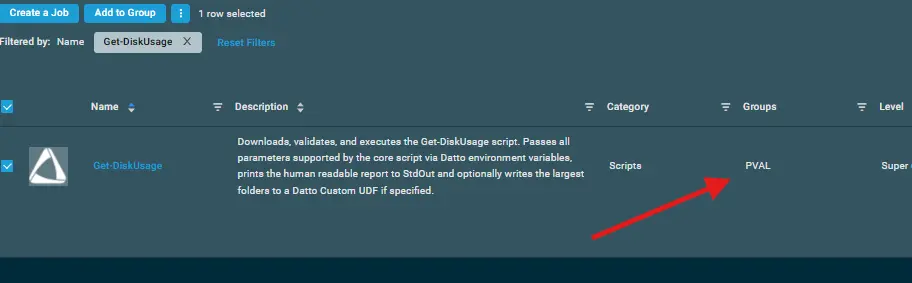
- Steps to Add the component under
Sample Run
To execute the component over a specific machine, follow these steps:
-
Select the machine you want to run the
componenton from the Datto RMM. -
Click on the
Quick Jobbutton.
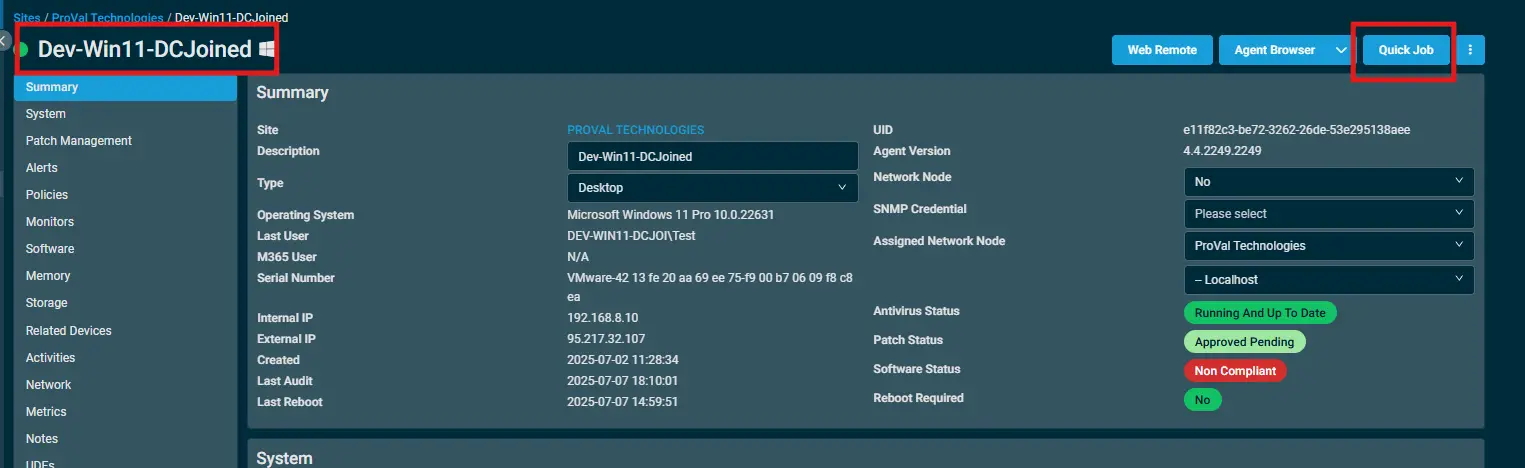
-
Search the component
Manage Browser Session Restoreand click onSelect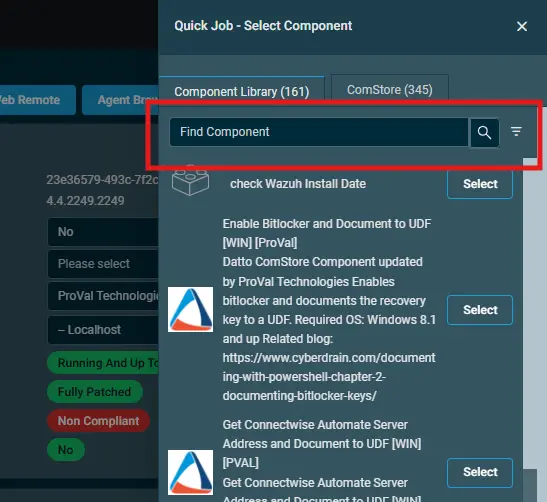
-
Provide the parameters as per your requirement and click on
Run
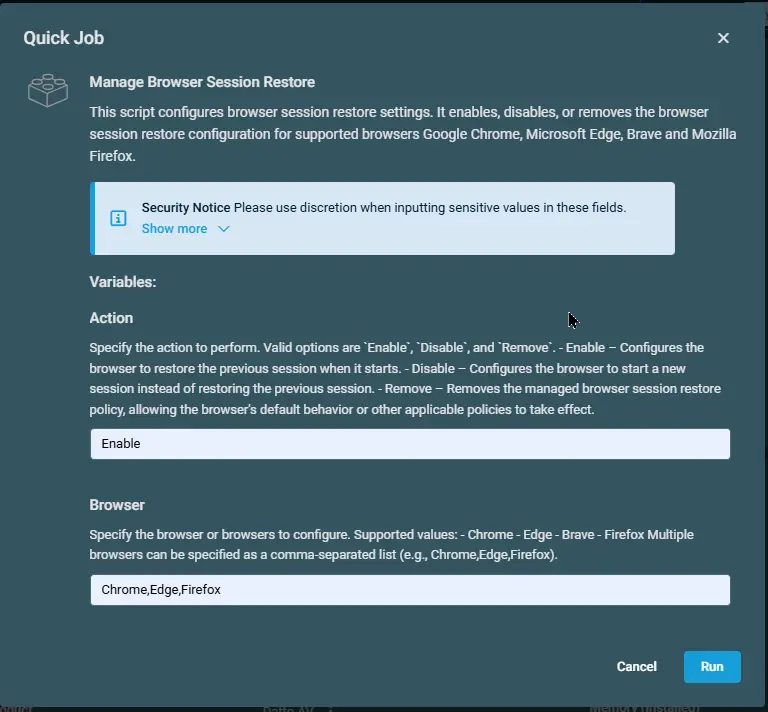
Datto Variables
| Variable Name | Type | Default | Description |
|---|---|---|---|
| Action | String | - | Specify the action to perform. Valid options are Enable, Disable, and Remove.
|
| Browser | String | - | Specify the browser or browsers to configure. Supported values:
|
Output
- stdOut
- stdError
Attachments
Changelog
2026-11-05
- Updated the
Browservariable description to note that the specified action is applied to all supported browsers when no browser is provided.
2026-10-14
- Initial version of the document