Huntress Agent (Re-Register)
Summary
This task re-registers the Huntress Agent in the portal for the endpoint.
Create Script
Please create a new "PowerShell" style script to implement this task.


Name: Huntress Agent (Re-Register)
Description: This task re-registers the Huntress Agent in the portal for the endpoint.
Category: Custom

Script
Row 1 Function: Script Log

Input the following:
Row 2 Function: Set Pre-defined Variable
- Select
Set Pre-Defined VariableFunction

- Select
Custom Field - Input
acct_keyas Variable name - Select
Huntress Acct_Keycustom field from the dropdown - Click Save

Row 3 Function: Set Pre-defined Variable
- Select
Set Pre-Defined VariableFunction
- Select
Custom Field - Input
ORG_Keyas Variable name - Select
Huntress Org_Keycustom field from the dropdown - Click Save

Row 4 Function: Set Pre-defined Variable
- Select
Set Pre-Defined VariableFunction
- Select
Custom Field - Input
Tagsas Variable name - Select
Huntress Tagcustom field from the dropdown - Click Save

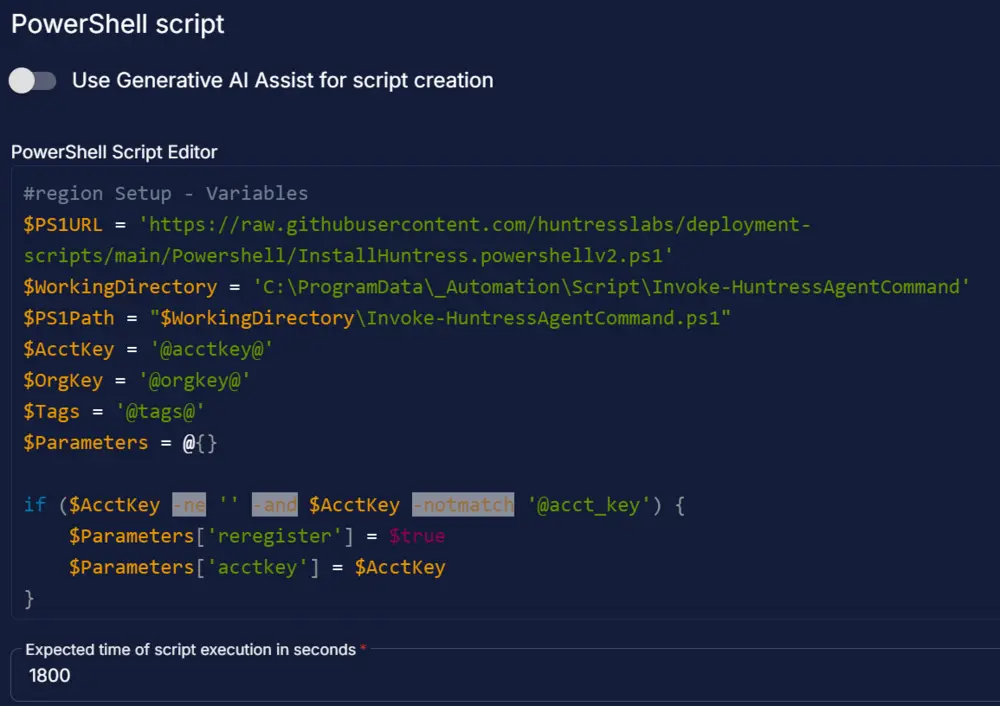
Row 5 Function: PowerShell Script

Paste in the following PowerShell script and set the expected script execution time to 1800 seconds.
Step 6 Function: Script Log
- Add a new row in the If Section of If else then part by clicking the Add Row button
- Search and select the
Script Logfunction. - Input the following


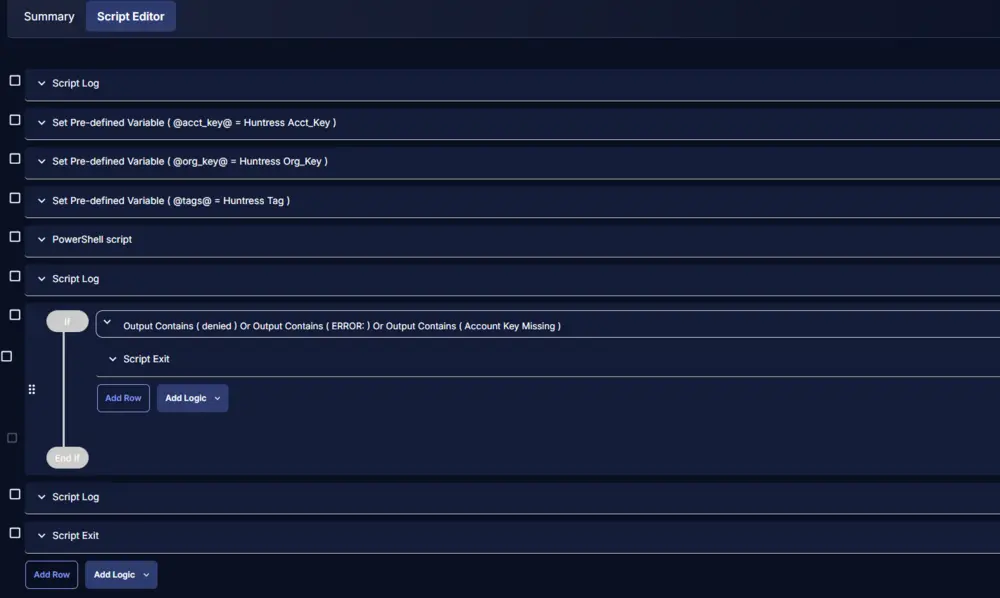
Step 7 Logic: If/Then
- Add a new
If/Then/Elselogic from the Add Logic dropdown menu.

ROW 7a Condition: Output Contains
- Type
deniedin the Value box. - Add another condition with the OR operator and type
ERROR:in the Value box. - Add another condition with the OR operator and type
Account Key Missingin the Value box.

ROW 7b Function: Script Exit
- Add a new row in the If Section of If else then part by clicking the Add Row button
- Search and select the
Script Exitfunction. - Input the following


Step 8 Function: Script Log
- Add a new row in the If Section of If else then part by clicking the Add Row button
- Search and select the
Script Logfunction. - Input the following

Step 9 Function: Script Exit
- Add a new row in the If Section of If else then part by clicking the Add Row button
- Search and select the
Script Exitfunction. - Leave it blank

Step 10: Complete Script
Script Deployment
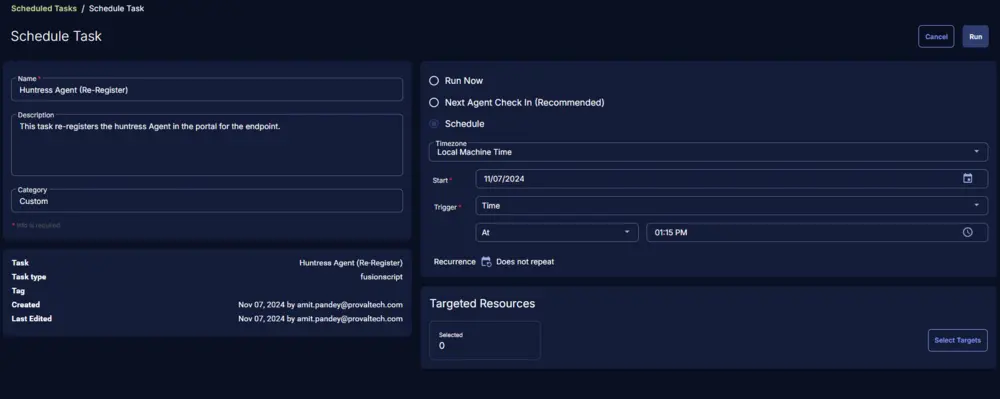
For now, the task has been created to run manually on the machines.
Go to Automations > Tasks.
Search for Huntress Agent (Re-Register)
Then click on Schedule and provide the parameters details as necessary for the script completion.
Output
- Script log
Changelog
2025-04-10
- Initial version of the document