cPVAL Connect Secure Agent Deployment
Summary
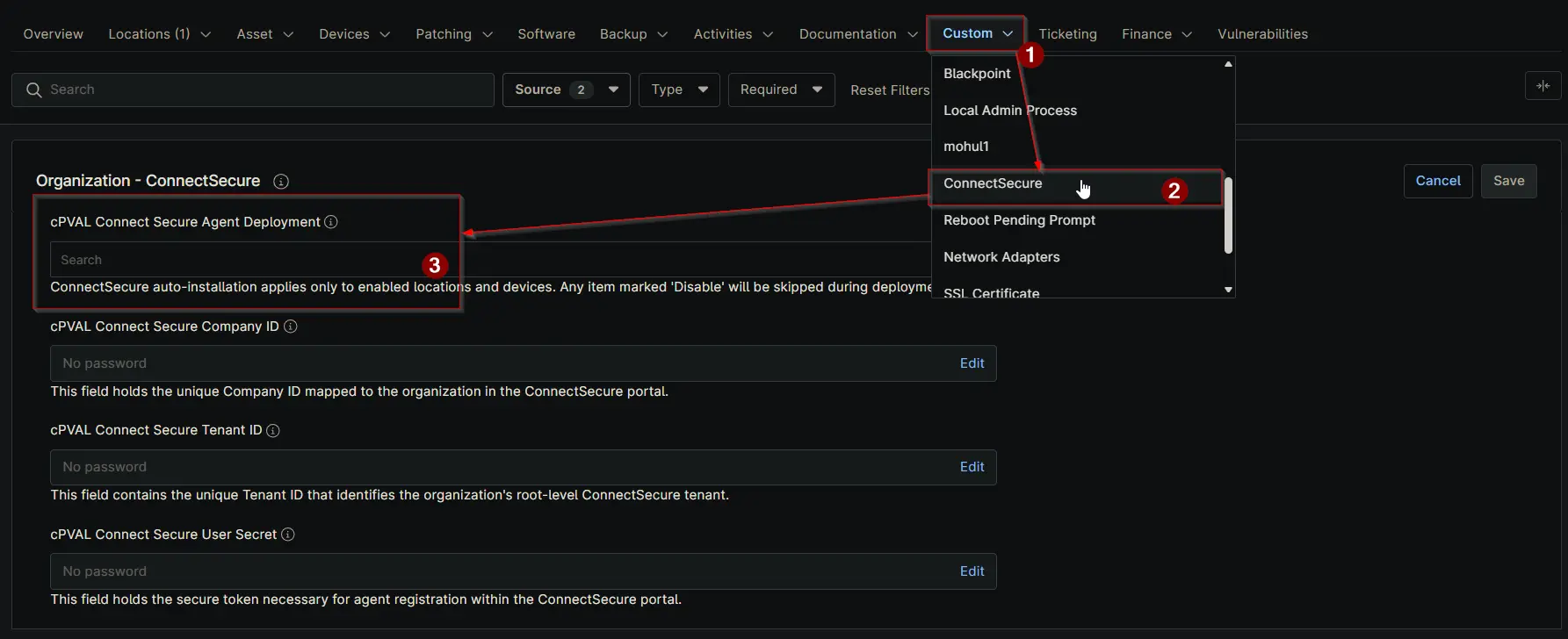
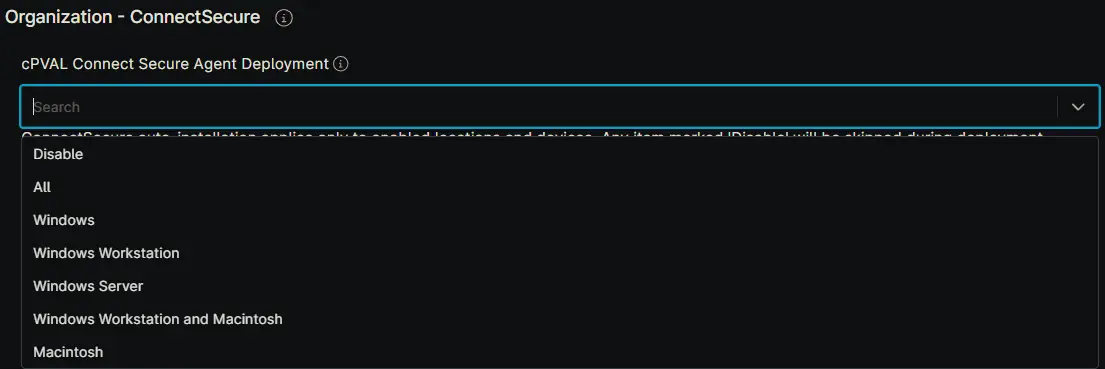
Select the operating system to enable automatic ConnectSecure installation. Choosing 'Disable' at the location or device level will prevent that location or device from being included in the automated installation process.
Details
| Label | Field Name | Definition Scope | Type | Required | Default Value | Technician Permission | Automation Permission | API Permission | Description | Tool Tip | Footer Text | Custom Field Tab Name |
|---|---|---|---|---|---|---|---|---|---|---|---|---|
| cPVAL Connect Secure Agent Deployment | cpvalConnectSecureAgentDeployment | Organization, Location, Device | Drop-Down | True (for auto-deployment) |
| Editable | Read/Write | Read/Write | Select the operating system to enable automatic ConnectSecure installation. Choosing 'Disable' at the location or device level will prevent that location or device from being included in the automated installation process. | Choose the OS to activate ConnectSecure auto-installation. If set to 'Disable' for a location or device, it will be excluded from automated deployment. | ConnectSecure auto-installation applies only to enabled locations and devices. Any item marked 'Disable' will be skipped during deployment. | ConnectSecure |
Dependencies
Custom Field Creation
Sample Screenshot
Changelog
2026-03-16
- Renamed from
cPVAL ConnectSecure DeploymenttocPVAL Connect Secure Agent Deployment. - Changed drop-down options.
2025-12-10
- Initial version of the document