Sysmon64 Service
Summary
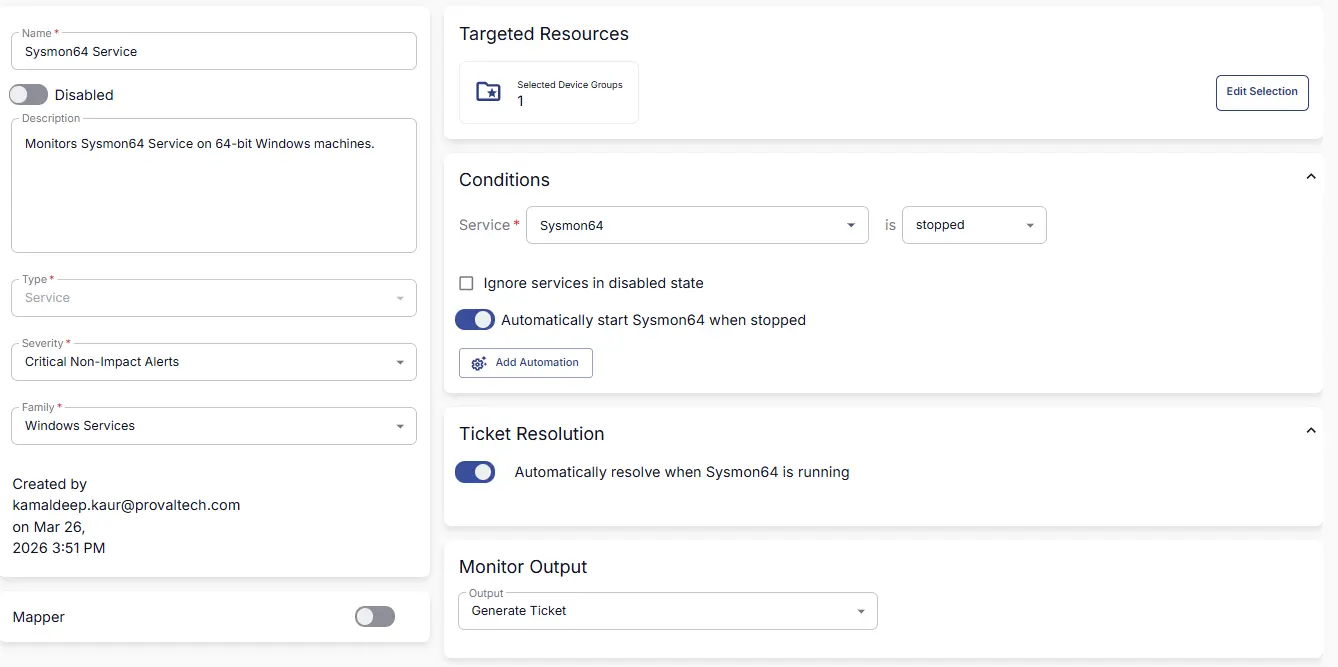
Monitors Sysmon64 service on 64-bit windows machines and generates a ticket if the service is found to be stopped.
Dependencies
Target
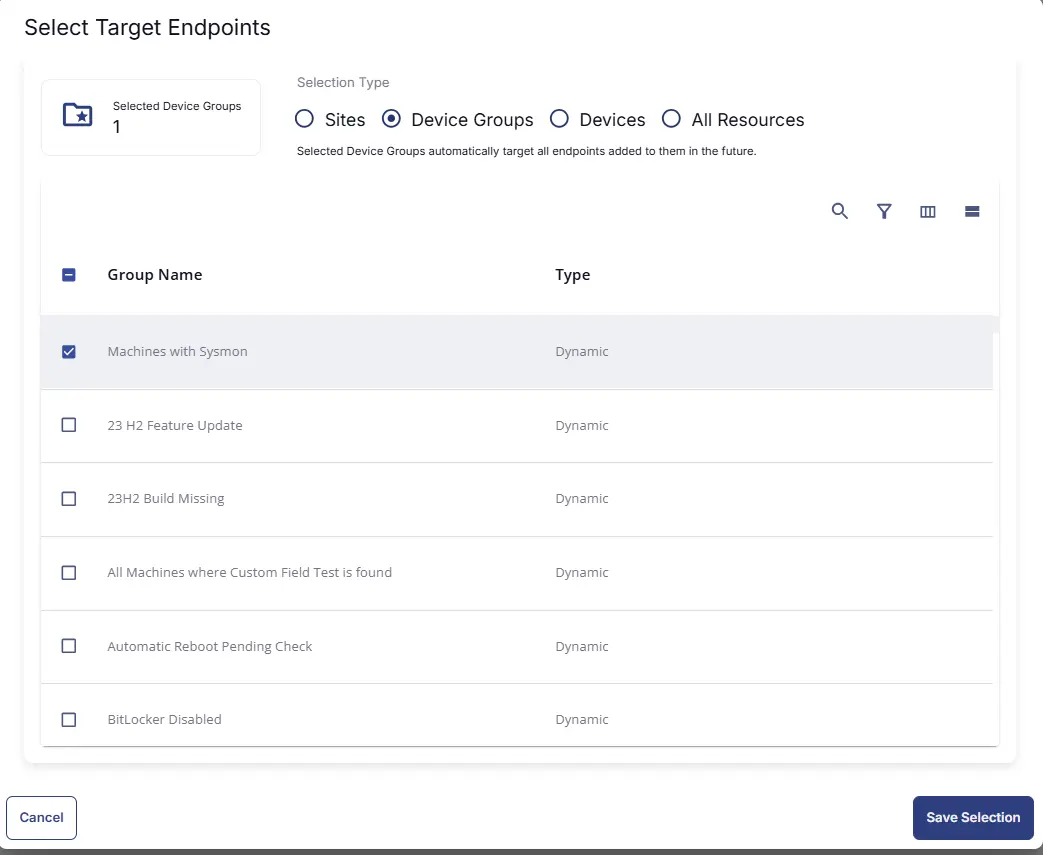
This monitor should target the group Machines with Sysmon as shown below:
Monitor Creation
Step 1
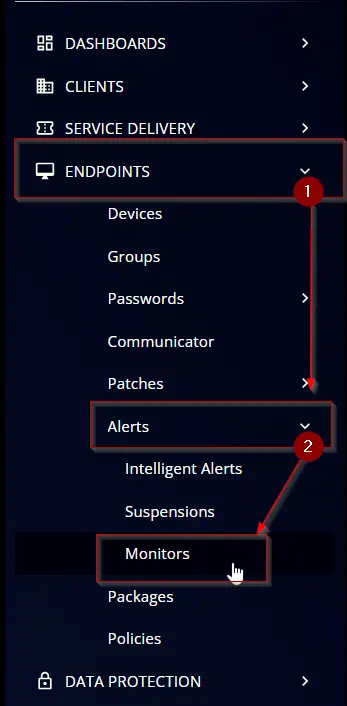
Navigate to ENDPOINTS ➞ Alerts ➞ Monitors
Step 2
Locate the Create Monitor button on the right-hand side of the screen and click on it.

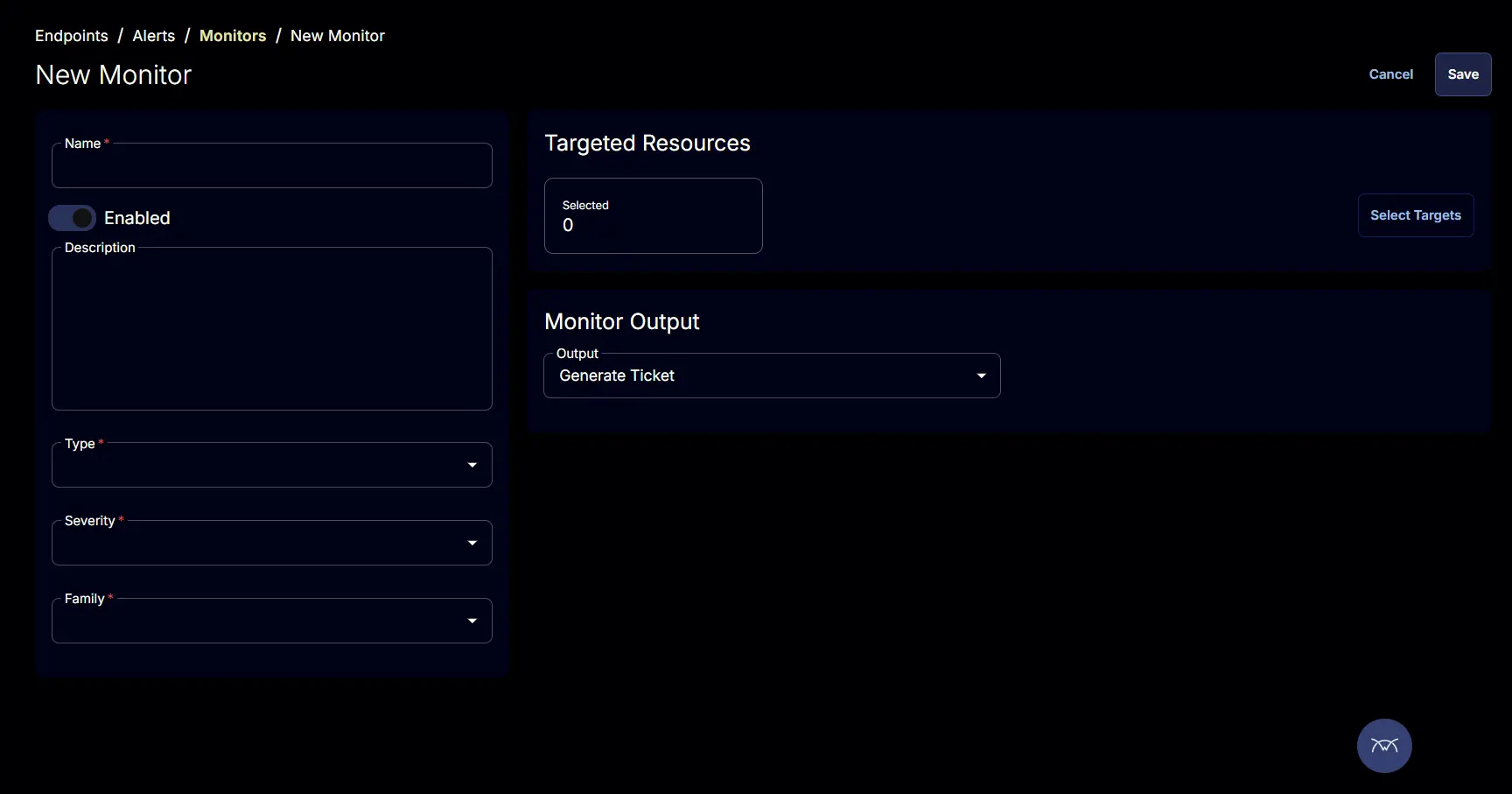
This page will appear after clicking on the Create Monitor button:
Step 3
Fill in the mandatory columns on the left side
- Name:
Sysmon64 Service - Description:
Monitors Sysmon64 Service on 64-bit Windows machines. - Type:
Service - Severity:
Critical Non-Impact Alerts - Family:
Windows Services

Step 4
Click the Select Target button to choose the endpoints for running the monitor set.

Search and Select Machines with Sysmon device group.
Step 5
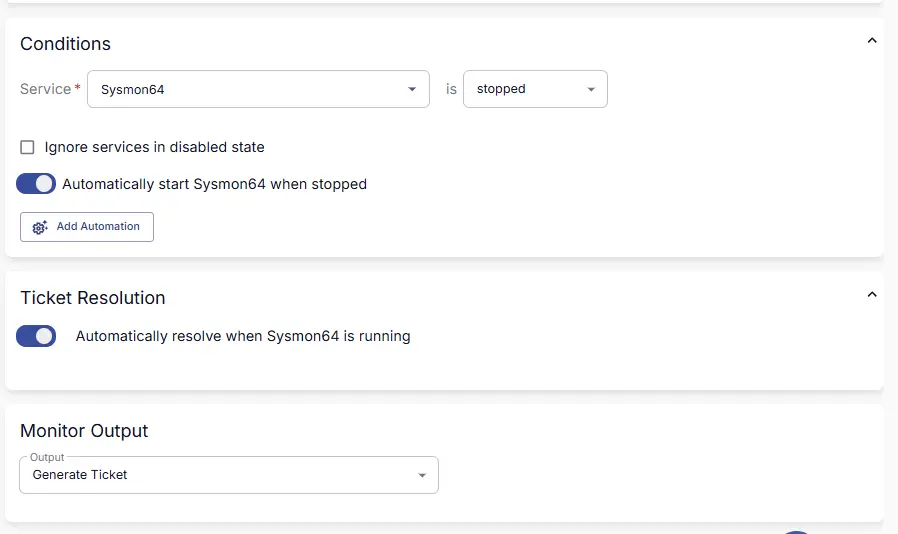
Conditions :
- Select
Sysmon64from the Service dropdown. - Comparor =
Stopped - Deselect
Ignore services in disabled state - Enable
Automatically start Sysmon64 when stoppedbutton
Ticket Resolution :
- Ensure the
Automatically resolve when Sysmon64 is runningtoggle is enabled.
Monitor Output :
- Select
Generate Ticketfrom theOutputDrop-down Menu
Completed Monitor
Changelog
2026-03-26
- Initial version of the document