Uninstall ThreatLocker
Overview
Uninstalls ThreatLocker from a Windows machine. Tamper Protection must be disabled before running this script, otherwise the uninstall may fail.
Implementation
-
Download the component from the
datto-rmmrepository: Uninstall ThreatLocker -
After downloading the file, click on the
Importbutton in the Datto RMM interface. -
Select the component just downloaded and add it to the Datto RMM interface.
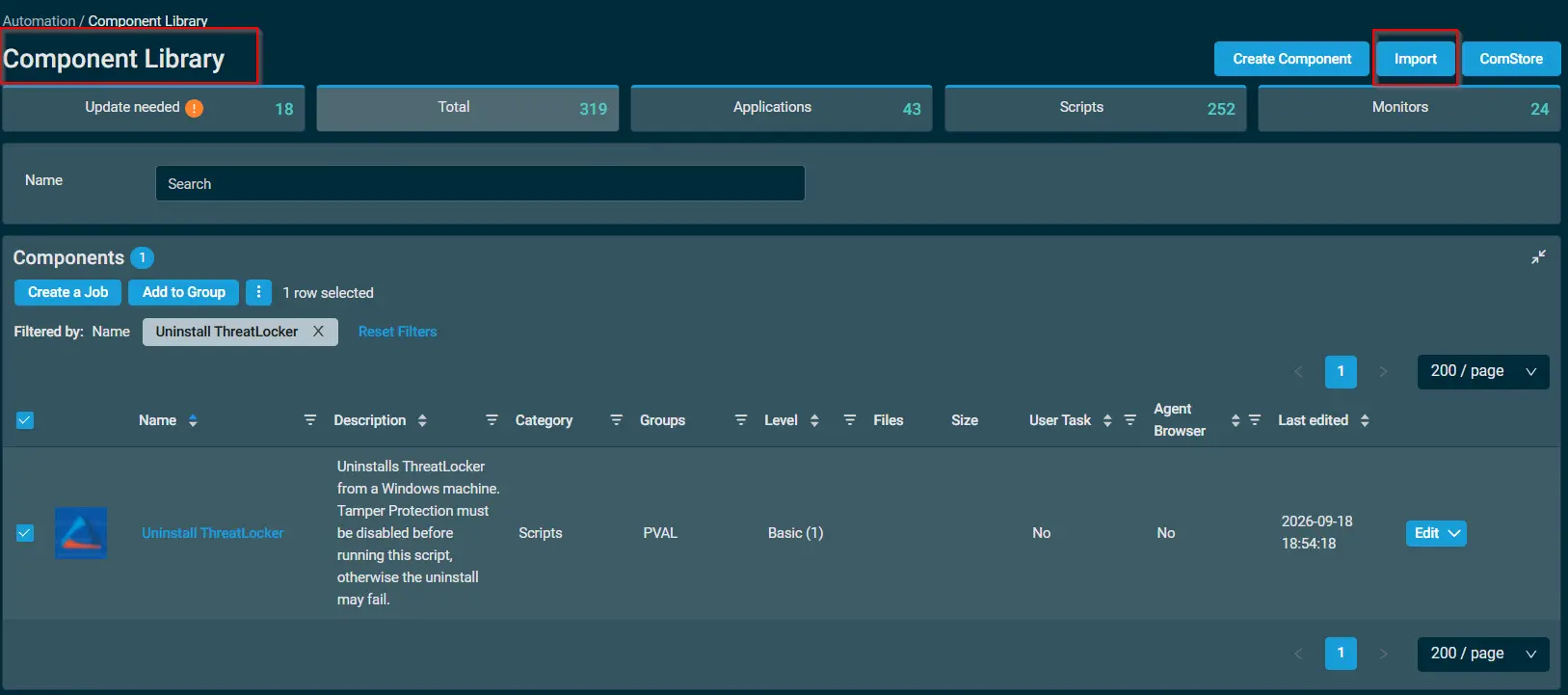
-
After Importing the component to the Datto RMM, make sure to add the component to the
PVALGroup always.- Steps to Add the component under
PVALGroup.
i. Click onDrop Down Icon.
ii. Click onAdd to Group.
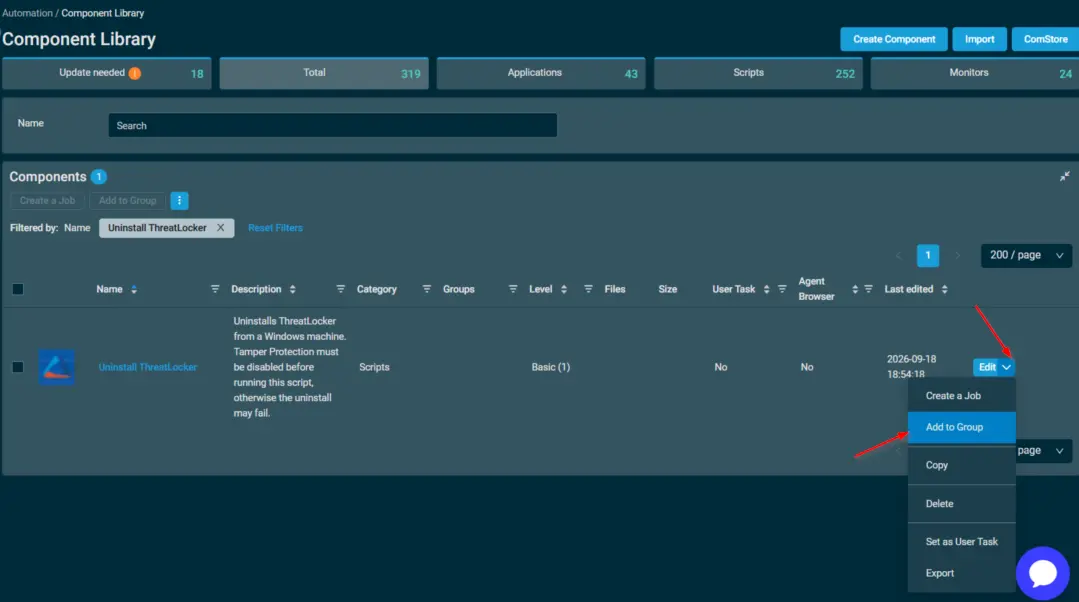
iii. Select the group asPVAL

- Steps to Add the component under
Sample Run
To execute the Uninstall ThreatLocker over a specific machine, follow these steps:
-
Select the machine you want to run the
Uninstall ThreatLockeron from the Datto RMM. -
Click on the
Quick Jobbutton.

-
Search the component
Uninstall ThreatLockerand click onSelect

Output
- Activity Logs
Attachments
Changelog
2026-09-18
- Initial version of the document