cPVAL Enable SSL Cert Audit
Summary
Select the operating system for which SSL Certificate Audit should be enabled. Use this setting to specify the OS where audit will apply. | Choose the OS to enable SSL auditing. Select Disable at the location or device level to exclude it from auditing.
Details
| Label | Field Name | Definition Scope | Type | Required | Default Value | Technician Permission | Automation Permission | API Permission | Description | Tool Tip | Footer Text | Custom Field Tab Name |
|---|---|---|---|---|---|---|---|---|---|---|---|---|
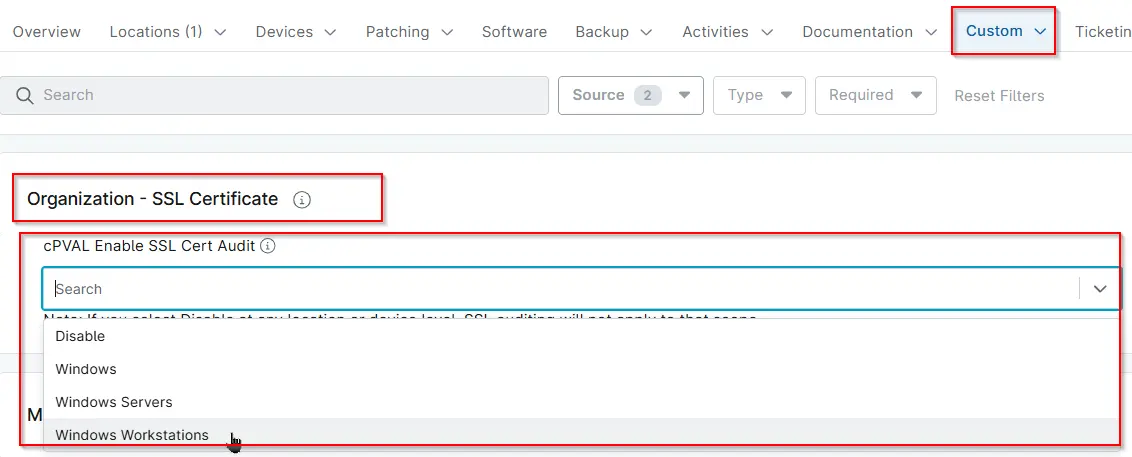
| cPVAL Enable SSL Cert Audit | cpvalEnableSslCertAudit | Organizations,Devices,Location | Drop-down | true | Windows, Windows Servers, Windows Workstations, Disable | Editable | Read_Write | Read_Write | Select the operating system for which SSL Certificate Audit should be enabled. Use this setting to specify the OS where audit will apply. | Choose the OS to enable SSL auditing. Select Disable at the location or device level to exclude it from auditing. | Note: If you select Disable at any location or device level, SSL auditing will not apply to that scope. | SSL Certificate |
Dependencies
Custom Field Creation
Sample Screenshot
Changelog
2026-07-20
- Deprecating this Custom Field, since its an Audit solution and no longer be controlled by the custom field.
2026-02-13
- Initial version of the document