cPVAL Current Location and IP Details
Summary
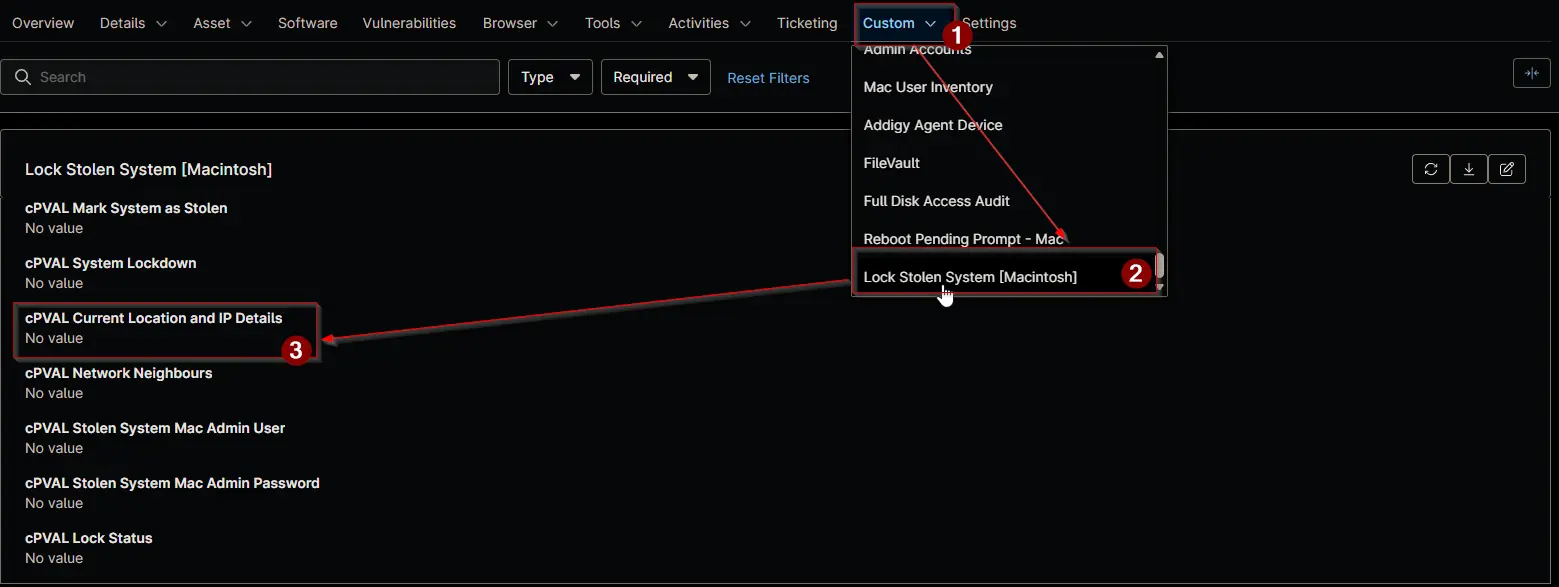
Shows where a stolen device connects from. The Lock Stolen System solution fills it in each time the device is online with the collection time (UTC), the disk encryption status (BitLocker on Windows, FileVault on a Mac), and the public IP address, internet provider, city, region, country and coordinates from ipinfo.io. Windows computers add their full network configuration. Macs add the Wi-Fi network name, default gateway, DNS servers and active network interfaces. The location comes from the IP address, so it's approximate. The field is on the Lock Stolen System [Windows] tab of Windows devices and the Lock Stolen System [Macintosh] tab of Macs.
Details
| Label | Field Name | Example | Definition Scope | Type | Required | Default Value | Dropdown Options | Editable | Custom Field Tab |
|---|---|---|---|---|---|---|---|---|---|
| cPVAL Current Location and IP Details | cpvalCurrentLocationAndIpDetails | IPINFO-City= Austin | Device | Multi-line | No | Yes |
|
Dependencies
- Automation: Lock Stolen System [Windows]
- Automation: Lock Stolen System [Macintosh]
- Solution: Lock Stolen System
Custom Field Creation
Sample Screenshot
Changelog
2026-11-12
- Added the field to Mac devices on the Lock Stolen System [Macintosh] tab and moved it to the Lock Stolen System [Windows] tab on Windows devices. It now also shows the collection time, internet provider, country and disk encryption status, and Macs report their Wi-Fi network name, gateway, DNS servers and active network interfaces.
2026-02-10
- Initial version of the document