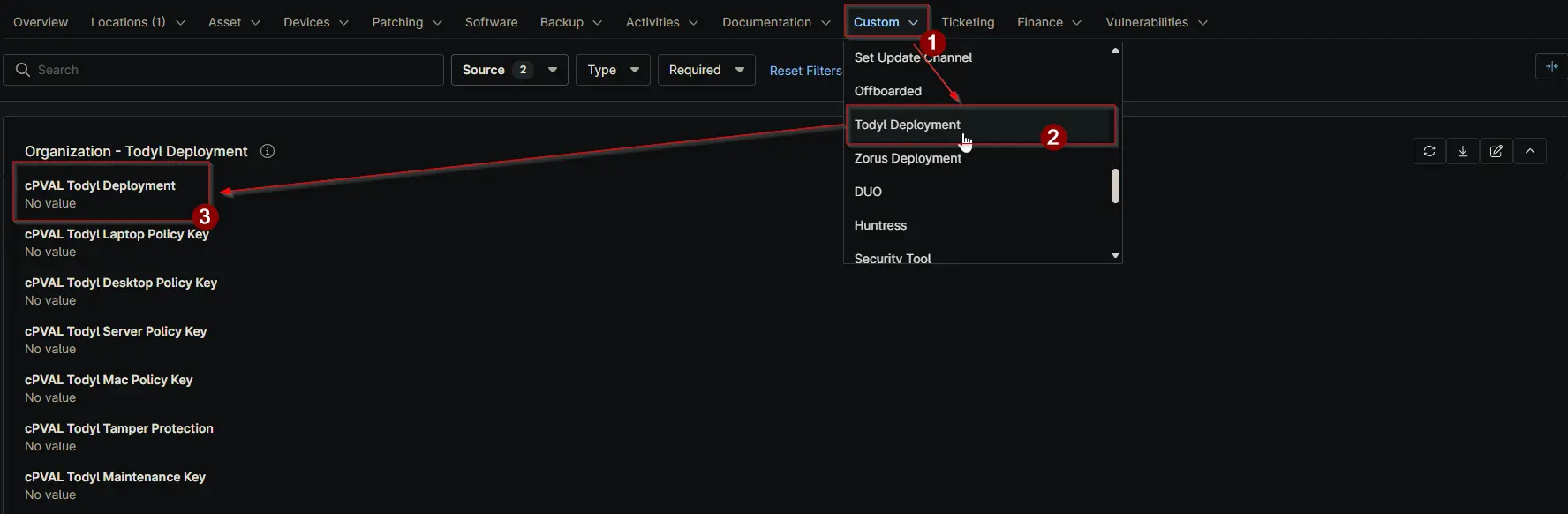
cPVAL Todyl Deployment
Summary
Custom Field to install/uninstall Todyl agent. Select OS to enable auto-deployment of Todyl SGN Connect agent. Select Uninstall to uninstall Todyl if its already installed on the machines.
Details
| Label | Field Name | Definition Scope | Type | Required | Default Value | Technician Permission | Automation Permission | API Permission | Description | Tool Tip | Footer Text | Custom Field Tab Name |
|---|---|---|---|---|---|---|---|---|---|---|---|---|
| cPVAL Todyl Deployment | cpvalTodylDeployment | Organization/Location/Device | drop-down | Disabled, All, Windows, Windows Servers, Windows Workstations, Mac, Windows Workstations and Mac, Uninstall | Disabled | Editable | Read/Write | Read/Write | Select OS to enable auto-deployment of Todyl SGN Connect agent. Select Uninstall to uninstall Todyl if its already installed on the machines. | Select OS to enable auto-deployment of Todyl SGN Connect agent. Select Uninstall to uninstall Todyl if its already installed on the machines. | Select OS to enable auto-deployment of Todyl SGN Connect agent. Select Uninstall to uninstall Todyl if its already installed on the machines. | Todyl Deployment. |
Dropdown options
| Option | Description |
|---|---|
| Disabled | No deployment action. Existing Todyl installs remain unchanged. |
| All | Deploy Todyl to all supported devices in scope (Windows and Mac). |
| Windows | Deploy Todyl to all Windows devices in scope. |
| Windows Servers | Deploy Todyl only to Windows Server devices in scope. |
| Windows Workstations | Deploy Todyl only to Windows workstation devices in scope. |
| Mac | Deploy Todyl only to Mac devices in scope. |
| Windows Workstations and Mac | Deploy Todyl to Windows workstations and Mac devices only. |
| Uninstall | Remove Todyl from devices in scope where it is currently installed. |
Dependencies
Custom Field Creation
Sample Screenshot
Changelog
2026-06-23
- Included Mac
2026-05-20
- Initial version of the document