Install Datto RMM Agent

Summary

Installs the Datto RMM Agent on both Windows and Mac machines.

The Platform parameter and the company-level custom field Datto RMM Site ID should be configured to perform installation.

Sample Run
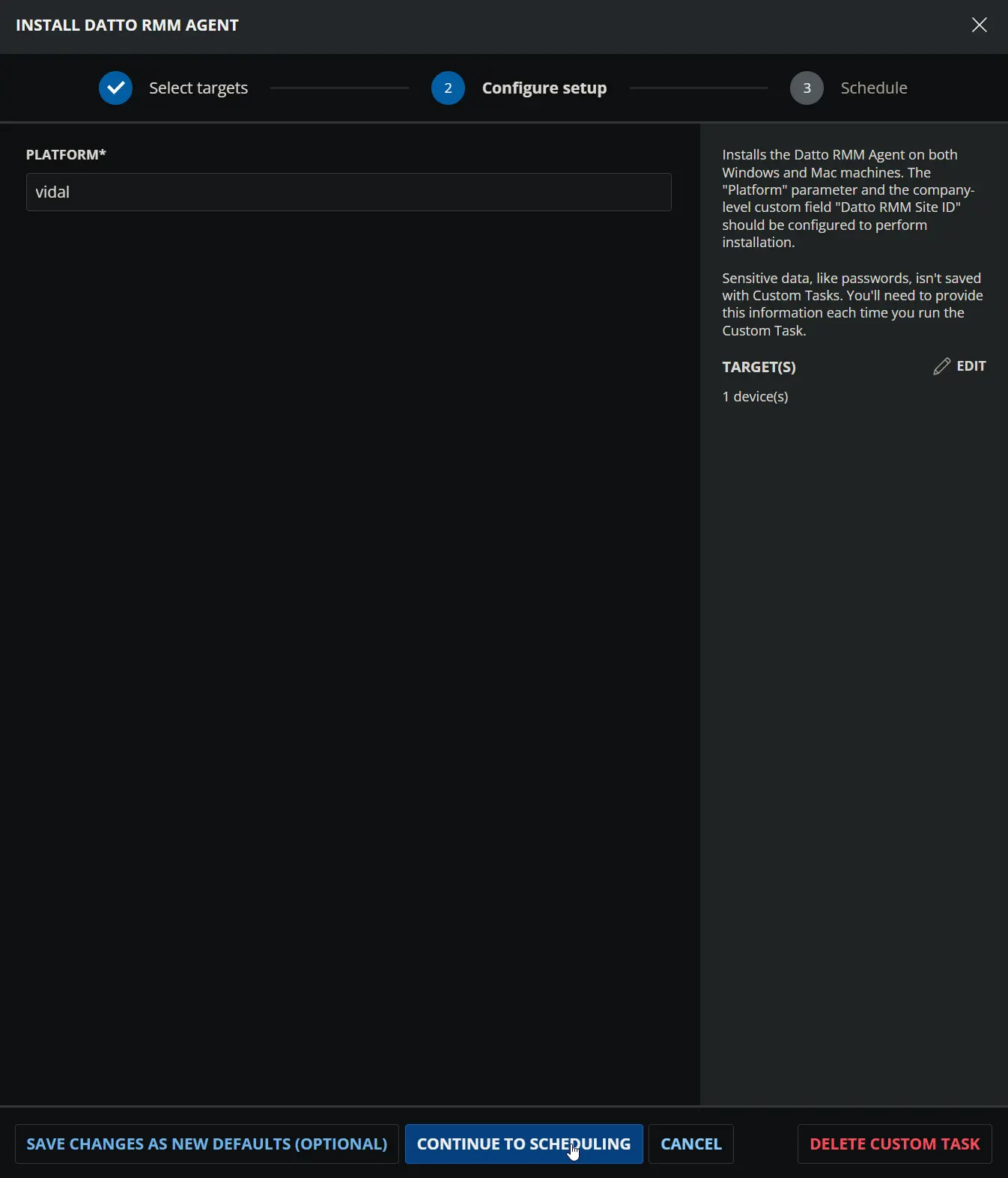
Image1

Dependencies

User Parameters

NameExampleAccepted ValuesRequiredDefaultTypeDescription
Platformmerlot
  • Pinotage
  • Merlot
  • Concord
  • Vidal
  • Zinfandel
  • Syrah
YesIt is recommended to set the platform name of your Datto RMM account.FlagPlatform name of your Datto RMM Account.
The platform name is at the start of the URL; it will be Pinotage or Merlot (EMEA), Concord, Vidal, or Zinfandel (NA), or Syrah (APAC).

Image2

Custom Fields

NameExampleLevelTypeRequiredDescription
Datto RMM Site ID6ef3f5aa-81b7-400c-a667-02075f98ba15CompanyTextYesThe Site ID of the target site in the Datto RMM portal that the agent will check into after installation.

Task Setup Path

  • Tasks Path: AUTOMATIONTasks
  • Task Type: Script Editor

Task Creation

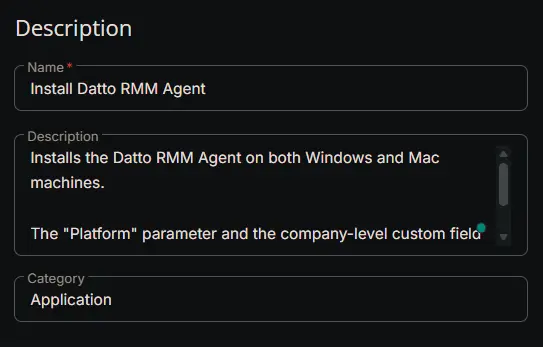
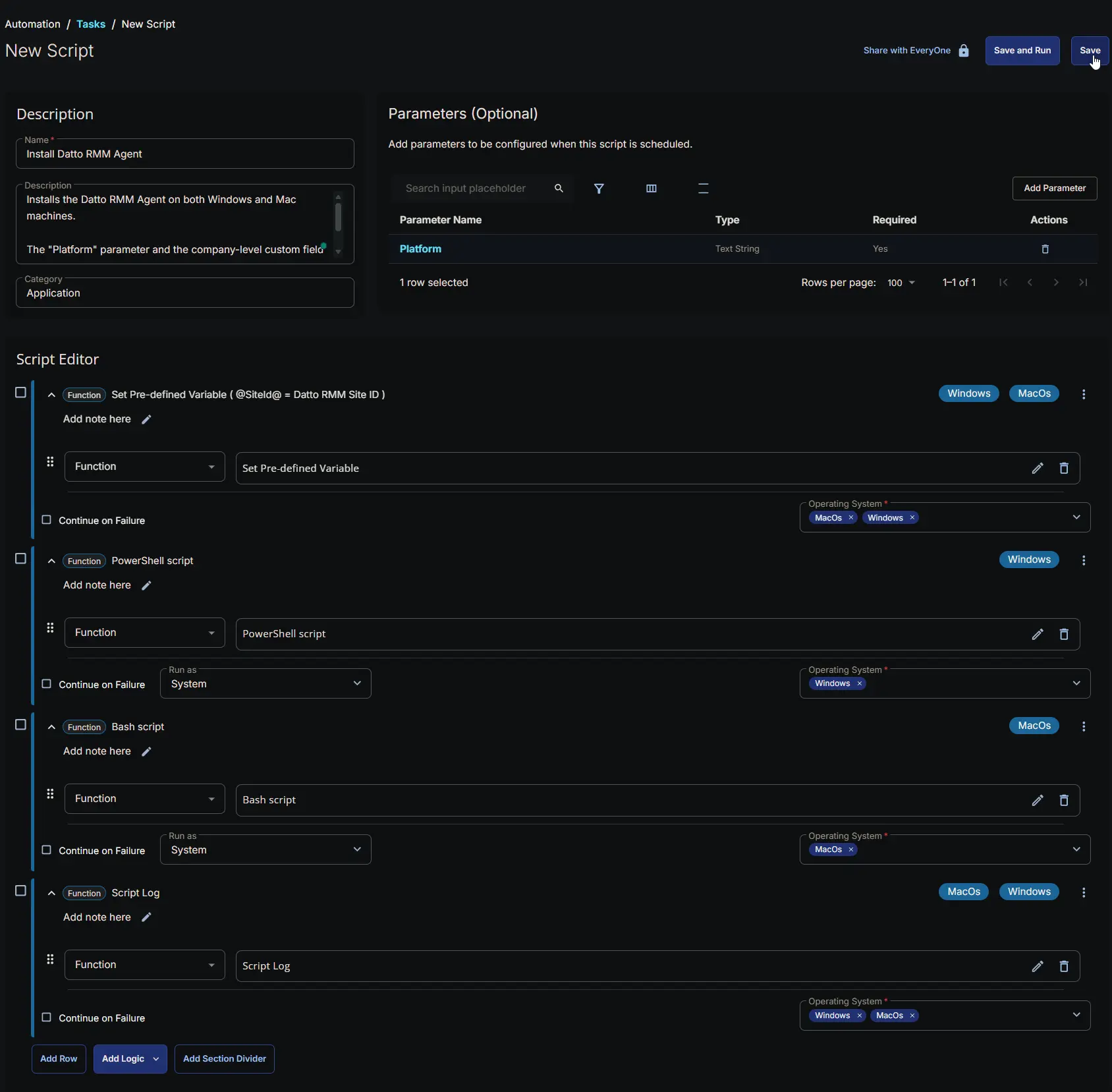
Description

  • Name: Install Datto RMM Agent
  • Description:
Installs the Datto RMM Agent on both Windows and Mac machines. 

The "Platform" parameter and the company-level custom field "Datto RMM Site ID" should be configured to perform installation.
  • Category: Application

Image3

Parameters

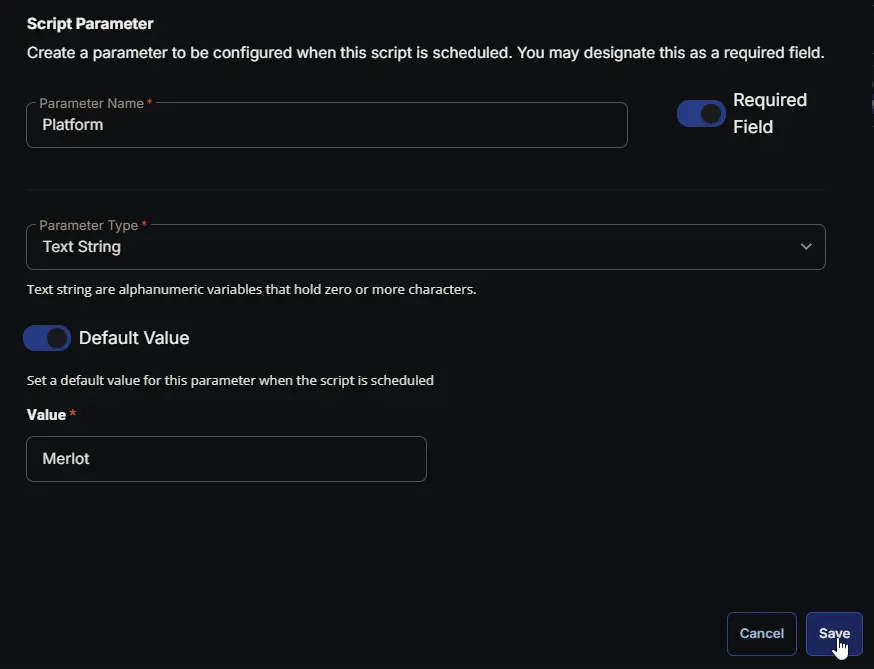
Platform

Parameter NameRequired FieldParameter TypeDefault ValueValue
PlatformEnabledText StringEnabledIt is recommended to set the platform name of your Datto RMM account.

Image4

The default value shown in the screenshot above is for demonstration purposes only. It is recommended to use the platform name of your Datto RMM account as the default value, which may differ from the example shown.
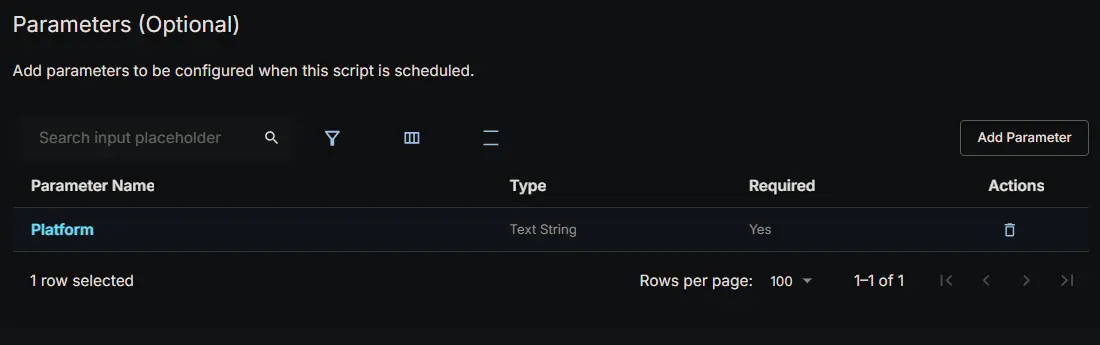
Image5

Script Editor

Row 1: Set Pre-defined Variable ( @ImmyBotTenant@ = ImmyBot Tenant )

  • Variable Name: SiteId
  • Type: Custom Field
  • Custom Field: Datto RMM Site ID
  • Continue on Failure: False
  • Operating System: MacOs, Windows

Image6

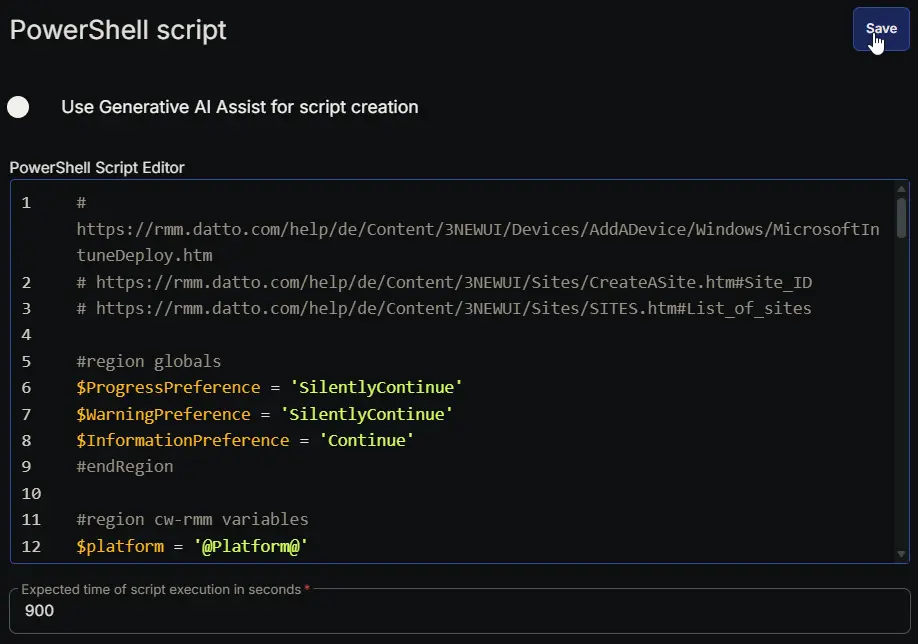
Row 2: PowerShell script

  • Use Generative AI Assist for script creation: False
  • Expected time of script execution in seconds: 900
  • Continue on Failure: False
  • Run As: System
  • Operating System: Windows
  • PowerShell Script Editor:
# https://rmm.datto.com/help/de/Content/3NEWUI/Devices/AddADevice/Windows/MicrosoftIntuneDeploy.htm
# https://rmm.datto.com/help/de/Content/3NEWUI/Sites/CreateASite.htm#Site_ID
# https://rmm.datto.com/help/de/Content/3NEWUI/Sites/SITES.htm#List_of_sites

#region globals
$ProgressPreference = 'SilentlyContinue'
$WarningPreference = 'SilentlyContinue'
$InformationPreference = 'Continue'
#endRegion

#region cw-rmm variables
$platform = '@Platform@'
$siteId = '@SiteId@'

if ([string]::IsNullOrEmpty($platform) -or $platform -match 'Platform') {
throw 'Invalid Platform'
}

if ([string]::IsNullOrEmpty($siteId) -or $siteId -match 'SiteId') {
throw 'Invalid SiteId'
}
#endRegion

#region variables
$appName = 'DRMMSetup'
$appName = 'windows-upgrader'
$workingDirectory = '{0}\_Automation\App\{1}' -f $env:ProgramData, $appName
$appPath = '{0}\{1}.exe' -f $workingDirectory, $appName
$downloadUrl = 'https://{0}.rmm.datto.com/download-agent/windows/{1}' -f $platform, $siteId
$serviceName = 'CagService'
#endRegion

#region already installed check
if (Get-Service -Name $serviceName -ErrorAction SilentlyContinue) {
return 'Datto RMM Agent already installed on this device'
}
#endRegion

#region working Directory
if (-not (Test-Path -Path $workingDirectory)) {
try {
New-Item -Path $workingDirectory -ItemType Directory -Force -ErrorAction Stop | Out-Null
} catch {
throw ('Failed to create working directory {0}. Reason: {1}' -f $workingDirectory, $Error[0].Exception.Message)
}
}

$acl = Get-Acl -Path $workingDirectory
$hasFullControl = $acl.Access | Where-Object {
$_.IdentityReference -match 'Everyone' -and $_.FileSystemRights -match 'FullControl'
}
if (-not $hasFullControl) {
$accessRule = New-Object -TypeName System.Security.AccessControl.FileSystemAccessRule(
'Everyone', 'FullControl', 'ContainerInherit, ObjectInherit', 'None', 'Allow'
)
$acl.AddAccessRule($accessRule)
Set-Acl -Path $workingDirectory -AclObject $acl -ErrorAction SilentlyContinue
}
#endRegion

#region set tls policy
$supportedTLSversions = [enum]::GetValues('Net.SecurityProtocolType')
if (($supportedTLSversions -contains 'Tls13') -and ($supportedTLSversions -contains 'Tls12')) {
[System.Net.ServicePointManager]::SecurityProtocol = [System.Net.ServicePointManager]::SecurityProtocol::Tls13 -bor [System.Net.SecurityProtocolType]::Tls12
} elseif ($supportedTLSversions -contains 'Tls12') {
[System.Net.ServicePointManager]::SecurityProtocol = [System.Net.SecurityProtocolType]::Tls12
} else {
Write-Information -MessageData 'TLS 1.2 and/or TLS 1.3 are not supported on this system. This download may fail!' -InformationAction Continue
if ($PSVersionTable.PSVersion.Major -lt 3) {
Write-Information -MessageData 'PowerShell 2 / .NET 2.0 doesn''t support TLS 1.2.' -InformationAction Continue
}
}
#endRegion

#region download installer
try {
Invoke-WebRequest -Uri $downloadUrl -OutFile $appPath -UseBasicParsing -ErrorAction Stop
} catch {
if (-not (Test-Path -Path $appPath)) {
throw ('Failed to download the agent installer from ''{0}'', and no local copy of the installer exists on the machine. Reason: {1}' -f $downloadUrl, $Error[0].Exception.Message)
}
}
Unblock-File -Path $appPath -ErrorAction SilentlyContinue
#endRegion

#region install agent
try {
$procInfo = Start-Process -FilePath $appPath -Wait -NoNewWindow -PassThru -ErrorAction Stop
} catch {
throw ('Failed to initiate the installer. Reason: {0}' -f $Error[0].Exception.Message)
}
#endRegion

#region validation
if (Get-Service -Name $serviceName -ErrorAction SilentlyContinue) {
Write-Information -MessageData 'Agent installation completed successfully.'
} else {
throw ('Agent installation failure. Installation process exit code: {0}' -f $procInfo.ExitCode)
}
#endRegion

#region cleanup
Remove-Item -Path $appPath -Force -ErrorAction SilentlyContinue
#endRegion

Image7

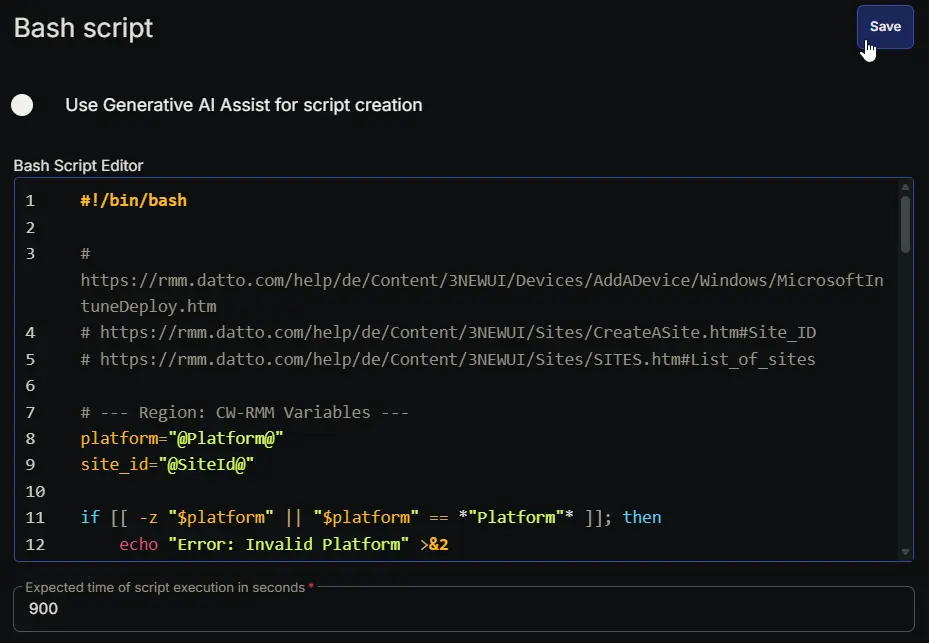
Row 3: Bash script

  • Use Generative AI Assist for script creation: False
  • Expected time of script execution in seconds: 900
  • Continue on Failure: False
  • Run As: System
  • Operating System: MacOs
  • Bash Script Editor:
#!/bin/bash

# https://rmm.datto.com/help/de/Content/3NEWUI/Devices/AddADevice/Windows/MicrosoftIntuneDeploy.htm
# https://rmm.datto.com/help/de/Content/3NEWUI/Sites/CreateASite.htm#Site_ID
# https://rmm.datto.com/help/de/Content/3NEWUI/Sites/SITES.htm#List_of_sites

# --- Region: CW-RMM Variables ---
platform="@Platform@"
site_id="@SiteId@"

if [[ -z "$platform" || "$platform" == *"Platform"* ]]; then
echo "Error: Invalid Platform" >&2
exit 1
fi

if [[ -z "$site_id" || "$site_id" == *"SiteId"* ]]; then
echo "Error: Invalid SiteId" >&2
exit 1
fi
# --- End Region ---

# --- Region: Variables ---
app_name="DRMMSetup"
working_dir="/tmp/_Automation/App/$app_name"
app_zip="$working_dir/${app_name}.zip"
extract_dir="$working_dir/extracted"
download_url="https://${platform}.rmm.datto.com/download-agent/mac/${site_id}"
app_path="/Applications/AEM Agent.app"
pkg_path="$extract_dir/AgentSetup/CAG.pkg"
# --- End Region ---

# --- Region: Already Installed Check ---
if [[ -d "$app_path" ]]; then
echo "Datto RMM Agent already installed on this device"
exit 0
fi
# --- End Region ---

# --- Region: Working Directory ---
if [[ ! -d "$working_dir" ]]; then
if ! mkdir -p "$working_dir" 2>/dev/null; then
echo "Error: Failed to create working directory ${working_dir}." >&2
exit 1
fi
fi
# --- End Region ---

# --- Region: Download Installer ---
if ! curl -s -f -L $curl_opts -o "$app_zip" "$download_url"; then
if [[ ! -f "$app_zip" ]]; then
echo "Error: Failed to download the agent installer from '${download_url}', and no local copy exists." >&2
exit 1
fi
fi
# --- End Region ---

# --- Region: Install Agent ---
mkdir -p "$extract_dir"

# Unzip the payload silently (-q)
if ! unzip -q -o "$app_zip" -d "$extract_dir"; then
echo "Error: Failed to extract the downloaded archive." >&2
exit 1
fi

# Execute the macOS .pkg installer silently
if ! installer -pkg "$pkg_path" -target / >/dev/null 2>&1; then
echo "Error: Failed to initiate the installer." >&2
exit 1
fi
# --- End Region ---

# --- Region: Validation ---
if [[ -d "$app_path" ]]; then
echo "Agent installation completed successfully."
else
echo "Error: Agent installation failure." >&2
exit 1
fi
# --- End Region ---

# --- Region: Cleanup ---
rm -rf "$working_dir" 2>/dev/null
# --- End Region ---

Image8

Row 4: Script Log

  • Script Log Message: %Output%
  • Continue on Failure: False
  • Operating System: MacOs, Windows

Image9

Completed Script

Image10

Output

  • Script Log

Changelog

2026-02-28

  • Initial version of the document