Microsoft 365 - C2R - Set Update Channel
Overview
This script will modify the registry to set the Update Channel for Microsoft 365 products to the value specified in the variable and update the UDF accordingly.
NOTE: By default, the script will update the UDF ID 18. In case this UDF is already in use, please update the default value of Variable UpdateM365ChannelUDF by editing the script.
You can also update the Variable UpdateM365ChannelUDF with any other UDF ID during manual run.
Dependencies
Implementation
-
Download the component Microsoft 365 - C2R - Set Update Channel from the attachments.
-
After downloading the attached file, click on the
Importbutton -
Select the component just downloaded and add it to the Datto RMM interface.

Sample Run
To execute the component over a specific machine, follow these steps:
-
Select the machine you want to run the
componenton from the Datto RMM. -
Click on the
Quick Jobbutton.
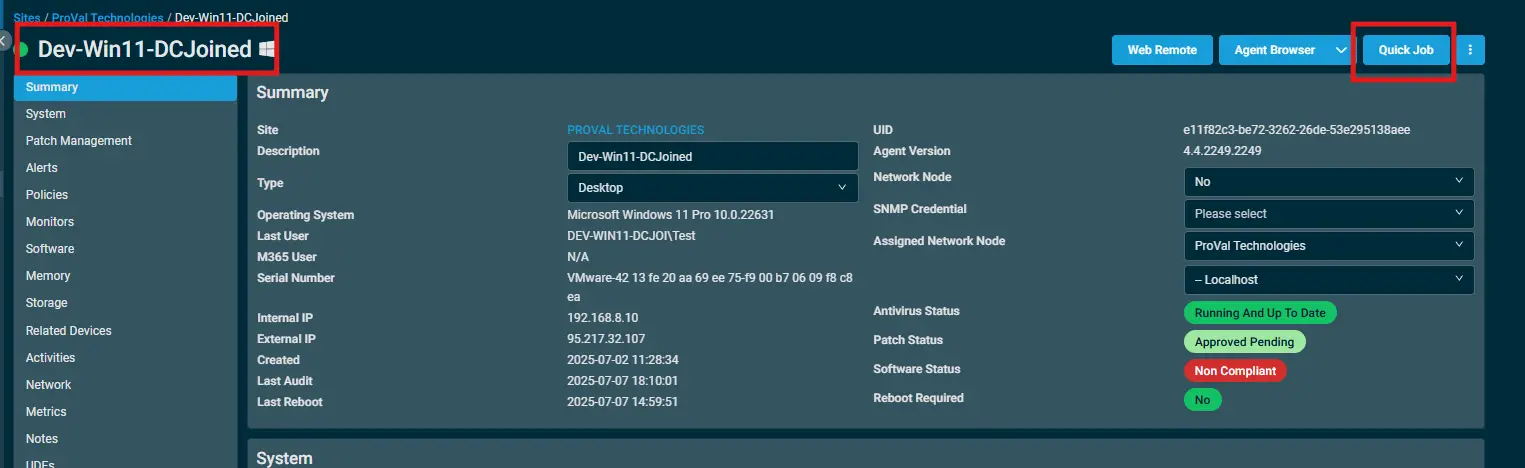
-
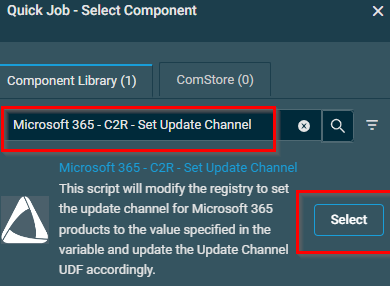
Search the component
Microsoft 365 - C2R - Set Update Channeland click onSelect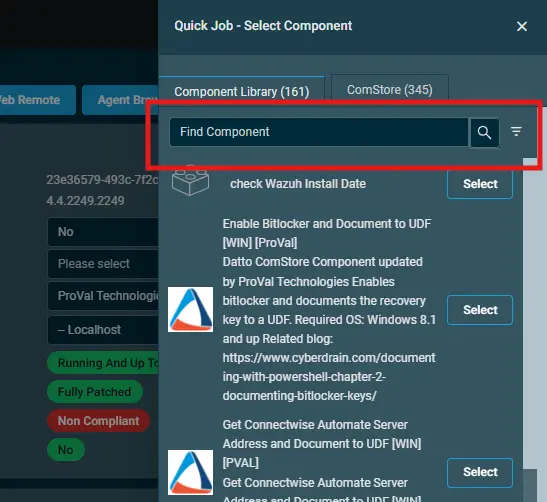
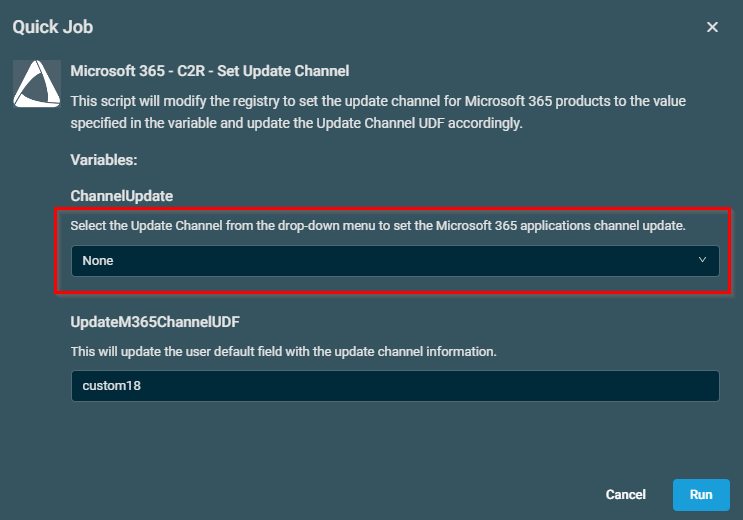
- Click dropdown and select the required channel settings and then click run
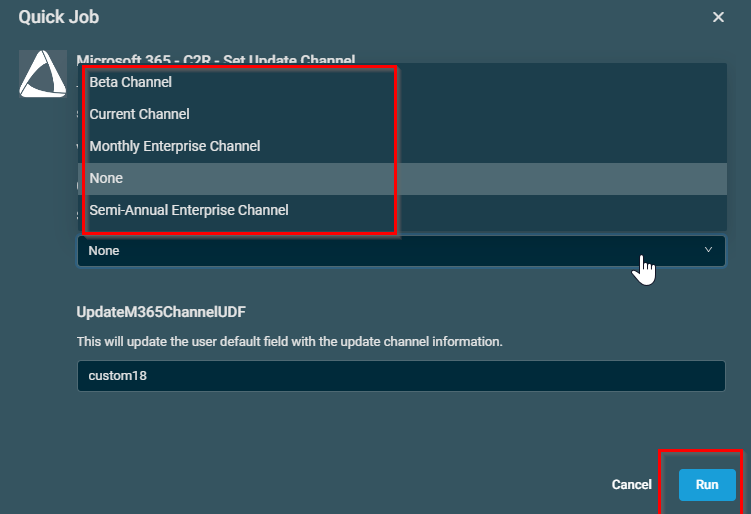
Datto Variables
| Variable Name | Type | Default | Description |
|---|---|---|---|
| ChannelUpdate | Selection (Values: Current Channel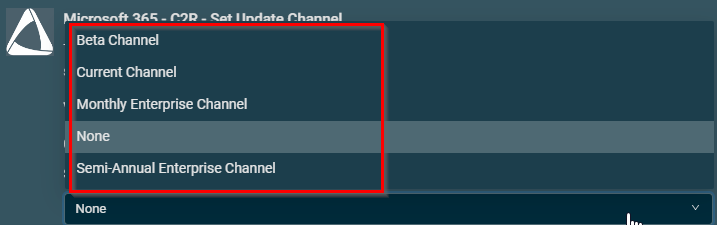 | None | Select the Update Channel from the drop-down menu to set the Microsoft 365 application's Update Channel. |
| UpdateM365ChannelUDF | String | custom18 | This will update the UDF with the Update Channel information. |
Output
- stdout
- stderr
Attachments
Microsoft 365 - C2R - Set Update Channel
FAQ
Q1. How to set the UDF name?
A. To set the User Defined Field (UDF) name, please set it under the Setup > Global Settings > User-defined field 18 and set the value as Update M365 Channel so that it can reflect the same name under the devices UDFs.
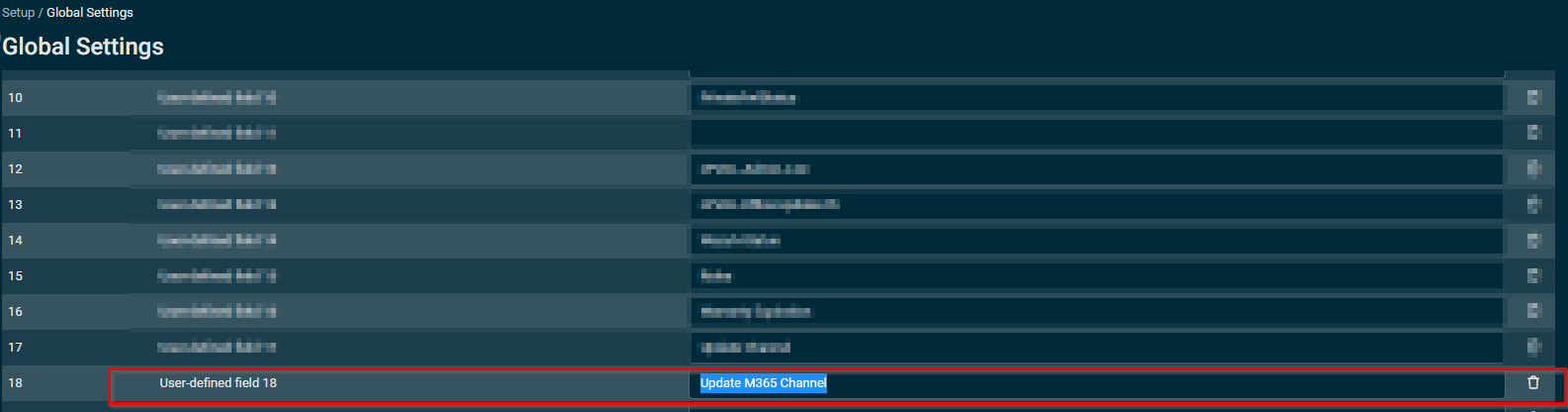
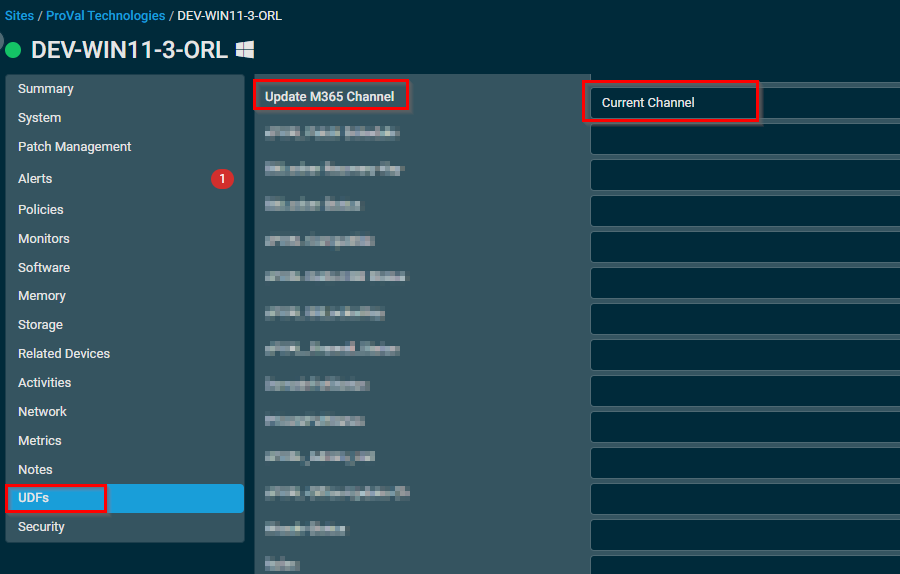
Q2. What happen if we didn't set the user defined field name as Update M365 Channel under global settings?
A. The User-Defined Field X will still get updated with the Update channel value, where X is the UDF number, but the name of the UDFs will show as User-Defined Field X and not as Update M365 Channel.
Note: The script will not break with the Global UDF settings not updated.
Changelog
2026-01-30
- Initial version of the document