Create/Reset Local Administrator Account - macOS
Overview
Create or resets a local administrator account for macOS endpoints
The script accepts the username and password as external parameters. It checks whether the specified local user already exists. If the account exists, the script resets its password.
If the account does not exist, the script creates the local user, assigns the required account properties, sets the password, and creates the user's home directory.
It ensures that the specified account is a member of the macOS admin group.
Implementation
-
Download the component
Create/Reset Local Administrator Account - macOSfrom the attachments. -
After downloading the attached file, click on the
Importbutton -
Select the component just downloaded and add it to the Datto RMM interface.

-
After Importing the component to the Datto RMM, make sure to add the component to the
ProvalGroup always.- Steps to Add the component under
ProvalGroup.
i. Click onDrop Down Icon.
ii. Click onAdd to Group.

iii. Select the group asProval
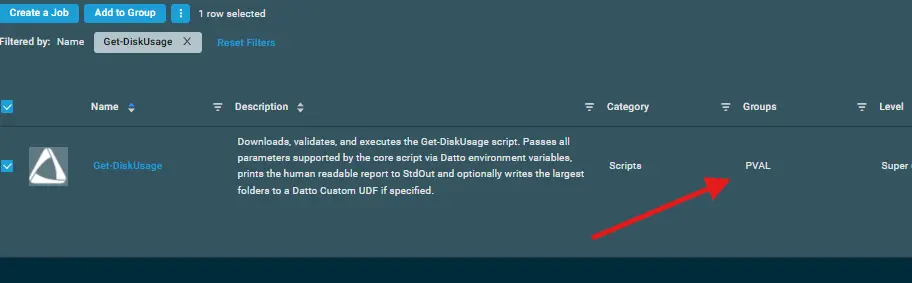
- Steps to Add the component under
Sample Run
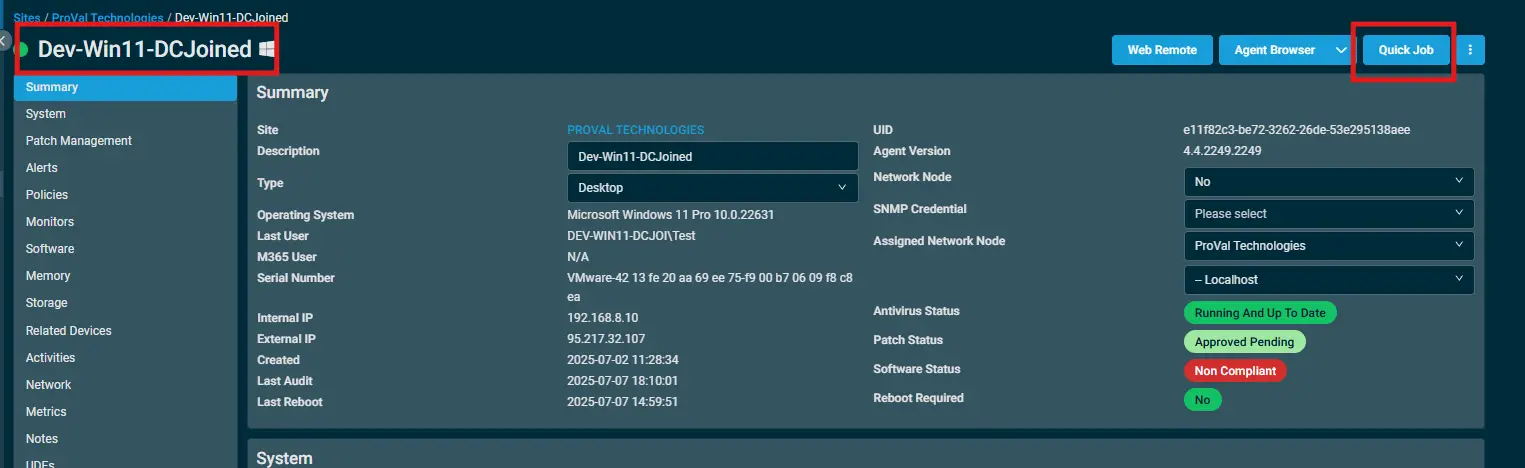
To execute the Create/Reset Local Administrator Account - macOS over a specific machine, follow these steps:
-
Select the machine you want to run the
Create/Reset Local Administrator Account - macOSon from the Datto RMM. -
Click on the
Quick Jobbutton.
-
Search the component
Create/Reset Local Administrator Account - macOSand click onSelect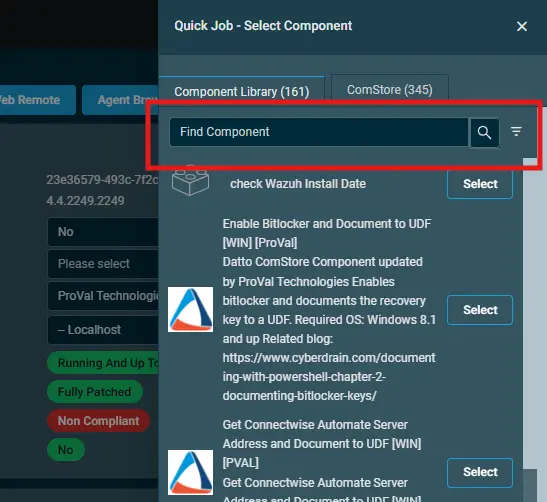
-
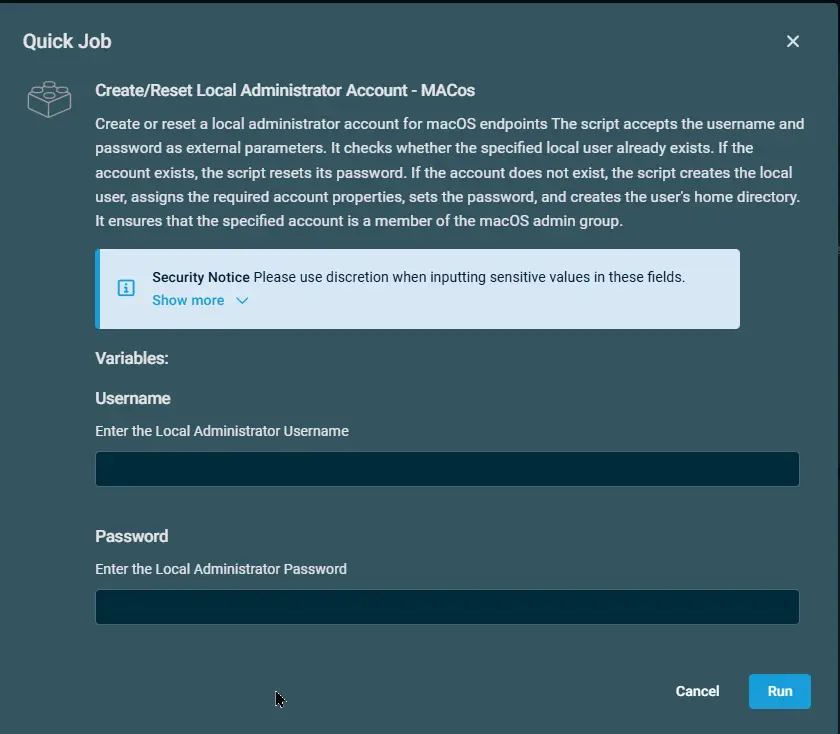
Datto Variables
| Variable Name | Type | Default | Description |
|---|---|---|---|
| Username | String | -- | Enter the Local Administrator Username |
| Password | String | -- | Enter the Local Administrator Password |
Output
- Activity Logs
Attachments
Create/Reset Local Administrator Account - macOS
Changelog
2026-08-20
- Initial version of the document