Huntress Repair
Summary
This document provides instructions on how to set up alerts for machines where the Huntress agent has stopped functioning as intended
Dependencies
CW RMM - Device Group - Machines with Huntress Agent
Huntress Agent (REPAIR)
Target
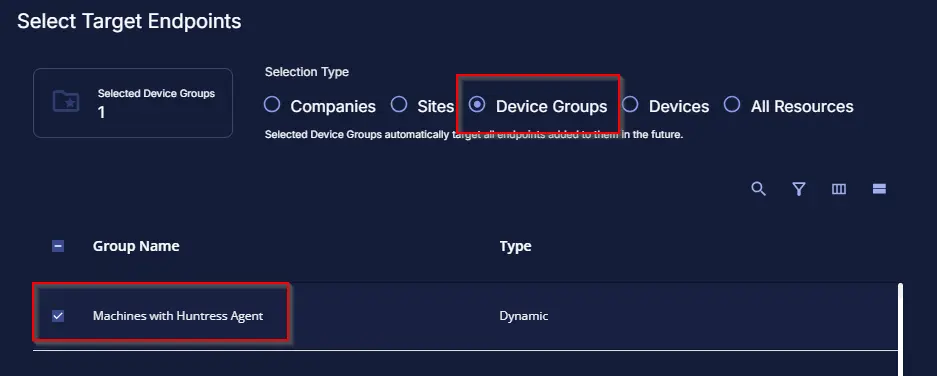
This monitor should target the group shown below:
Monitor Creation
Step 1
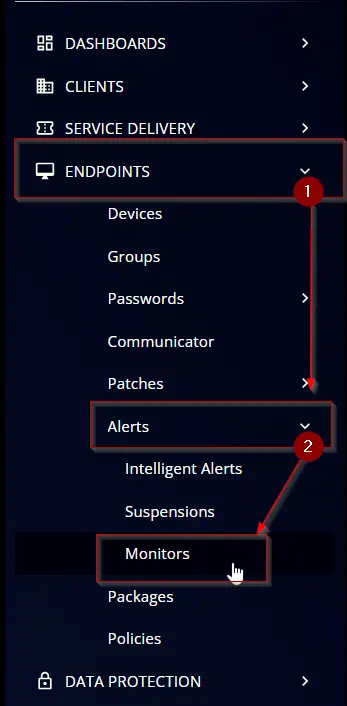
Navigate to ENDPOINTS ➞ Alerts ➞ Monitors
Step 2
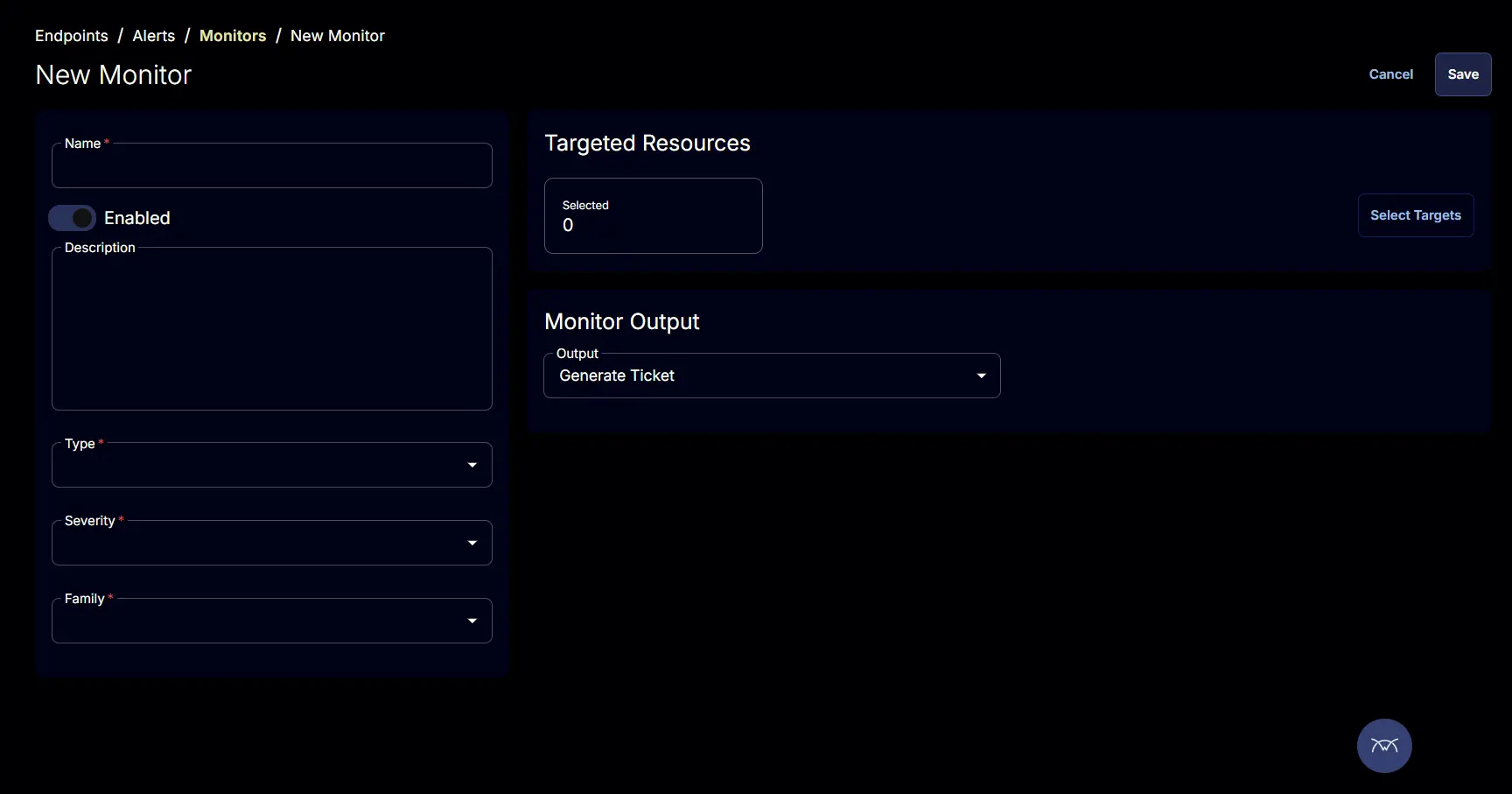
Locate the Create Monitor button on the right-hand side of the screen and click on it.

This page will appear after clicking on the Create Monitor button:
Step 3
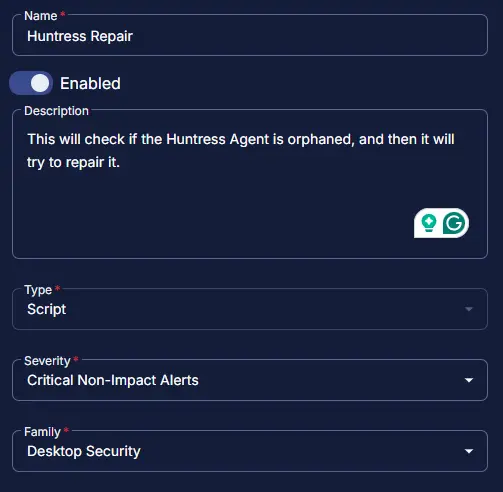
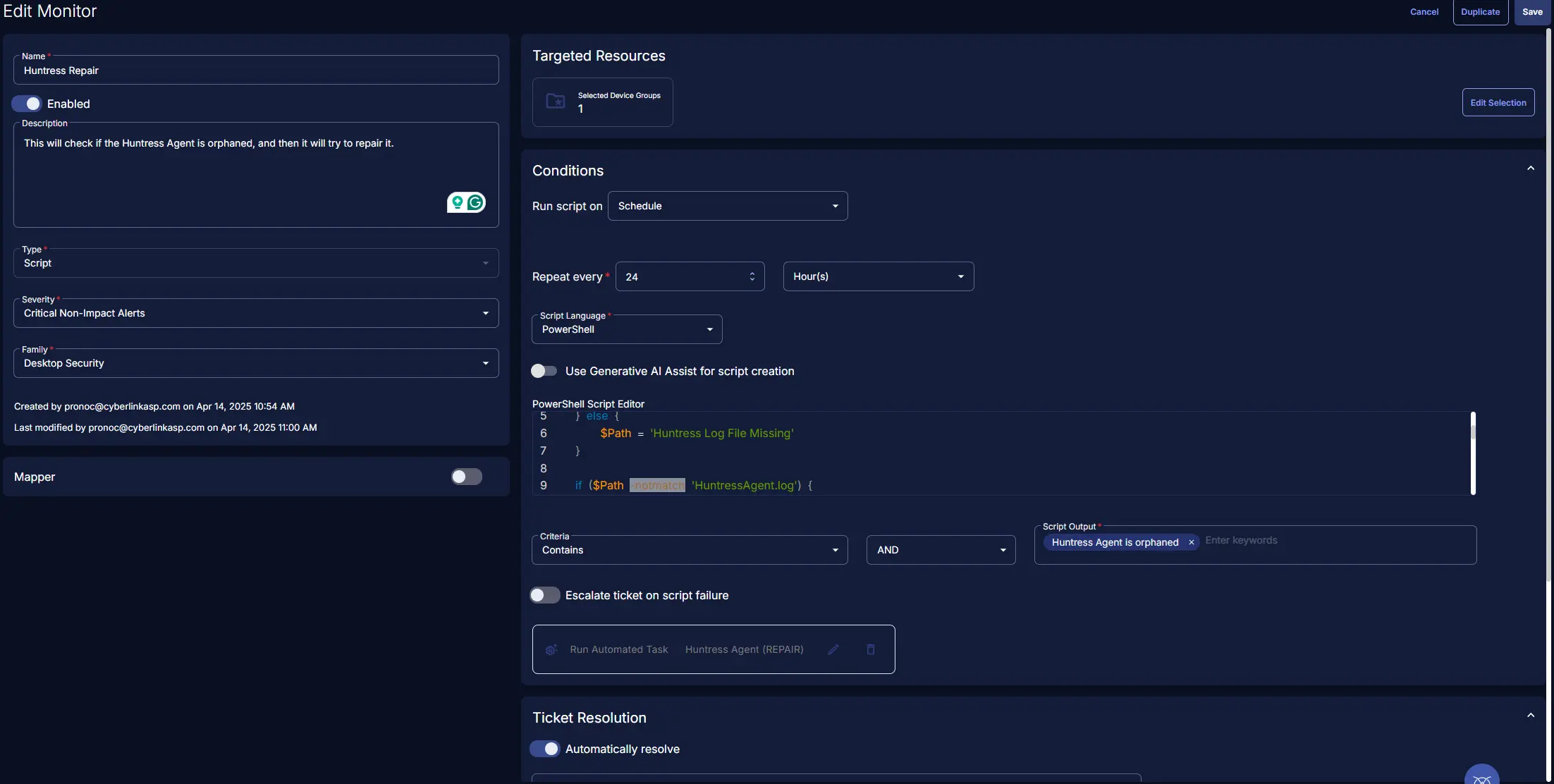
Fill in the mandatory columns on the left side
Name: Huntress Repair
Description: This will check if the Huntress Agent is orphaned, and then it will try to repair it.
Type: Script
Severity: Critical Non-Impact Alerts
Family: Desktop Security
Step 4
Click the Select Target button to choose the endpoints for running the monitor set.

This page will appear after clicking on the Select Target button:
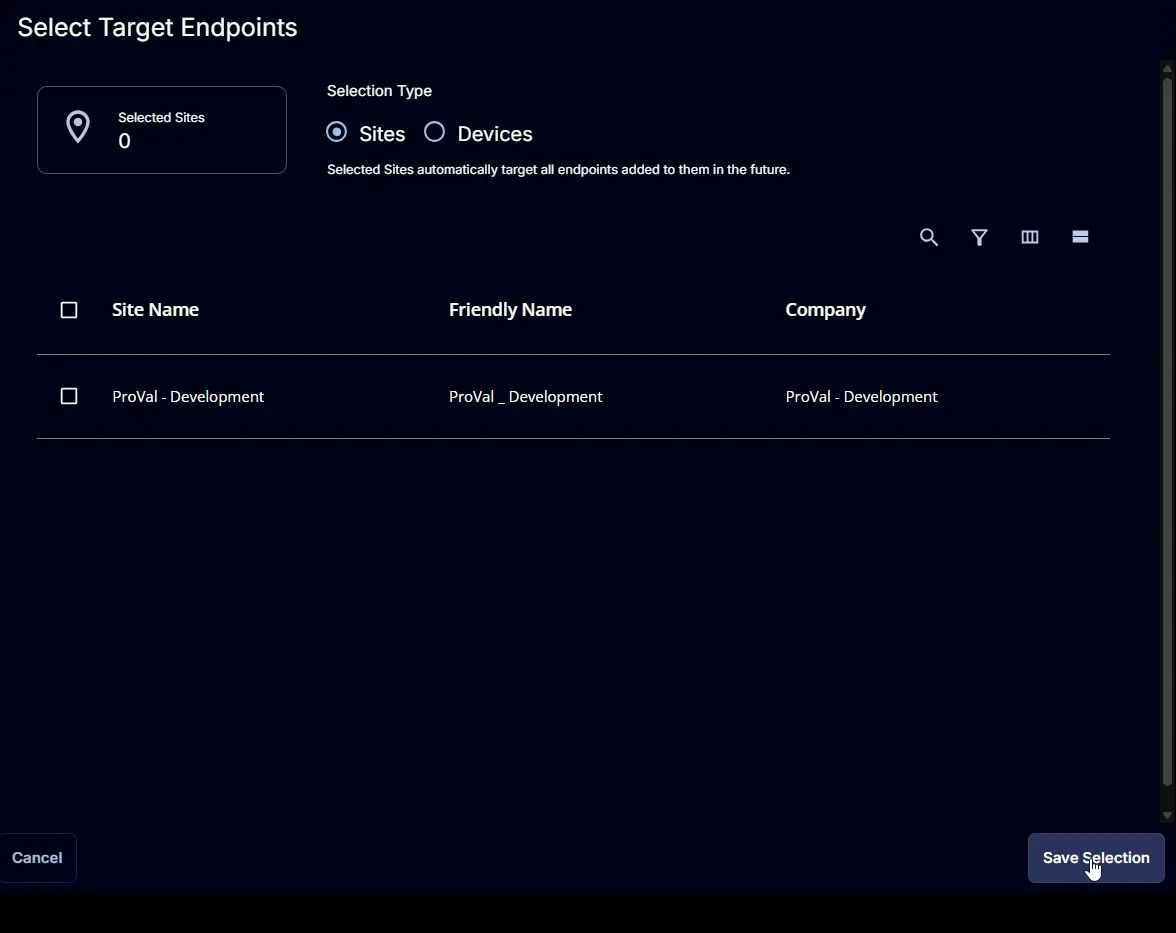
This monitor should target the group shown below:
Step 5
Fill in the conditions on the right side
Run script on: Schedule
Repeat every: 24 Hours
Script Language: Powershell
Script Output: Huntress Agent is not Orphaned
Automatically resolve: Enabled
Run Automated Task: Huntress Agent (REPAIR)
Powershell Script:
PowerShell Script
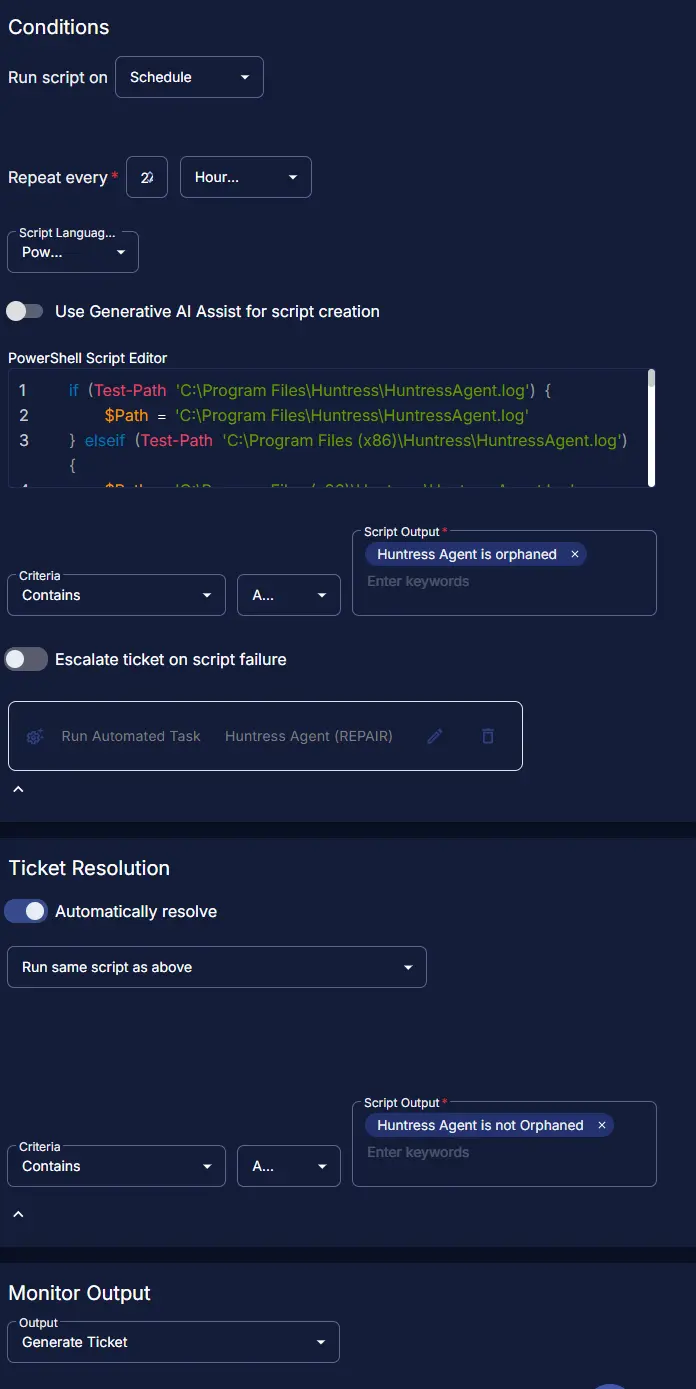
Completed Monitor
Changelog
2025-04-16
- Created document for this monitor in our Git Hub
2025-04-15
- Initial version of the document